1-8
Getting Started
Taking a Look at the Computer
NOTE: Depending on the model you purchased, the appearance of your
computer may not be exactly the same as those shown in this manual.
CAUTION: You need to open the protective covers to access the connectors.
When not using a connector, make sure to close the cover completely for
water- and dust-proof integrity. (Engage the locking mechanism if existing.)
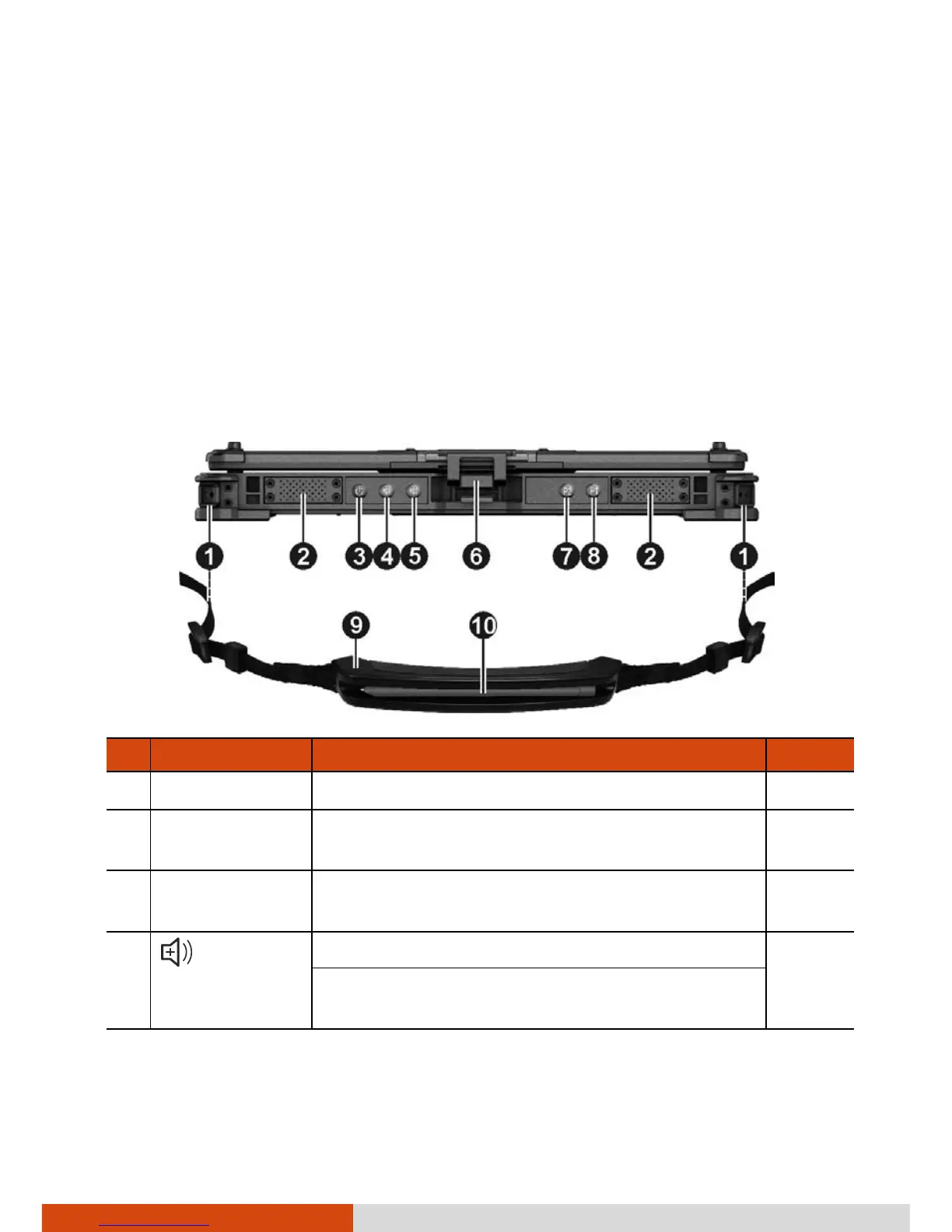
Front Components
Ref Component Description See Also
Sends out sound and voice from your
computer.
Power Button
Turns the power on or off. (The default “off”
state is “Sleep mode.”)
P. 1-7
Up Button
Increases the sound volume.
When Function Lock is on:
Increases the LCD brightness.



 To Next Page