1-10
Getting Started
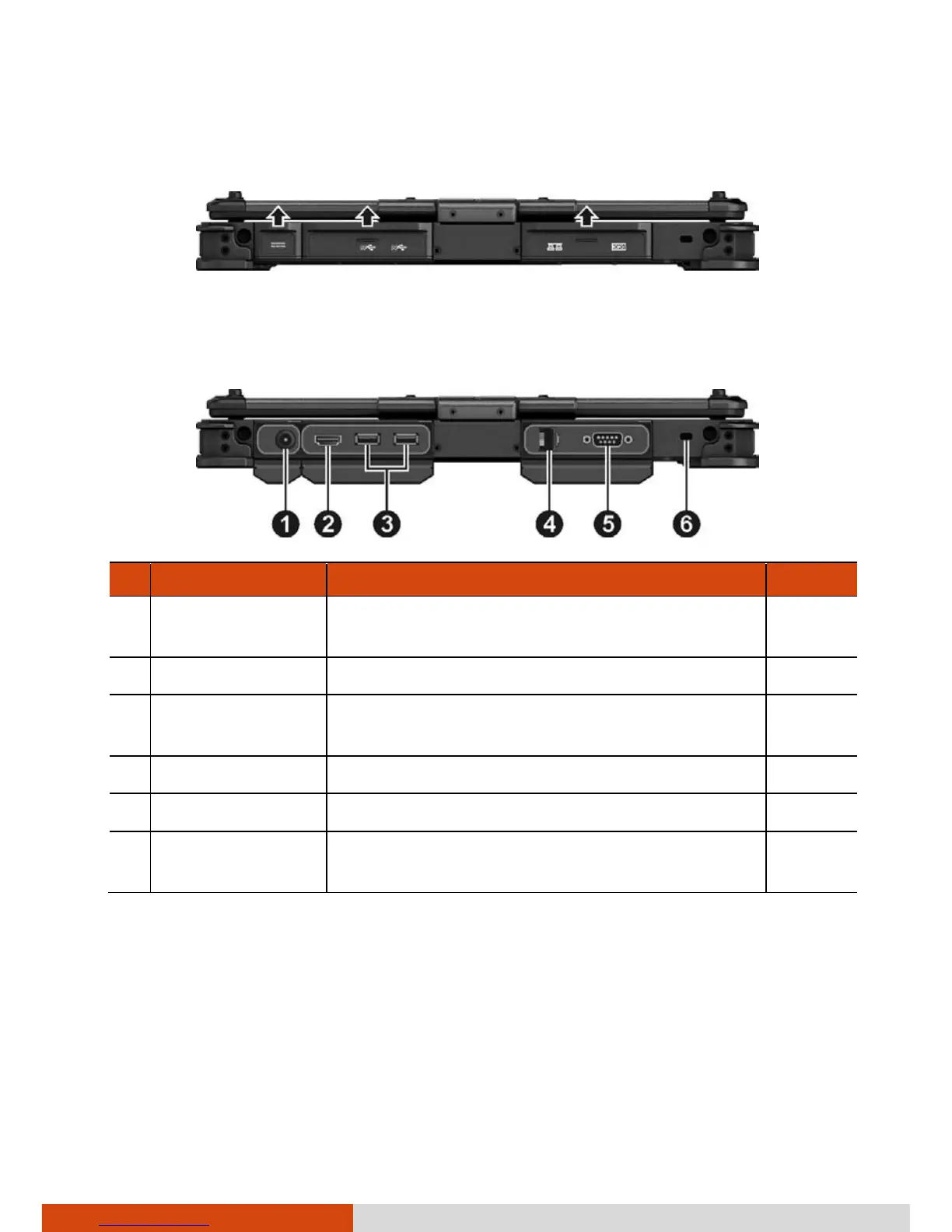
Rear Components
To access a connector, open its protective cover by lifting up the tab of the
cover. When closing the cover, push the tab downward until the cover clicks
into place.
Ref
Component Description See Also
Connects the AC adapter. P. 1-3
HDMI Connector Connects a HDMI monitor or TV set. P. 4-2
USB 3.0 Port
Connects a USB device, such as a flash disk,
printer, digital camera, joystick, and more.
P. 4-3
RJ-45 Connector Connects the LAN cable. P. 2-14
Serial Port Connects a serial device. P. 4-4
Kensington Lock
Locks the computer to a stationary object
for security.
P. 7-2



 To Next Page