8 | Pre-installation action: Configure mail server GFI FaxMaker
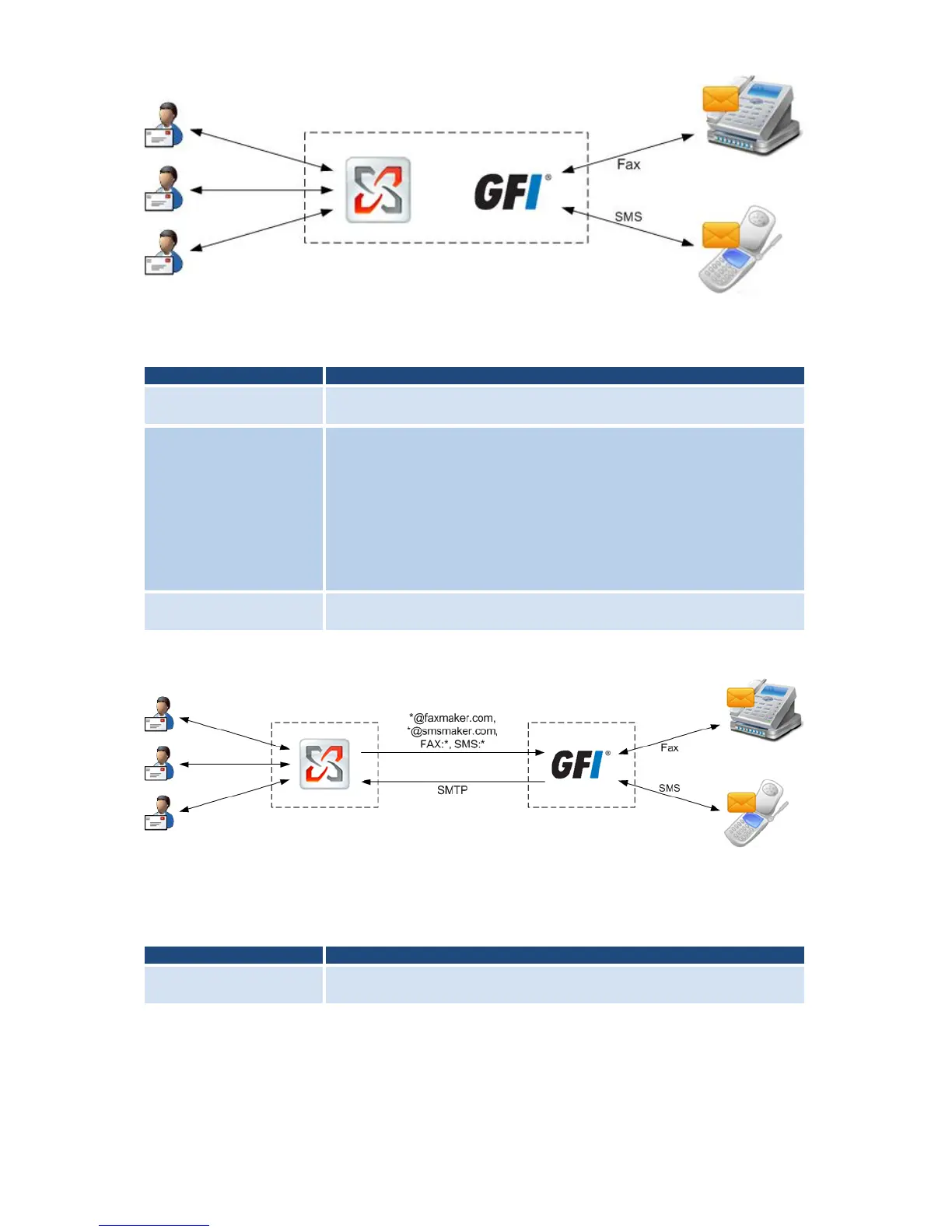
GFI FaxMaker installed on Microsoft Exchange Server machine
Figure 1 - GFI FaxMaker installed on the Exchange 2000/2003/2007/2010 server
During installation, GFI FaxMaker automatically configures Microsoft Exchange to process
faxes and SMS. No further configuration is required post-installation.
Users send faxes/SMS via email using Microsoft Outlook or via the GFI
FaxMaker Client application.
The mail server is automatically configured to route all emails addressed to
faxmaker.com, smsmaker.com, Fax: & SMS: to GFI FaxMaker.
» Microsoft Exchange 2007/2010: GFI FaxMaker automatically sets up a
Foreign Connector and a Receive Connector. For more information
refer to Appendix 2: Microsoft Exchange 2007/2010 Connector chapter
in this manual.
» Microsoft Exchange 2000/2003: For more information about Microsoft
Exchange 2000/2003 connectors, refer to Appendix 1: Microsoft
Exchange 2000/2003 Connector chapter in this manual.
After determining the users to whom to forward incoming faxes/SMS, GFI
FaxMaker sends transmission report via Microsoft Exchange.
GFI FaxMaker installed on a separate machine
Figure 2 - GFI FaxMaker installed on a dedicated server
When installing GFI FaxMaker on a separate machine than Microsoft Exchange, configure
Microsoft Exchange to forward faxes/SMS to GFI FaxMaker.
NOTE: Install IIS SMTP service on the GFI FaxMaker server.
Users send faxes/SMS via email using Microsoft Outlook or via the GFI
FaxMaker Client application.



 To Next Page