GFI FaxMaker Installing GFI FaxMaker | 27
4.3 Run the GFI FaxMaker Configuration Wizard
The GFI FaxMaker Configuration Wizard assists you through the basic steps of configuring
GFI FaxMaker. The wizard runs automatically after installation or run it manually from
Start ► Programs ► GFI FaxMaker ► GFI FaxMaker ► Configuration Wizard.
1. Click Next in the welcome screen.
NOTE: When GFI FaxMaker is installed on the Microsoft Exchange 2000 or higher,
skip to step 5.
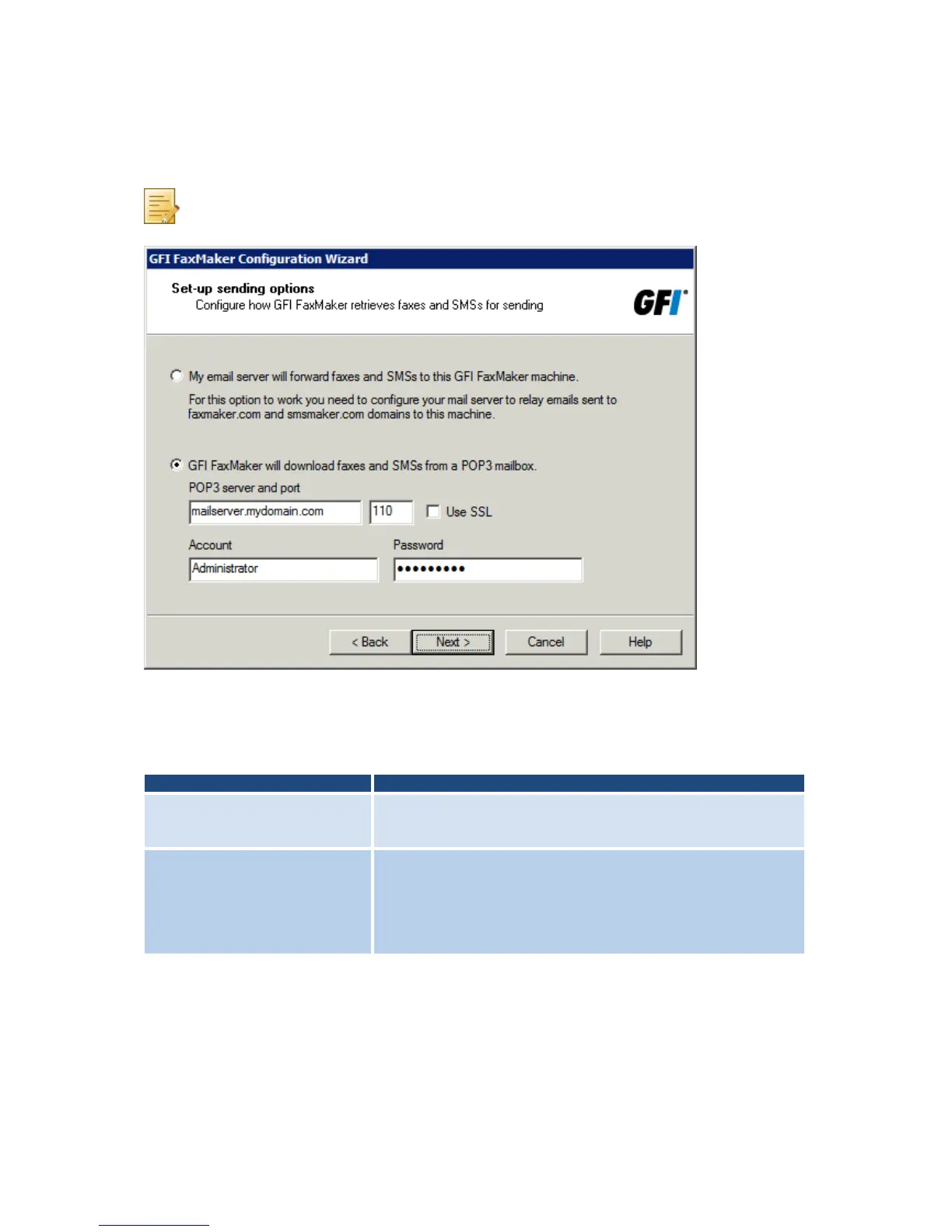
Screenshot 19 - Setting up the sending options
2. When GFI FaxMaker is not installed on the same machine running Microsoft Exchange
2000 or higher, configure mail server options. Select how to forward faxes and SMSs to GFI
FaxMaker.
Table 9 - Sending options
My email server will forward
faxes and SMSs to this GFI
FaxMaker machine
Select option if during Pre-installation action: Configure mail server,
the mail server was configured to forward all faxes and SMSs to GFI
FaxMaker.
GFI FaxMaker will download
faxes and SMSs from a POP3
mailbox
Select option if during Pre-installation action: Configure mail server,
a dedicated POP3 mailbox was configured on the mail server.
Specify the details of the dedicated POP3 mailbox.
IMPORTANT: Ensure that there are no emails in mailbox and that it
is dedicated to GFI FaxMaker. Any emails in mailbox are downloaded
by GFI FaxMaker and permanently deleted.



 To Next Page