14 | Pre-installation action: Configure mail server GFI FaxMaker
4. From New Domain page, select Basics tab and set the Domain type to Foreign SMTP
Domain.
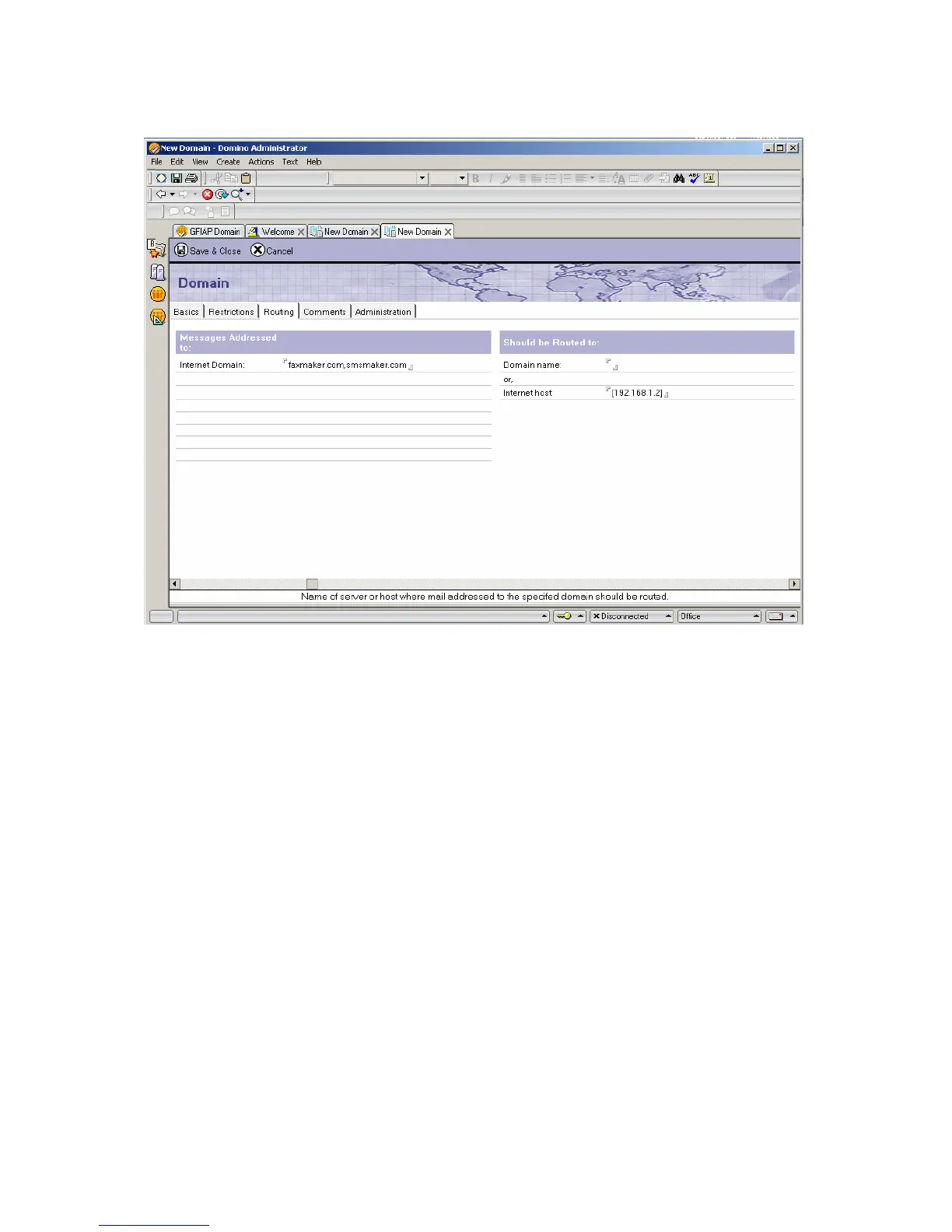
5. Select Routing tab and from Messages Addressed to, set Internet Domain to:
faxmaker.com,smsmaker.com.
Screenshot 4 - Configure the routing settings
7. Under Should be Routed to section, set Internet host to the IP address (enclosed in [ ] )
or name of the GFI FaxMaker server.
8. Save and close Foreign SMTP Domain entry.
9. Reload Domino router from the Domino server console with the following commands:
tell router stop
tell router start
Lotus Domino/Notes server 6
Step 1: Create a mailbox database on the Domino server



 To Next Page