GFI FaxMaker Pre-installation action: Configure mail server | 15
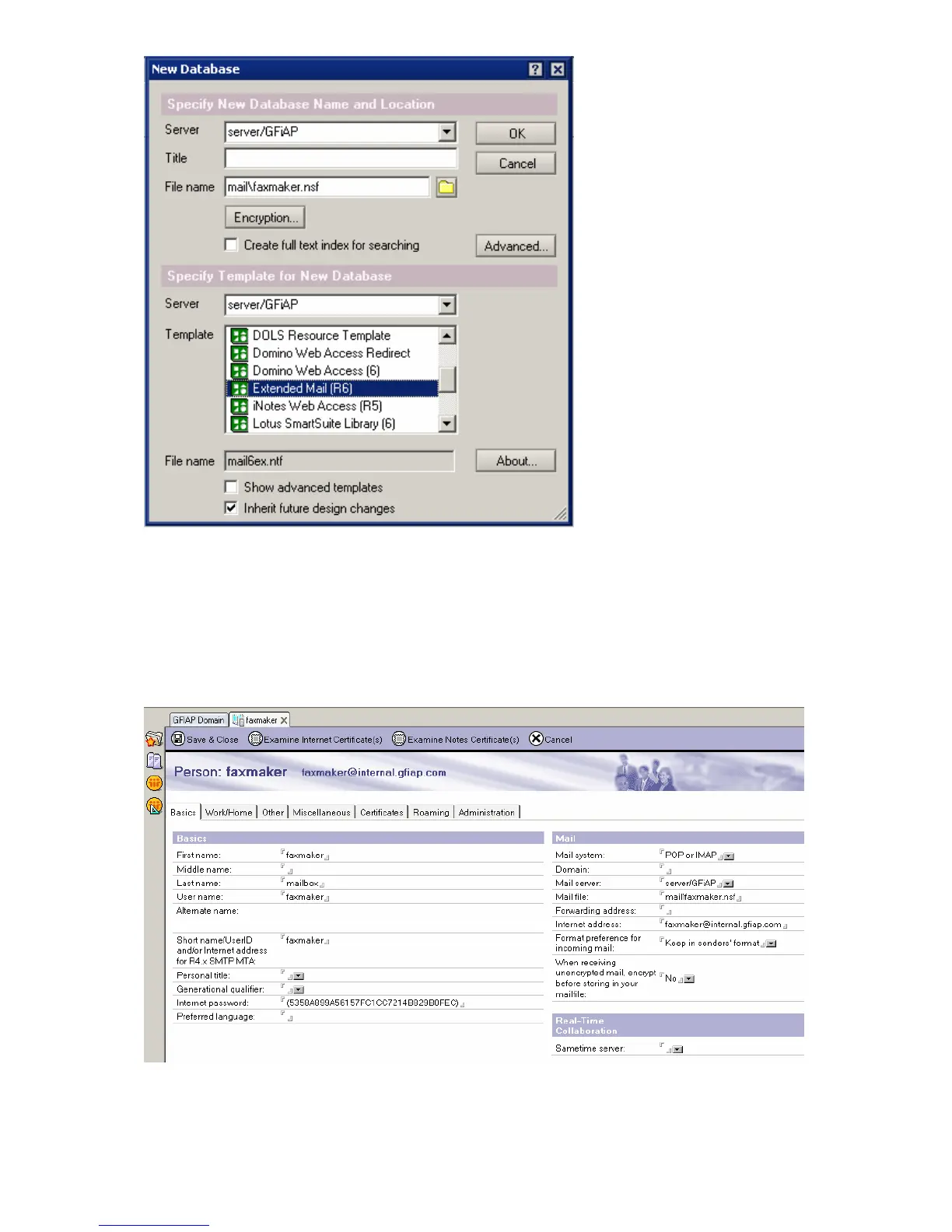
Screenshot 5 - Creating a new database
1. From Domino Administrator menu bar, select File ► Database ► New.
2. Select your Domino Server. Choose mail directory and enter GFIFaxMaker.nsf as the
filename.
3. Click OK to create the database.
Step 2: Configure the Person for the GFI FaxMaker Domino database
1. From Domino Administrator, click Add Person.
Screenshot 6 - Add a person
2. Fill in the following fields:
Table 6 - Lotus Domino Add person options



 To Next Page