EasyManua.ls Logo

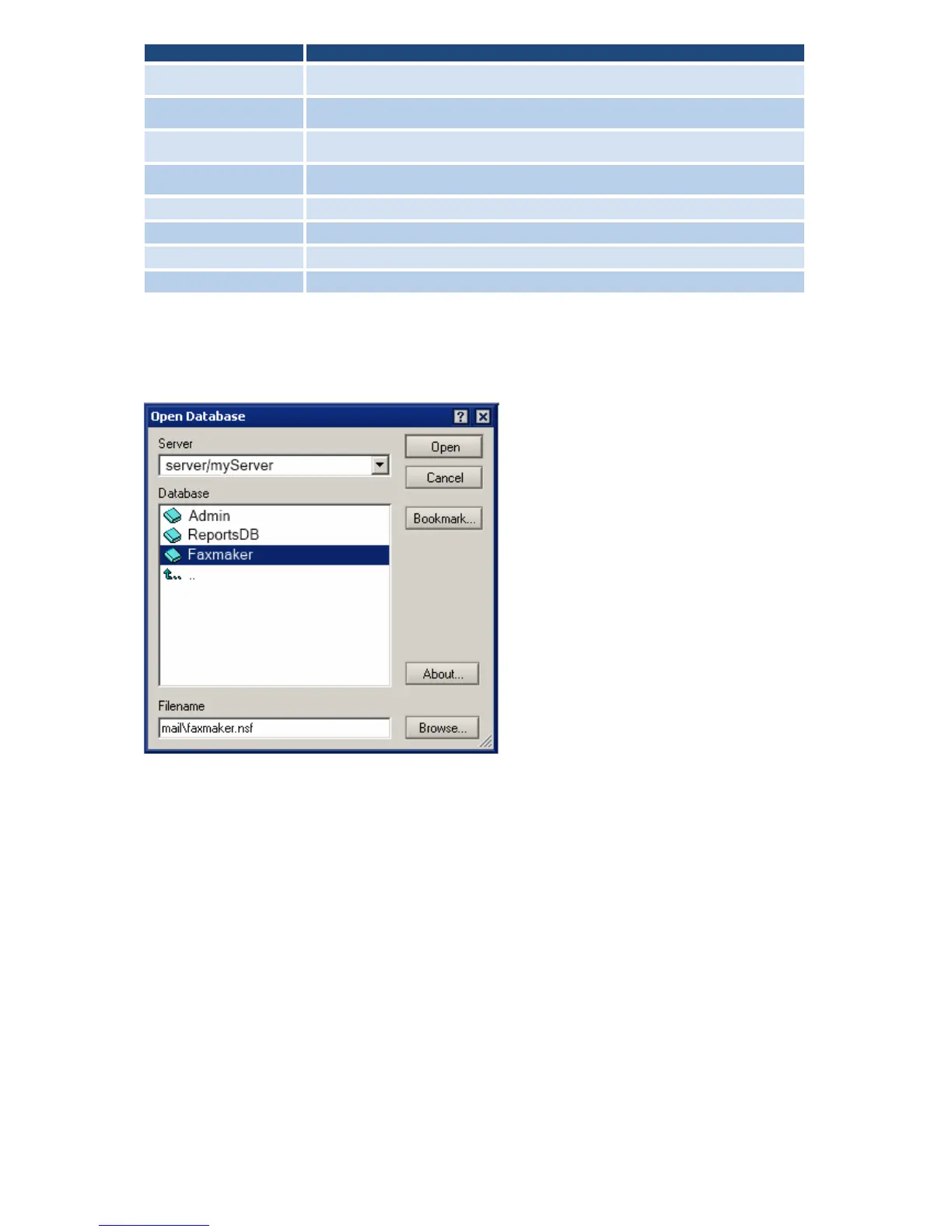
GFI FaxMaker - Screenshot 7 - Open the GFI Faxmaker Database

Default Icon
59 pages
Print Icon
To Next Page IconTo Next Page
To Previous Page IconTo Previous Page
Loading...
16 | Pre-installation action: Configure mail server GFI FaxMaker
OPTION
SETTING
First name
GFI FaxMaker
Last name
Mailbox
User name
GFI FaxMaker
Short name/User ID
GFIFaxMaker
Internet Password
Choose a POP3 password.
Mail System
POP or IMAP
Mail Server
Domino Server name
Internet Address
The email address which will be able to receive email on the server.
3. Click Save and Close.
Step 3: Give the GFI FaxMaker Person permission on the GFI FaxMaker database
1. In the Domino Administrator, select File Database Open to open the GFI FaxMaker
database.
Screenshot 7 - Open the GFI FaxMaker database
2. Select server and browse to the GFI FaxMaker database. Click Open.
3. Navigate to File Database Access Control.

Table of Contents

Other manuals for GFI FaxMaker