You can also configure the SMTP Connector manually.
» Microsoft Exchange 2000/2003 - refer to Appendix 1: Microsoft Exchange
2000/2003 Connector chapter
» Microsoft Exchange 2007/2010 - refer to Appendix 2: Microsoft Exchange
2007/2010 Connector chapter
3.3 Lotus Notes/Domino
Use Lotus Notes/Domino with GFI FaxMaker to send faxes and SMS.
Select the appropriate version:
Lotus Domino/Notes server 6.5
Lotus Domino/Notes server 6
Lotus Notes 4 and 5
Lotus Domino/Notes server 6.5
Step 1: Allow mail relay from Lotus Domino/Notes server
1. From the GFI FaxMaker server, load the Internet Information Services console.
2. Right-click Default SMTP Virtual Server node and select Properties.
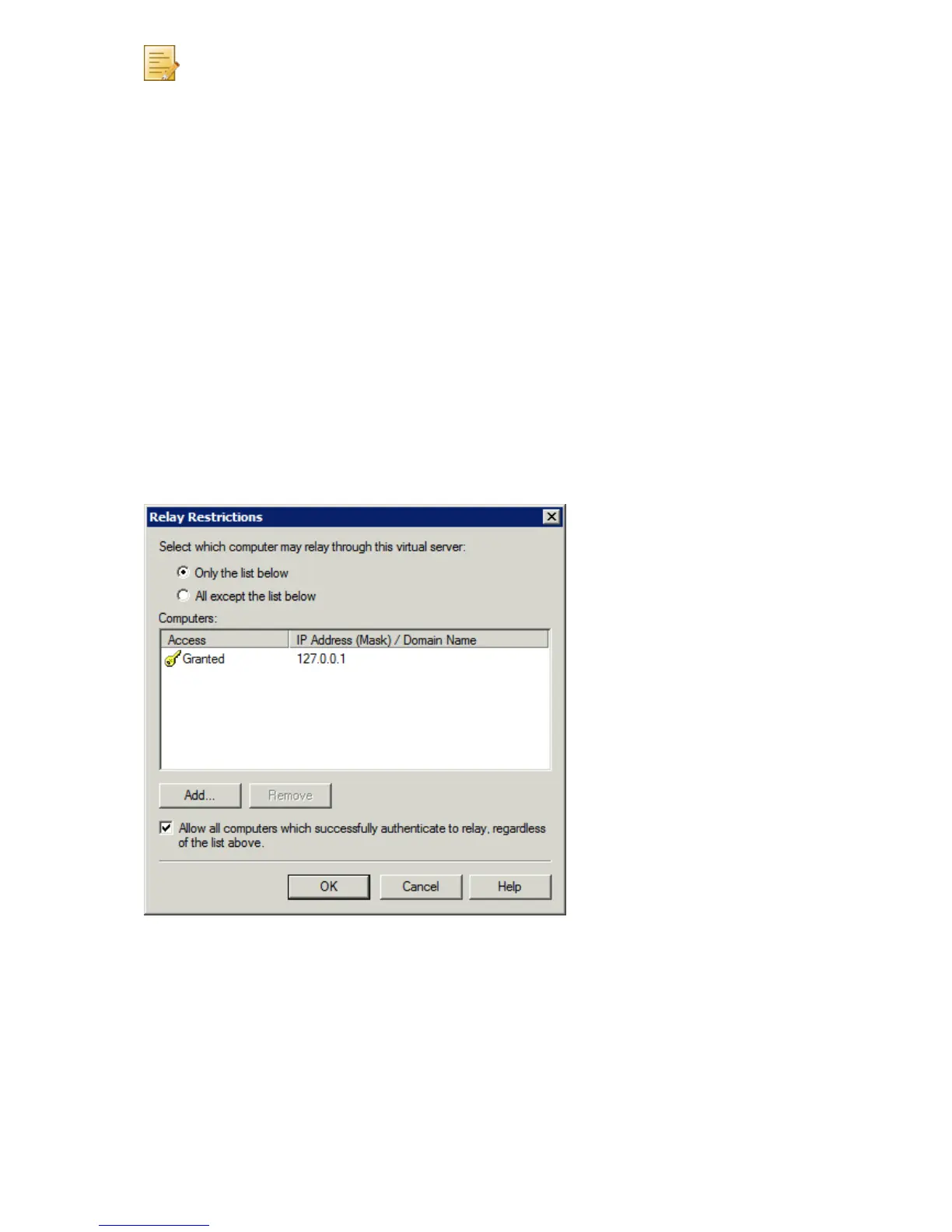
3. From Access tab, click Relay….
Screenshot 1 - Relay restrictions dialog
4. Select Only the list below and click Add….
5. Select Single computer and in the IP address field specify the Lotus Domino/Notes
Server IP address. Click OK.
6. Click OK in all dialogs to apply changes.
Step 2: Add a foreign SMTP domain on the Lotus server
1. From Domino Administrator, select Configuration tab.
2. Navigate to Messaging ► Domains node.



 To Next Page