42 | Appendix 1: Microsoft Exchange 2000/2003 Connector GFI FaxMaker
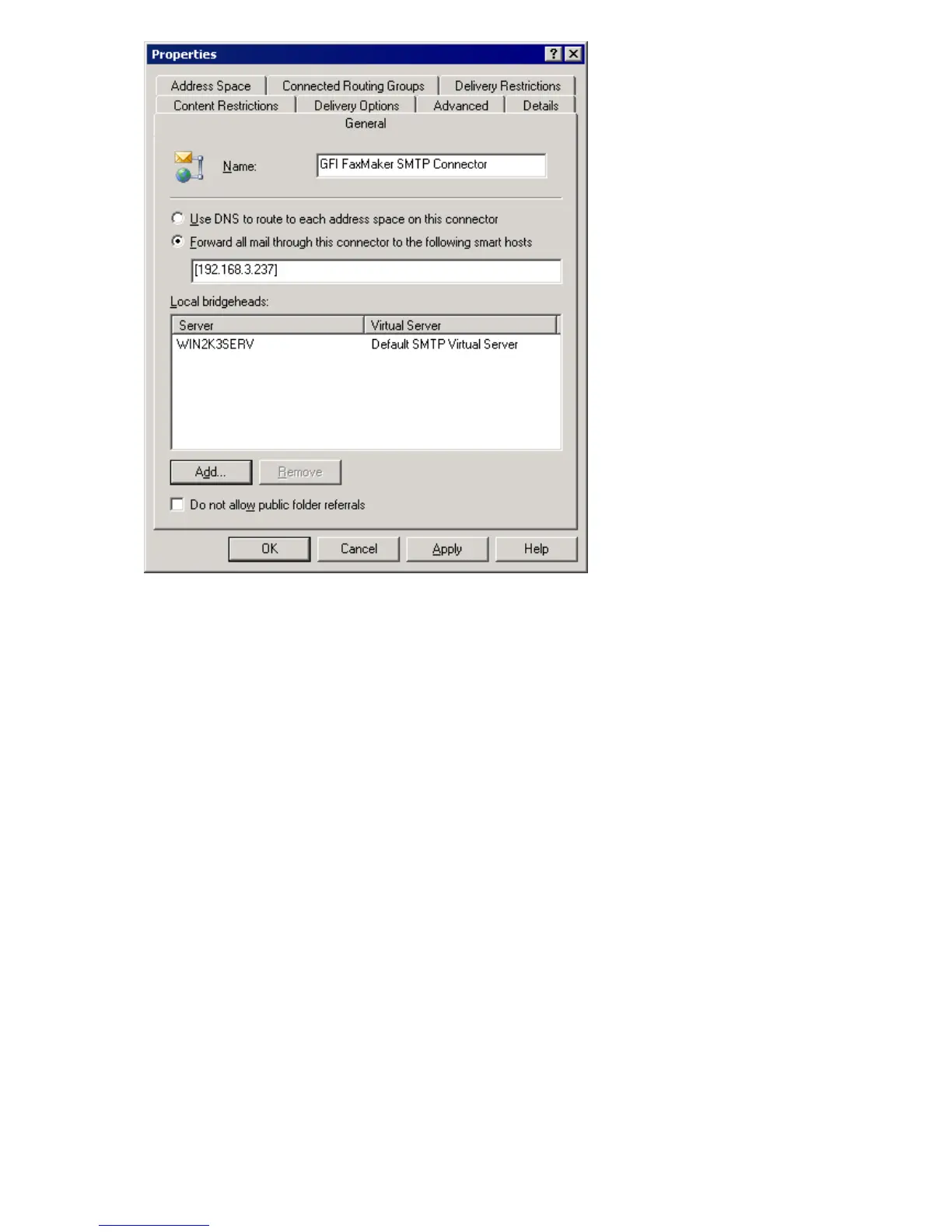
Screenshot 24 - Specifying IP/Name of GFI FaxMaker machine
3. From General tab, configure the following settings:
» Key in name GFI FaxMaker SMTP Connector
» Select option Forward all mail through this connector to the following smart hosts
» Key in the name or IP of the GFI FaxMaker server enclosed within square brackets (for
example, [100.130.130.10])
» Click Add… in Local bridgeheads and select the default virtual SMTP Server.
4. From the Address Space tab, click Add.
5. Select Other and click OK.



 To Next Page