18 | Pre-installation action: Configure mail server GFI FaxMaker
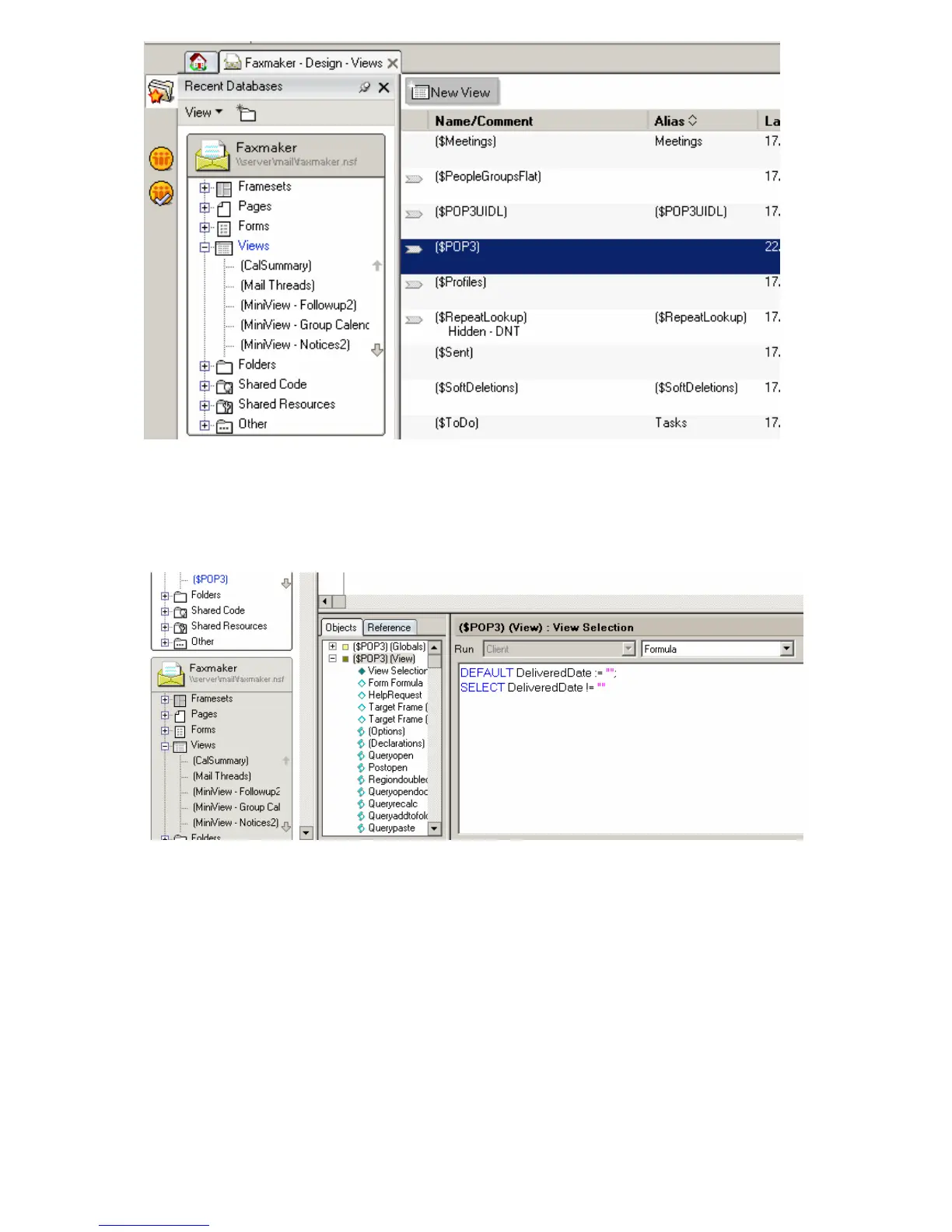
Screenshot 9 - Removing the default POP3 view
4. Click OK to the warning prompt.
5. Select the following two lines and delete them from the $POP view object.
DEFAULT DeliveredDate := “”;
SELECT DeliveredDate != “”
Screenshot 10 - Delete lines from $POP view
6. Save and exit Domino Designer.
Step 5: Add the FAX Foreign Domain
1. Load Domino Administrator.
2. Select Configuration tab and select Messaging\Domains.
4. Click Add Domain and select Foreign Domain.
6. Enter fax as the Foreign Domain Name.
7. Select the Mail Information tab.
8. Enter the Domino server name as the Gateway server name.
9. Enter mail\GFI FaxMaker.nsf as the Gateway Mail File Name.



 To Next Page