14
First steps
Gigaset SL400-SL400A / EN for IM-Nord / A31008-M2103-R201-3-SM19 / starting.fm / 01.02.2011
Version 4, 16.09.2005
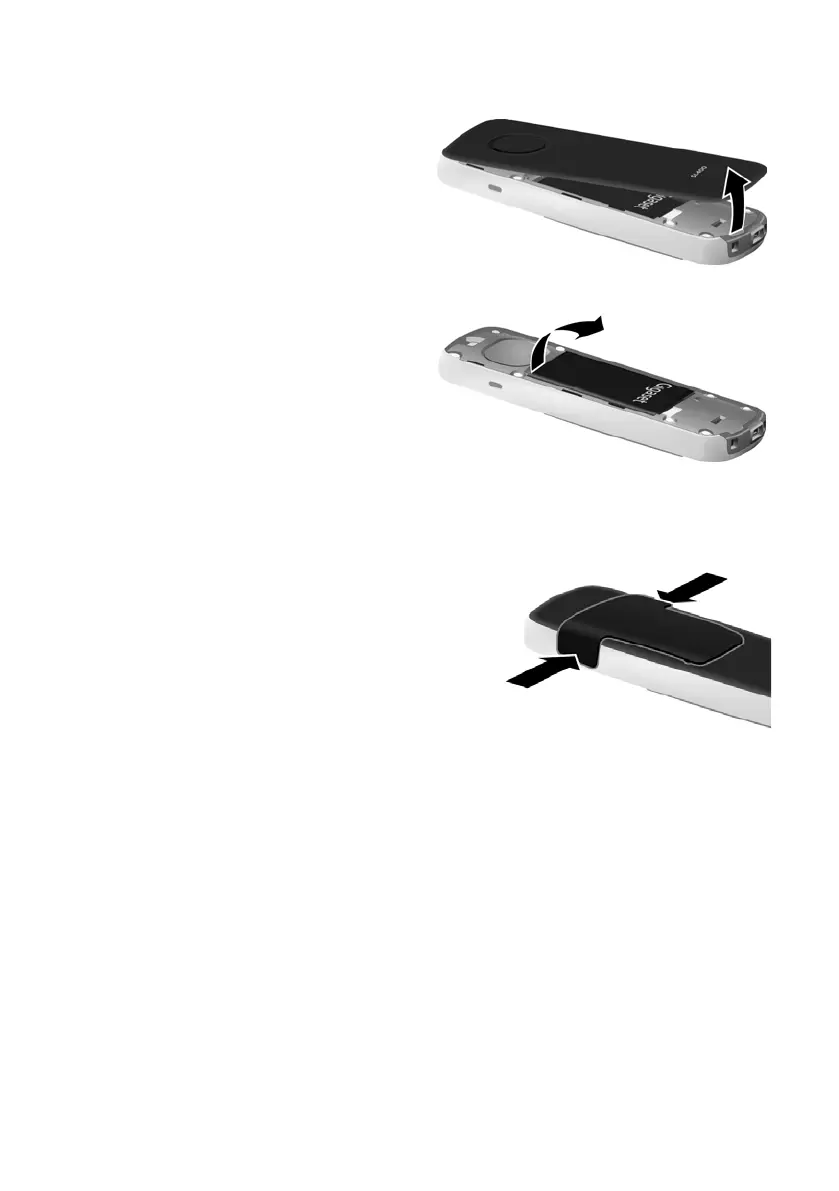
To reopen the battery cover to replace the battery:
¤ Remove the belt clip
(if attached).
¤ Insert your fingernail into the
notch at the bottom of the
casing and pull the battery
cover upwards.
To change the battery, insert
your fingernail into the notch in
the casing and pull the battery
upwards.
Attaching the belt clip
The handset has notches on each side to attach the belt clip.
¤ To attach — press the belt clip onto
the back of the handset so that the
protrusions on the belt clip engage
with the notches.
¤ To remove — press the centre of the
belt clip firmly with your right thumb,
push the fingernail of your left index
finger up between the clip and the
housing and pull the clip in an upward
direction.



 To Next Page