SLX
0635-999-05---08p_2017.12.indd
?
LOCK ?
UNLOCK
0635-999/06p
Page 18 of 30
Operator manual
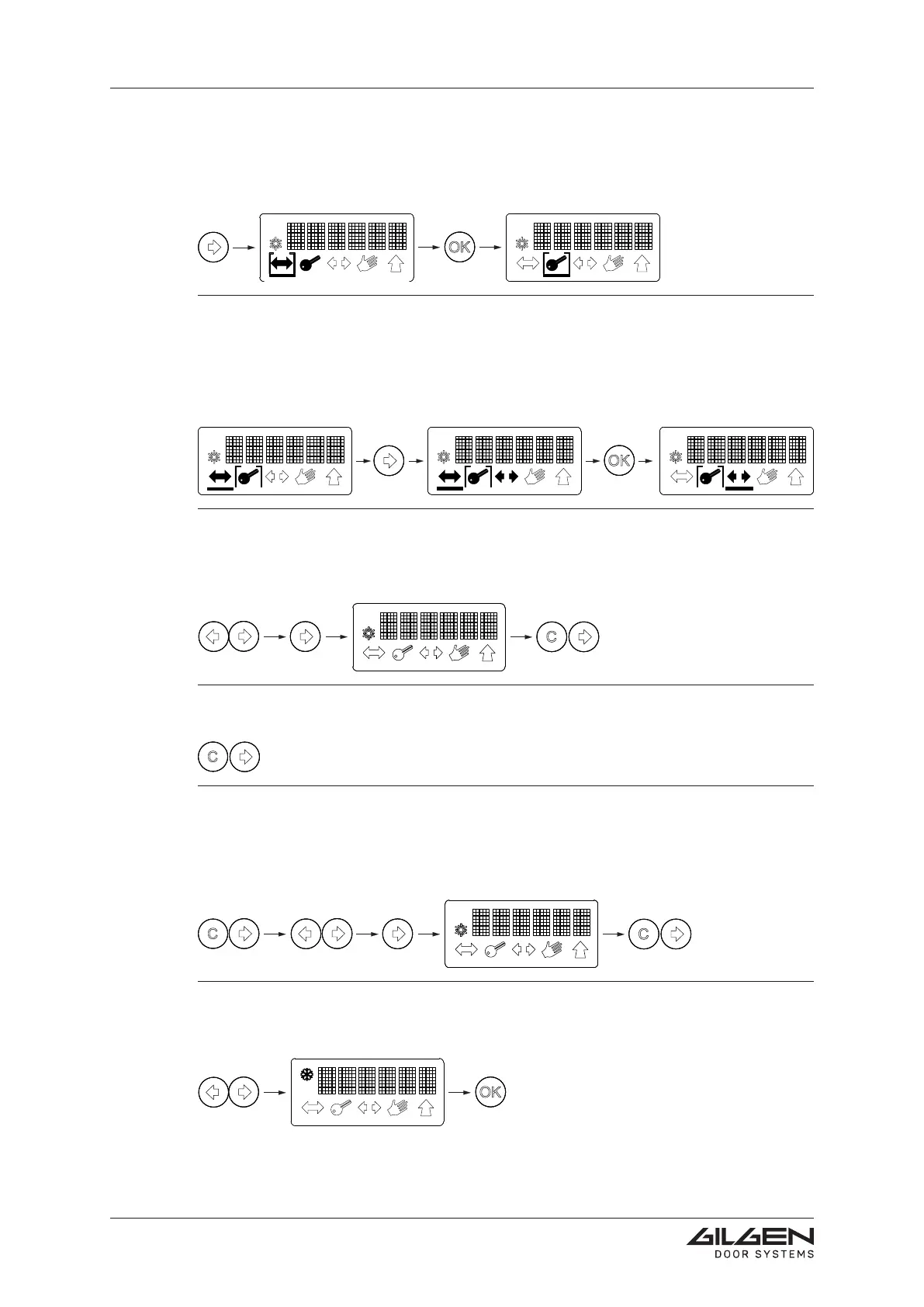
Summer opening / winter opening
Short simultaneous actuation of the arrow keys (= access to the menu level).
ConrmthechangebymeansoftheOKkey.
Disabling the keylock
Short simultaneous actuation of the C-key and the right-hand arrow key.
Short simultaneous actuation of the arrow keys (= access to the menu level).
By means of the arrow key, select UNLOCK.
ConrmwiththeC-keyandtheright-handarrowkey.
Temporarily disabling the keylock (60 s)
Short simultaneous actuation of the C-key and the right-hand arrow key.
Enabling the keylock
Short simultaneous actuation of both arrow keys (= access to the menu level).
By means of the arrow key, select LOCK.
ConrmwiththeC-keyandtheright-handarrowkey.
4.1.6 Settingexamples
Changing the operating mode
Selectthedesiredsymbolbymeansofthearrowkey(symbolstartsashing).
ConrmwiththeOKkey(frame/barswitchover).
Preselecting the operating mode
An overriding switch is active and determines the operating mode (only the selection fra-
me is visible, the bar underlines the preselected operating mode). Now you can select the
operating mode you want to be active upon cancellation of the overriding switch:
Selectthedesiredsymbolbymeansofthearrowkey(symbolstartsashing).
ConrmwiththeOKkey(barswitchesover).



 To Next Page