SLX
0635-999-05---08p_2017.12.indd
0635-999/06p
Page 21 of 30
Operator manual
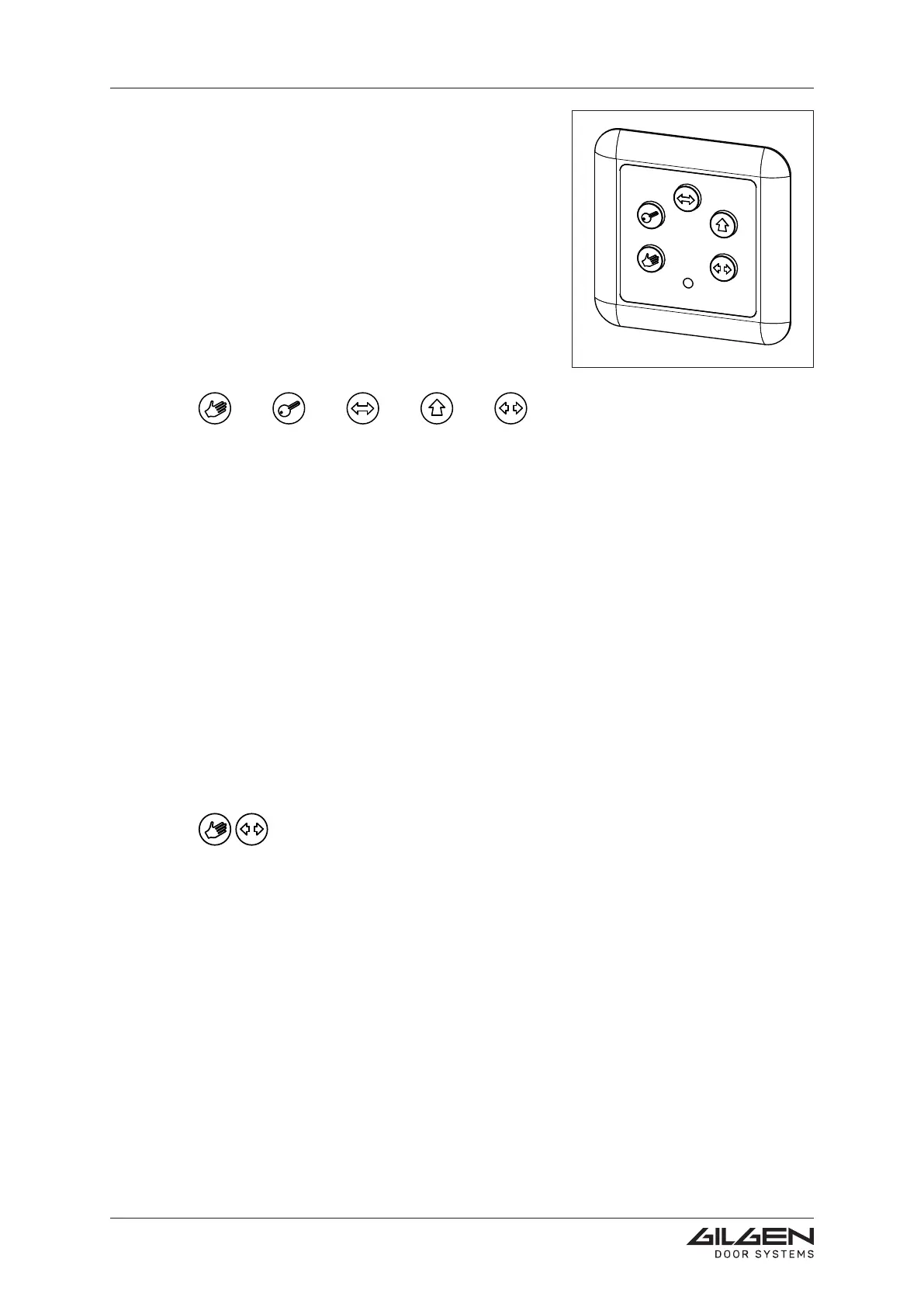
4.3 C-BEDIX (option)
The C-BEDIX enables you to directly select the opera-
ting modes. Possible errors are displayed by means of
the red LED.
The C-BEDIX is connected to the drive unit control
bymeansoftheCANbus.Amaximumof2C-BE-
DIX can be connected.
4.3.1 Operating mode keys
The C-BEDIX has the following operating mode
keys with integrated green LED:
MANUAL NIGHT AUTOMATIC EXIT OPEN
Their function is analogous to the one of the D-BEDIX operating modes.
UponactivationofthekeyNIGHT,itsintegratedLEDwillcontinueashinguntilthedoor
has been locked.
4.3.2 Error display
The red LED ERROR on the C-BEDIX:
• is permanently lit in the event of a fatal error (door in standstill)
• ashes ifanerrorispending(dooroperationcontinues)orduringanew
setting-up procedure.
Thereisnoevaluationormoredetailedidenticationofthedisplayederrors;forthispur-
pose, the wireless BEDiX (option) must be used.
4.3.3 Carrying out a Reset
By carrying out a Reset, it may be possible to eliminate the pending error.
Simultaneously actuate the operating mode keys MANUAL and OPEN and
hold them depressed during at least 3 seconds (this causes the door to be
re-adjusted, while maintaining the programmed parameters).
4.3.4 Switching over between winter and summer setting
To alternate between these two positions, simultaneously press the keys EXIT and
OPEN.Toconrmthisswitching-over,theslidingwingsmovetotherespectiveopenposi-
tion (permanent opening summer or winter). This selected setting will then be applicable
for all the operating modes.
4.3.5 Blocking of keys
(must be released by after-sales service)
During at least 5 sec., press upon the active operating mode key. The blocking is indica-
ted by a short illumination of all the keys. To revoke the lockout, press the active key (at
least during 5 seconds).



 To Next Page