SLX
0635-999-05---08p_2017.12.indd
0635-999/06p
Page 9 of 30
Operator manual
3.3.3 SLX-Redundant
The SLX-Redundant is used in escape and rescue ways. For redundant doors, a COMBI-
SCAN (incl. tested radar) in the direction of the escape way is mandatory. This radar must
be effective over the entire width of the door (from any point up to at least 1,5 m in front of
the door).
The SLX-Redundant arrangement includes two motors MOGET, one control unit NESTE-
RED and one emergency battery BATPA. The drive unit is failsafe, which means: If an
error occurs, or in the event of a mains power failure, the door must open and remain
in the open position in the operating modes MANUAL, OPEN, AUTOMATIC and EXIT
(ESCAPE WAY).
In the operating mode NIGHT the door remains closed and locked (NO ESCAPE WAY).
The door can be opened by means of the manual unlocking mechanism. Due to the fact
that the escape way function is disabled when the door is switched over to the program
position NIGHT, the program switch must be protected against unauthorized switching.
3.3.4 EMERGENCY STOP button
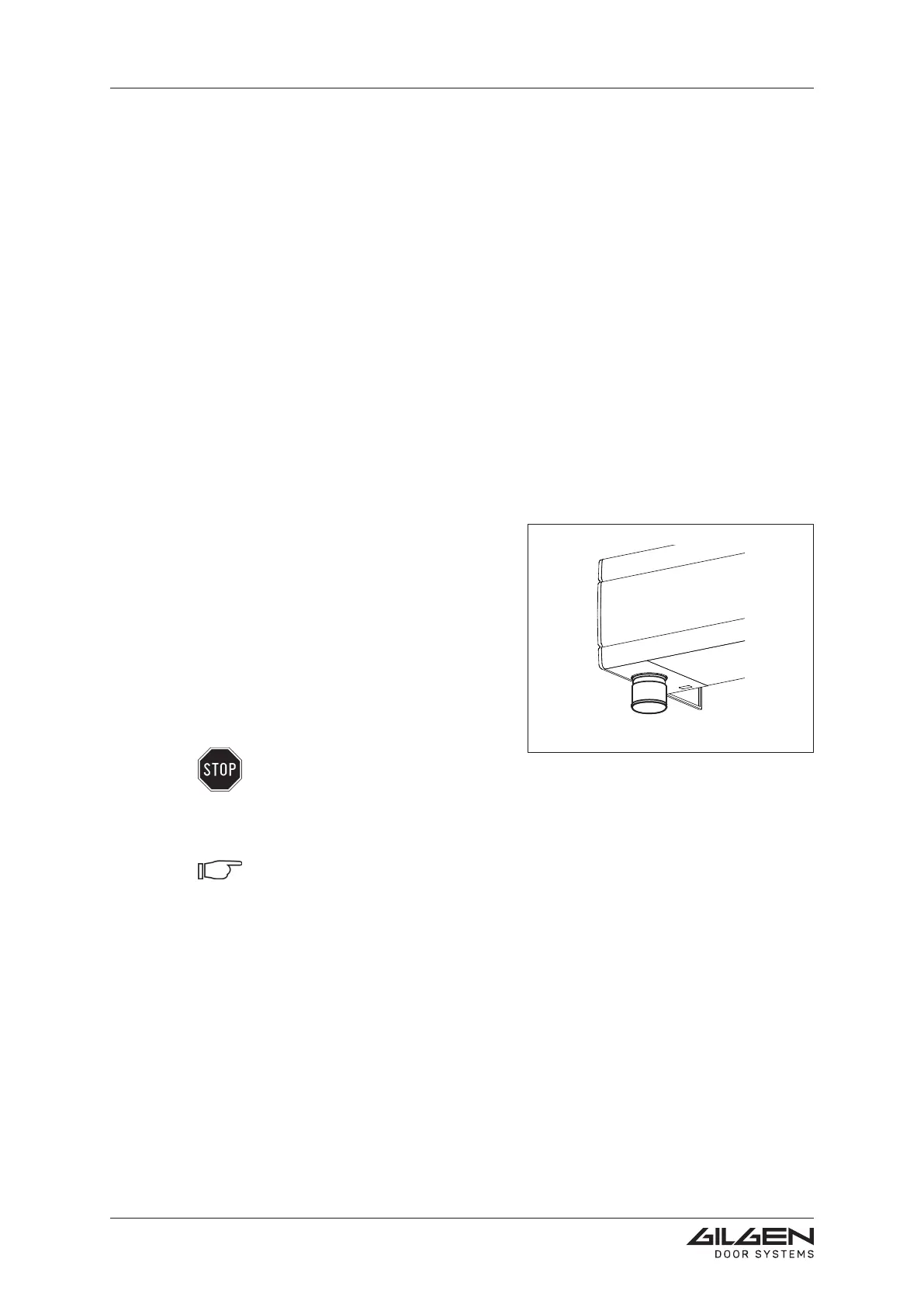
Installation depending on the regulations va-
lid in the country of application. An actuation
of the EMERGENCY STOP button causes
the sliding wings to stop immediately. They
can then be manually moved.
The EMERGENCY STOP button is generally
located inside (on the left) of the lower side
of the drive case. The EMERGENCY STOP
button is released by turning it shortly to the
right.
Warning:
The EMERGENCY STOP button must be easily visible and accessible at all
times. For redundant installations or installations with BAT-NOT-X, an actua tion
of the EMERGENCY STOP button causes the door to be opened (be cause of
the escape and rescue way function).
Note:
An actuation of the EMERGENCY STOP button will be displayed by means of a
POP UPmessage on the BEDiX (option).


 To Next Page