7
Operations & Maintenance Manual: Introduction
INTRODUCTION
SINGLE-USE & REUSABLE SYSTEMS
The GlideScope Titanium system is available in single-use and reusable configurations. Both configurations
feature the same video monitor, the cables and adapters to power the device, and any optional system
components that may facilitate intubations or provide convenience to the user. The primary differences between
the reusable and single-use systems are the video laryngoscopes and the cables that connect the laryngoscope
to the video monitor.
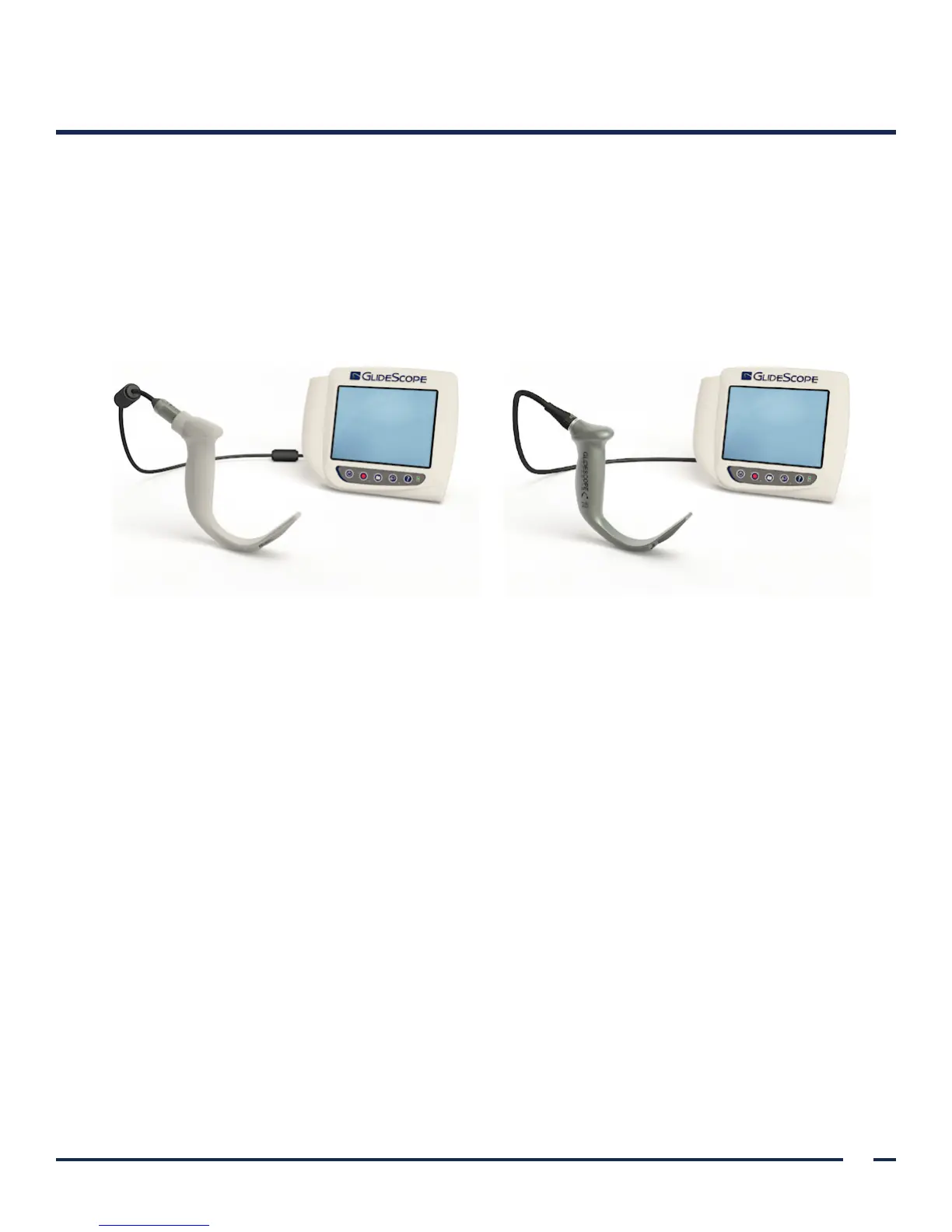
Figure 1. Titanium Single-Use System Figure 2. Titanium Reusable System
The single-use system features durable, plastic blades that must be disposed of after one use. It also features the
GlideScope Smart Cable—a reusable video cable that connects the single-use blade to the video monitor and
contains the electronics that process the video data captured by the blade. Single-use video laryngoscopes are
identified by an S in the blade name, such as LoPro S4.
The reusable system features a titanium video laryngoscope that must be cleaned and high-level disinfected
between uses. The blade is connected to the video monitor via a reusable video cable. Unlike the single-use
system, the reusable system video electronics are located within the laryngoscope. Due to their titanium
construction, reusable video laryngoscopes contain a T in the blade name, such as LoPro T4.
You may use either the single-use or reusable system configurations, or your facility may elect to provide both
configurations. This manual details both single-use and reusable system information and notes where the
systems differ. In this document, unless otherwise noted, the term video cable describes both the GlideScope Smart
Cable for the single-use system and the video cable for the reusable system.
LANGUAGE SETTINGS
The GlideScope Titanium video monitor software is available in a variety of languages. To change the
language used on your system, you must install a new software version via a USB flash drive. For more
information, contact Verathon
®
Customer Care or your local representative. For contact information, see
verathon.com/contact-us.


 To Next Page