20
OptiOn 2. SinGLE-USE SYStEM
It is recommended that you leave the sterile, single-use blade in the packaging while connecting the blade and
that you do not remove the blade until you are ready to perform an intubation procedure. This helps ensure that
the blade remains as clean as possible.
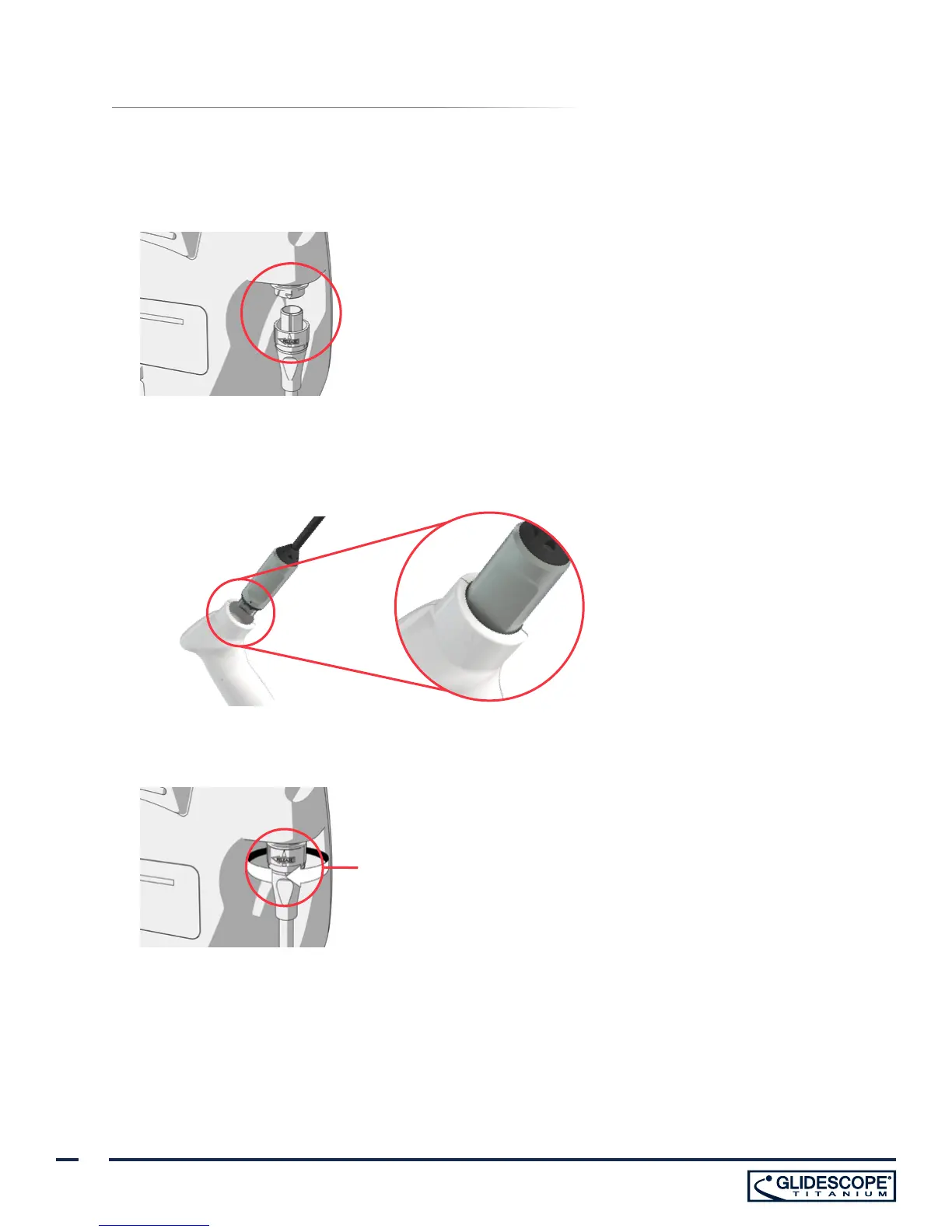
1. Align the arrow on the GlideScope Smart Cable and the arrow on the video cable port.
2. Insert the Smart Cable connector into the port. You will hear a click when the cable is successfully connected.
3. Align the arrow on the Smart Cable with the dot on the single-use blade port, and then insert the connector
fully into the port.
4. To disconnect the GlideScope Smart Cable from the monitor, rotate the connector ring in the direction of the
release arrow, and then remove the connector from the port.
Connector ring
5. To disconnect a single-use blade from the GlideScope Smart Cable, hold the cable connector in one hand
and the blade handle in the other, and then pull. The blade disconnects from the cable.


 To Next Page