CP30 INSTRUCTION MANUAL
12
Charging the Battery
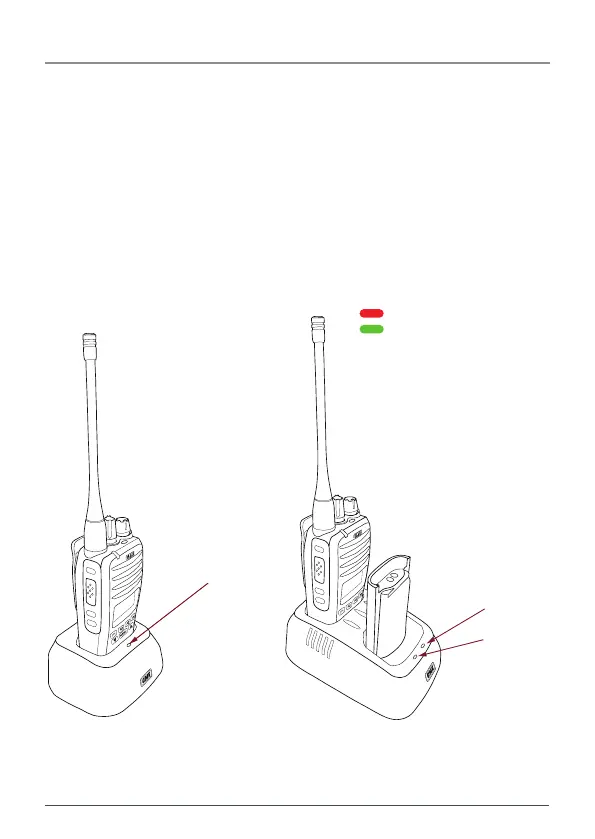
1. Plug the PS005 AC adaptor into a standard 240V outlet.
2. Plug the lead from the PS005 into the charging socket on the rear of
the BCD022 charging cradle.
3. Place the CP30 with battery attached into the charging slot. The
charger indicator LED will light Red.
4. Once the battery is charged, the charger indicator LED will change to
Green.
Single Desktop
Charger (BCD022)
Dual Desktop
Charger (BCD023)
CHARGER LED INDICATORS
Red LED - Charging
Green LED - Fully charged
LED
Front LED
Rear LED
FRONT
REAR
Single Desktop
Charger (BCD022)
Dual Desktop
Charger (BCD023)
CHARGER LED INDICATORS
Red LED - Charging
Green LED - Fully charged
LED
Front LED
Rear LED
FRONT
REAR



 To Next Page