CP30 INSTRUCTION MANUAL
18
DEFAULT KEY FUNCTIONS
Squelch Monitor
The Squelch is used to eliminate any unwanted background noise when there are
no signals present. The CP30 features a preset Squelch system. The Squelch level
has been preset to provide optimum performance in most situations but can be
adjusted through the menu.
The Squelch can be opened or closed by pressing the SQL key (default assigned
Side-Top-Key). When the Squelch is open the receiver’s background noise can be
heard, the Icon is displayed and the status LED lights green.
When the Squelch is closed, the radio remains quiet when there are no signals
present but any incoming signals will override the Squelch and be heard in the
speaker.
NOTE: If the SelCall quiet mode or CTCSS/DCS Silent mode is enabled, all signals
will be heard while the squelch is open.
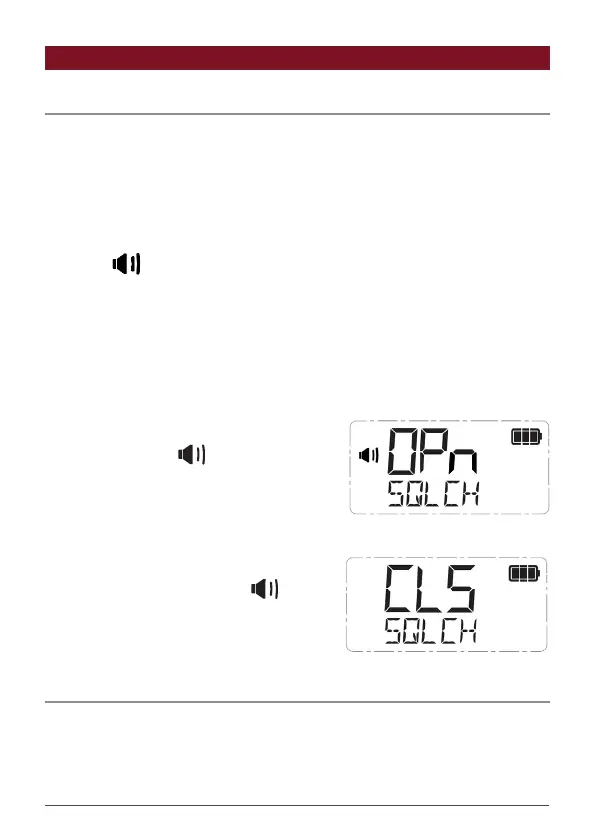
To Open the Squelch
Briey press the SQL key. SQLCH and OPn are
displayed briey, the icon appears and the
status LED lights green indicating the squelch
is open. If there are no signals present you will
hear the receiver’s background noise.
To Close the Squelch
Briey press the SQL key again. SQLCH
and CLS are displayed briey, the icon
disappears and the status LED is extinguished
indicating the squelch is closed. If there are no
signals present, the receiver will become quiet.
Squelch Level
The Squelch level sets the sensitivity of the Squelch to incoming signals. The level
can be set to suit your operating environment. The CP30 has nine preset Squelch
sensitivity settings from 1-9.



 To Next Page