CP30 INSTRUCTION MANUAL
26
To Lock the Keys
Press the
MENU
F
key followed by the
CALL
LOCK
key. LOCKED will appear on the display
for several seconds. The keypad will now remain locked even if the radio is turned
O and On again.
To Unlock the keys
Briey press the
MENU
F
key followed by the
CALL
LOCK
key. UNLOCK will be displayed for
a few seconds. The keypad is now restored to normal operation.
Transmit Power
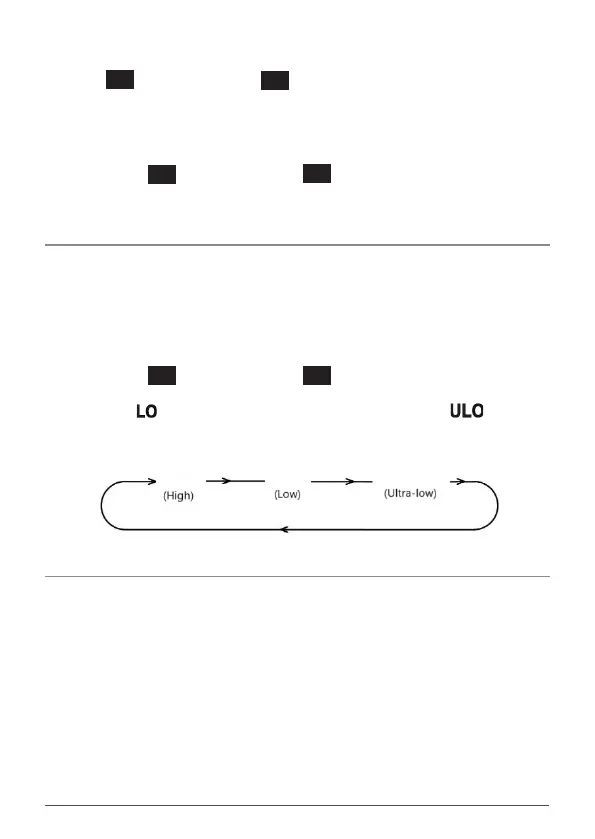
The PWR key is used to switch the transmitter power from a high power of 5W
down to a low power of 1W or an ultra-low power of 100mW. Using a lower
transmitter power for short range communications will conserve battery power
and can increase battery life quite dramatically.
To set the transmitter power:
Briey press the
MENU
F
key followed by the
QUIET
PWR
key to cycle through the
transmitter power levels. The radio will display 5W, 1W or 100mW. When 1W
is selected the icon is displayed. When 100mW is selected the icon is
displayed. Note: When 5W is selected no icon displayed.
Note: When 5W is selected no icon displayed.
100mW
5W
1W
Time-Out Timer
The CP30 has a built-in time-out timer that automatically limits transmissions to
a maximum of 3 minutes of continuous operation. This feature is required by the
ACMA to prevent accidental blocking of a frequency, should your PTT key become
jammed or be otherwise pressed accidentally.
When the time-out timer activates, the transmission will stop, the radio will emit
a long beep, and TXTIMEOUT will be displayed. Once the PTT key has been
released normal operation will be restored.



 To Next Page