41
3.3.2 How to install memory
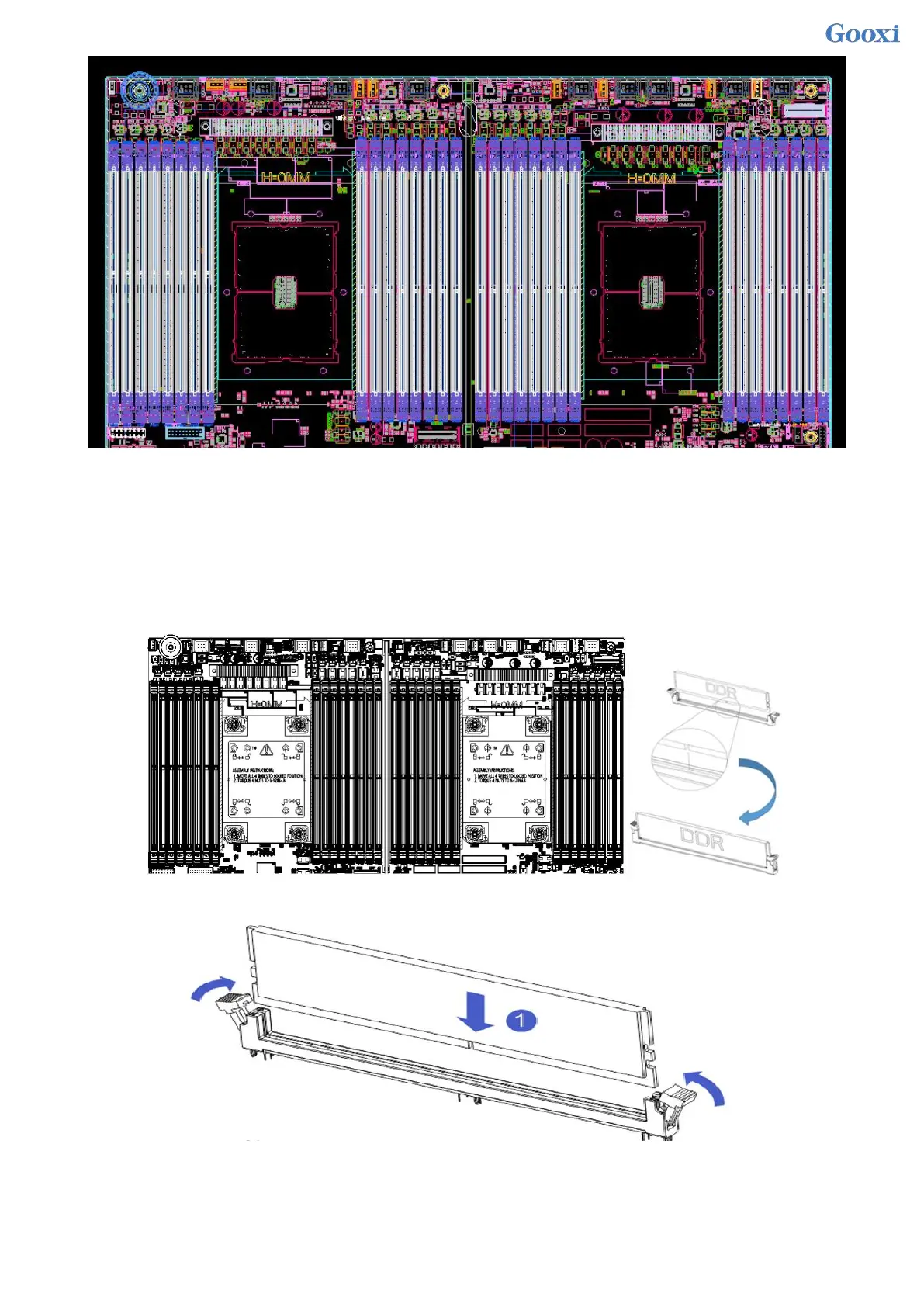
The 8 memory slots controlled by CPU 1 on the motherboard are: DIMMA1, A2, DIMMB1, B2, DIMM C1,
C2 and DIMM D1, D2; the 8 memory slots controlled by CPU 2 are: DIMME1, E2, DIMMF1, F2 , DIMMG1, G2
and DIMMH1, H2, pay attention to the notch of the memory and the notch of the DIMM slot, and snap each
DIMM module into place vertically to prevent incorrect installation.
Figure 3- 3
Figure 3- 4


 To Next Page
 Loading...






