130
6.2 RAID card configures RAID
6.2.1 Configuring RAID in UEFI Boot Mode
Enter the RAID card configuration interface
1. During the server startup process, press Delete/Esc as prompted to enter the BIOS Setup interface.
2. Select Advanced>AVAGO MegaRAID<AVAGO MegaRAID SAS 91311-8i>Configuration Utility,
and press Enter.
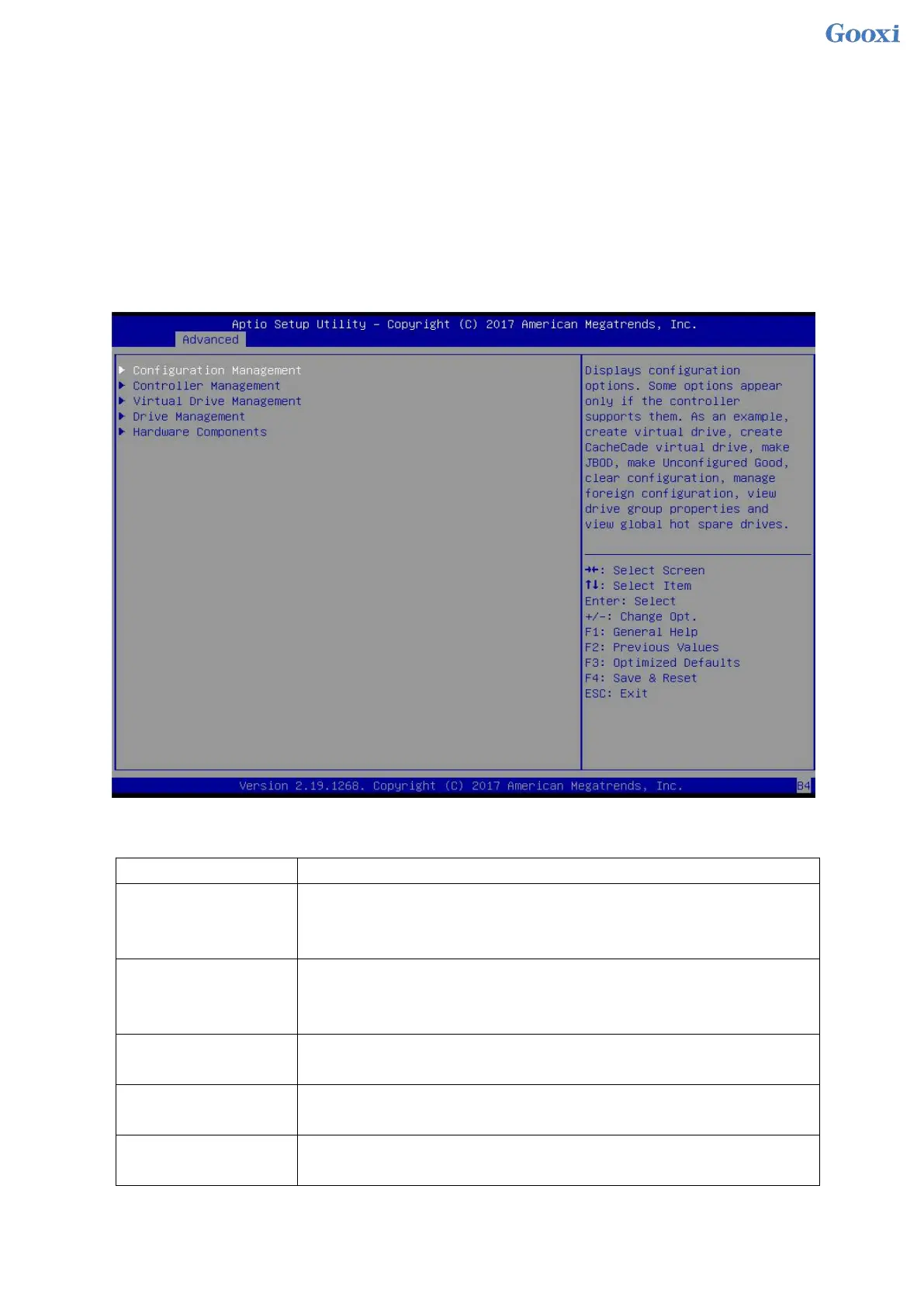
3. Enter the interface shown in Figure 6-25. Five types of configuration tasks are displayed on the
interface (see Table 1-39 for related instructions).
Figure 6-25 RAID card configuration interface, as shown in Figure 6-25
Figure 6- 25
Table 1-39 Parameter description
Select Configuration Management to perform tasks such as creating logical
disks, viewing disk group properties, viewing hot spare information, and
clearing configurations.
Select Controller Management to view and manage controller properties and
perform tasks such as clearing controller events, scheduling and running
controller events, and running patrol reads.
Select Logical Disk Management to perform tasks such as viewing logical
disk properties, locating logical disks, and running consistency checks.
Select Disk Management to view physical disk properties and perform tasks
such as locating disks, initializing disks, and rebuilding after disk failures.
Select Hardware Components to view supercapacitor properties, manage
supercapacitors, and manage peripheral components.
Table 1- 39
Common tasks


 To Next Page
 Loading...






