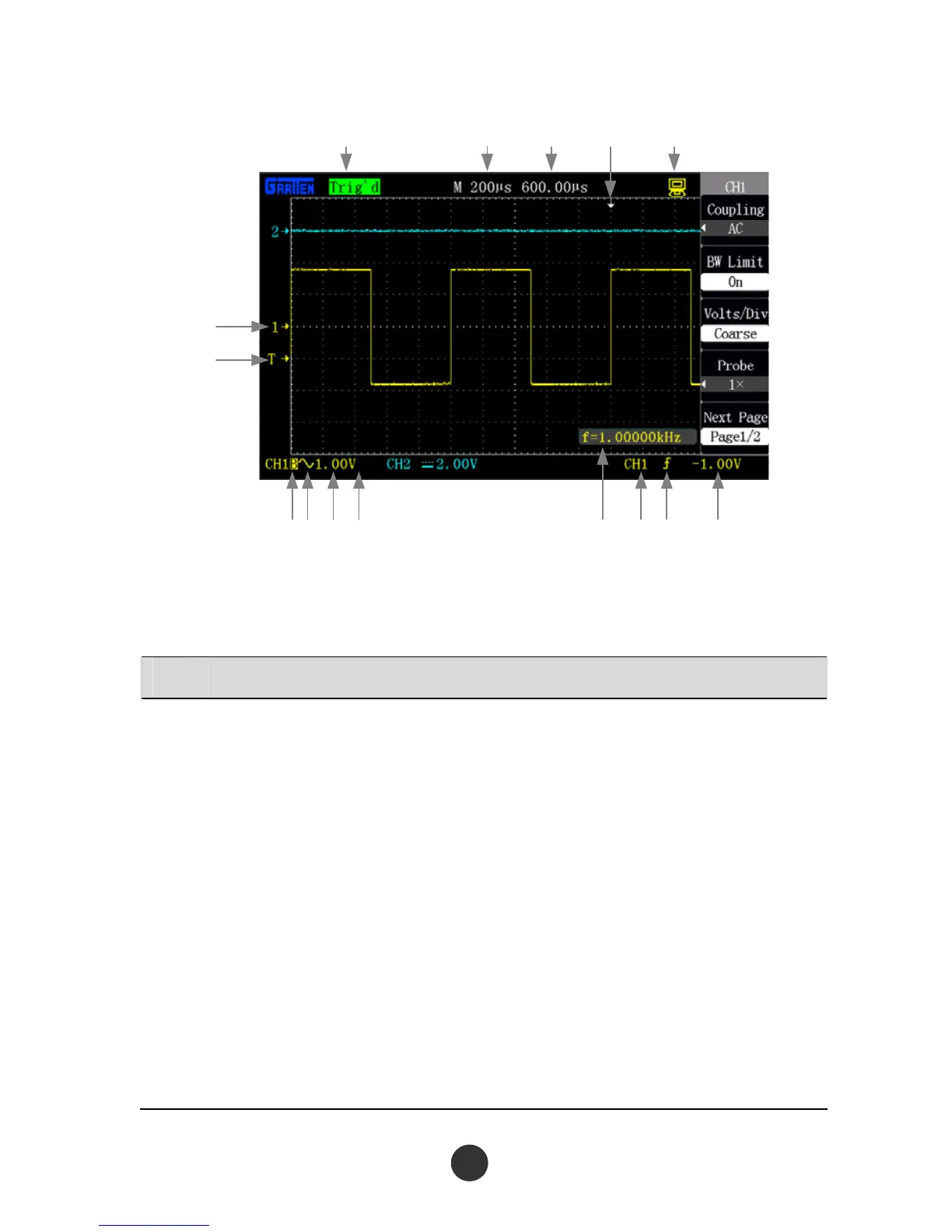
①②③
④
⑤
⑦
⑥
⑧⑨ ⑩ ⑪⑫⑬⑭⑮
Figure 1-2 Interface display
No. Details
①
Tri
gger status
Armed: The oscilloscope is acquiring pre-triggering data. All triggers are ignored
in this state.
Ready: The oscilloscope has acquired all the pre-triggering data and is ready to
accept a trigger.
Trig’d: The oscilloscope has caught a single trigger and acquires the data after
triggering.
Stop: The oscilloscope has stopped acquiring waveform data.
Auto: The oscilloscope is at an auto mode and acquires the waveform at a
non-triggered state.
Scan: The oscilloscope continuously acquires and displays the waveform at a
scan mode.
2



 To Next Page