1
1.1 Accidence of front panel and the user
interface
This section will make you understand the front operation panel of this series of digital
oscilloscope at first before use.
The content below simply describes and introduces the front panel and the back part
of this series of digital oscilloscope so that you can know this series of digital
oscilloscope well within the shortest time.
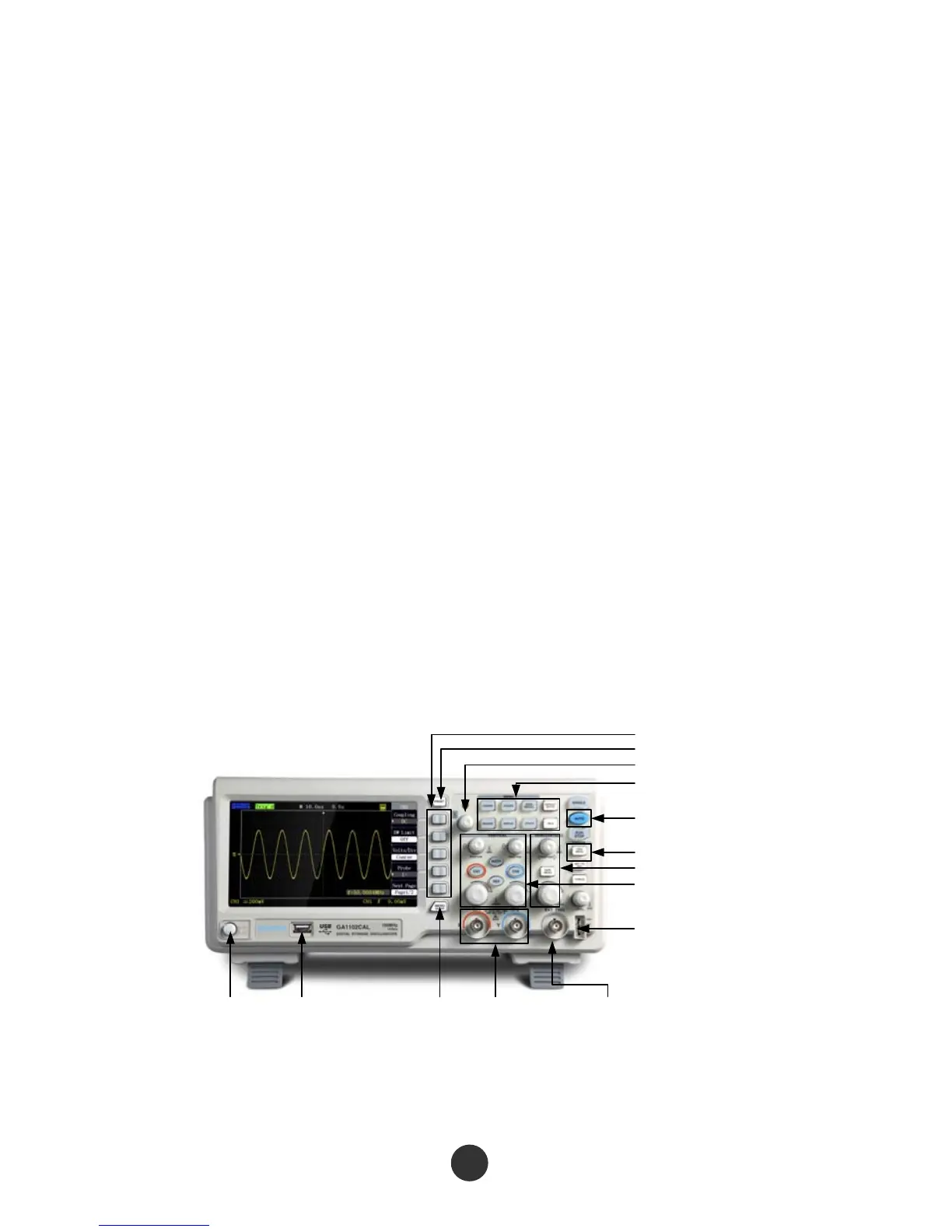
1.1.1 Front panel
This series of digital oscilloscope has a front panel that is simple but clear in function,
and is convenient for a user to finish basic operations. Knobs and functional keys are
arranged on the panel. Five grey keys which have been arranged in a row on the left
side of a display screen are option keys. The current menu can be provided with
different options. The other keys are function keys that can be set in different
functional menus or directly obtain specific function application. The knobs can be
used for quickly regulating the corresponding setups of the oscilloscope.
Attention: in this specifications, 【】represents the keys and knobs of the oscilloscope,
and ‘‘’’ represents the menu options displayed in a program interface.
Power Button USB Port Menu On/Off Input Channel
for Analog Signal
External
Trigger Terminal
Function Keys
Print Screen
Universal Knob
Menu Controls
Auto Setup
Advanced Trigger
ControlsHorizontal Controls
Vertical Controls
Probe Compensation Signal
Output Terminal/ Ground
Terminal
Figure 1-1 Figure of Front Panel controls



 To Next Page