2.6 Horizontal system
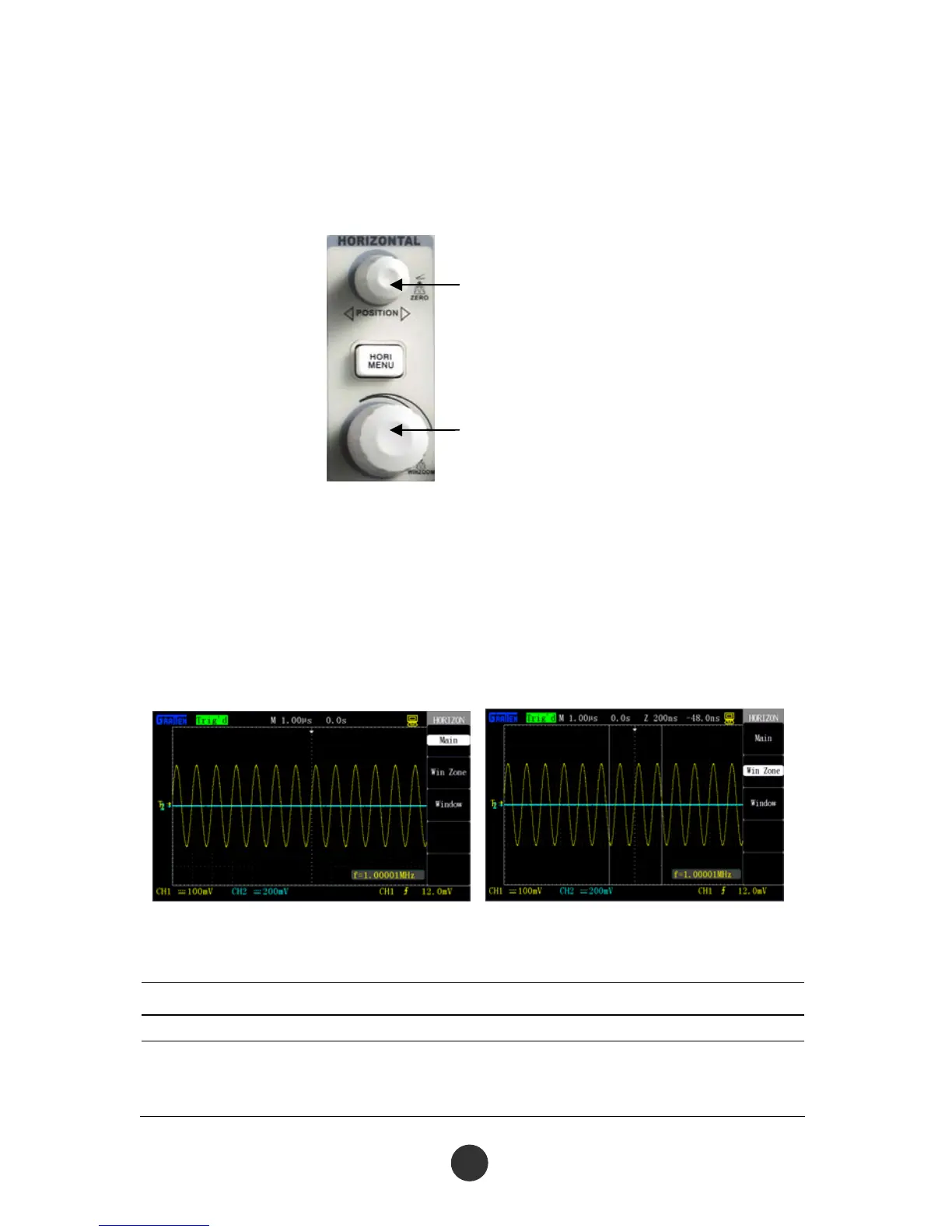
As shown in the figure below, one key and two knobs are in the horizontal control
region (HORIZONTAL).
Horizontal POSITION knob
s/div
Figur
e 2-24 Horizontal key and knobs
[HORI MENU]
Press this key to display the horizontal menu “HORI MENU”, and window expansion
can be implemented at this menu. Besides, horizontal displacement can be set by the
horizontal [POSITION] knob. M represents a main time base, and Z represents an
expanded time base.
Figure 2-25 Main time base Figure 2-26 Window setup
Table 2-12 Functional menu of the horizontal system:
Option Description
Main time base Horizontal time scale system of the oscilloscope
Window setup
Define one window region by two cursors, and use the
horizontal
[POSITION] and the knob [s/div] to regulate the window
29



 To Next Page