Table 2-30 Page 2 of the display system function menu:
Option Setup Description
YT
The YT format is used for displaying the
vertical voltage relative to the time (horizontal
scale).
Format
XY
The XY format is used for displaying the points
sampled in channel 1 and channel 2.
Screen
Normal
Inverse
The screen is at a normal display mode.
The screen is at an inverse display mode.
Grid
Display the background grid and coordinates.
Turn off the background grid.
Turn off the background grid and coordinates.
Menu display
2s
5s
10s
20s
Infinite
Set the duration time of the menu display.
Back
Page 2/2
Back to page 1 of the display system function
menu.
Operation description:
Set the waveform display types:
Press [DISPLAY] to skip to the “DISPLAY” menu, and press “Type” to select “Vector” or
“Point”.
Set continue:
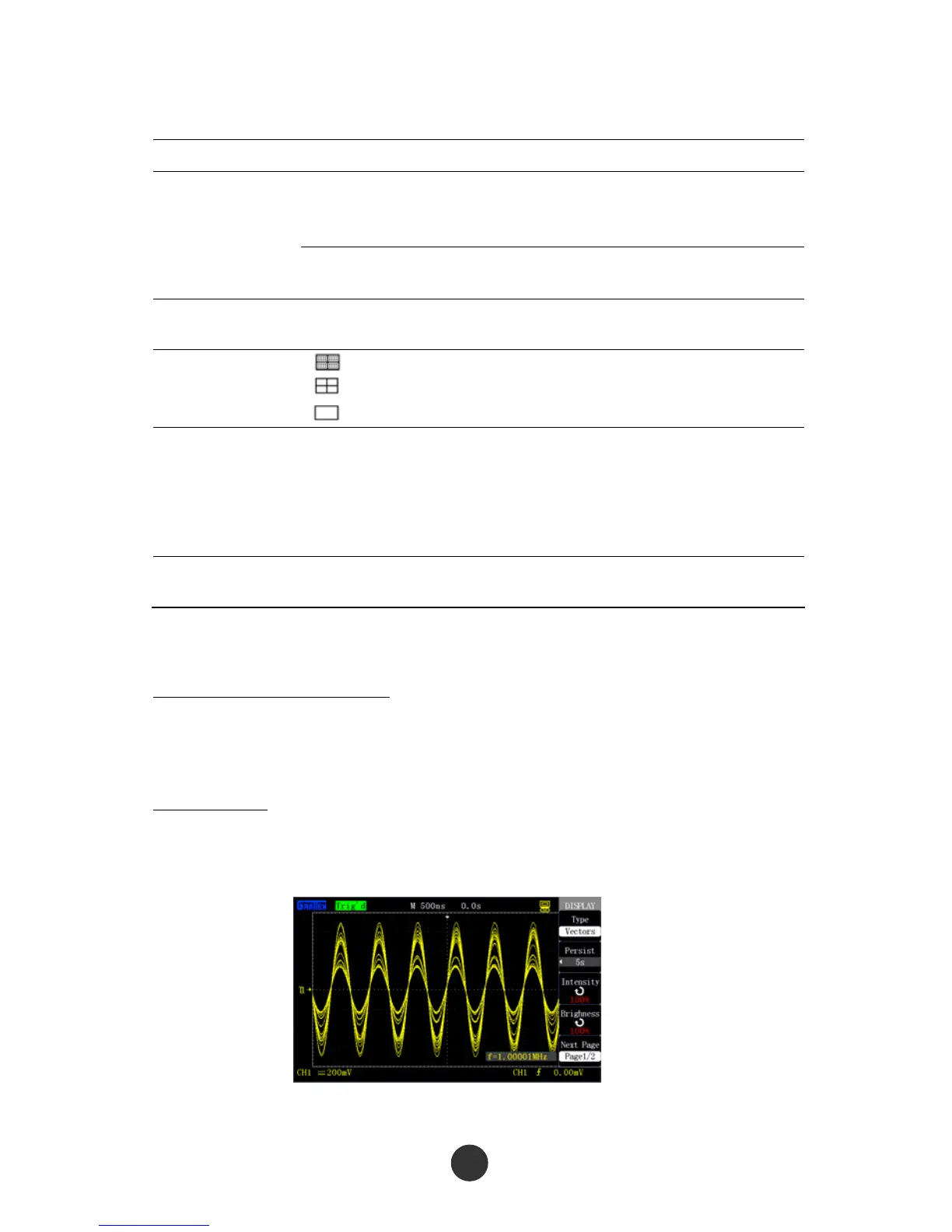
Press “Continue” to select “OFF”, “1s”, “2s”, “5s” or “Infinite”. By utilizing the option,
some special waveforms can be observed, as shown in figure 2-47.
Figure 2-47 Utilize the continue option to observe amplitude modulated wave



 To Next Page