50
Temporary lockout is a very useful feature. For example, when a major inci-
dent occurs while you are scanning, you may wish to focus your scanning
on that major incident, and exclude unrelated talkgroups so that radio traffic
associated with the major incident is not interrupted.
You could press the PSE or MAN keys to listen to a single object, if commu-
nications for the major incident are only being conducted on single channel
or talkgroup. More often, several talkgroups are used to provide communi-
cations for major incidents, so if you park on a single object, you may miss
communications on other objects that are related to the incident of interest.
By using Temporary Lockout, it is possible to “zoom in” on the objects that
are carrying communications related to the incident of interest by pressing
L/OUT every time an unrelated object becomes active. Eventually you will
narrow down your monitoring to those objects that are being used to pro-
vide communications for the incident you are trying to monitor.
Permanent Lockout
Permanent lockout locks out an object until you explicitly unlock it. No traffic
will be received on the locked out object while permanent lockout is active.
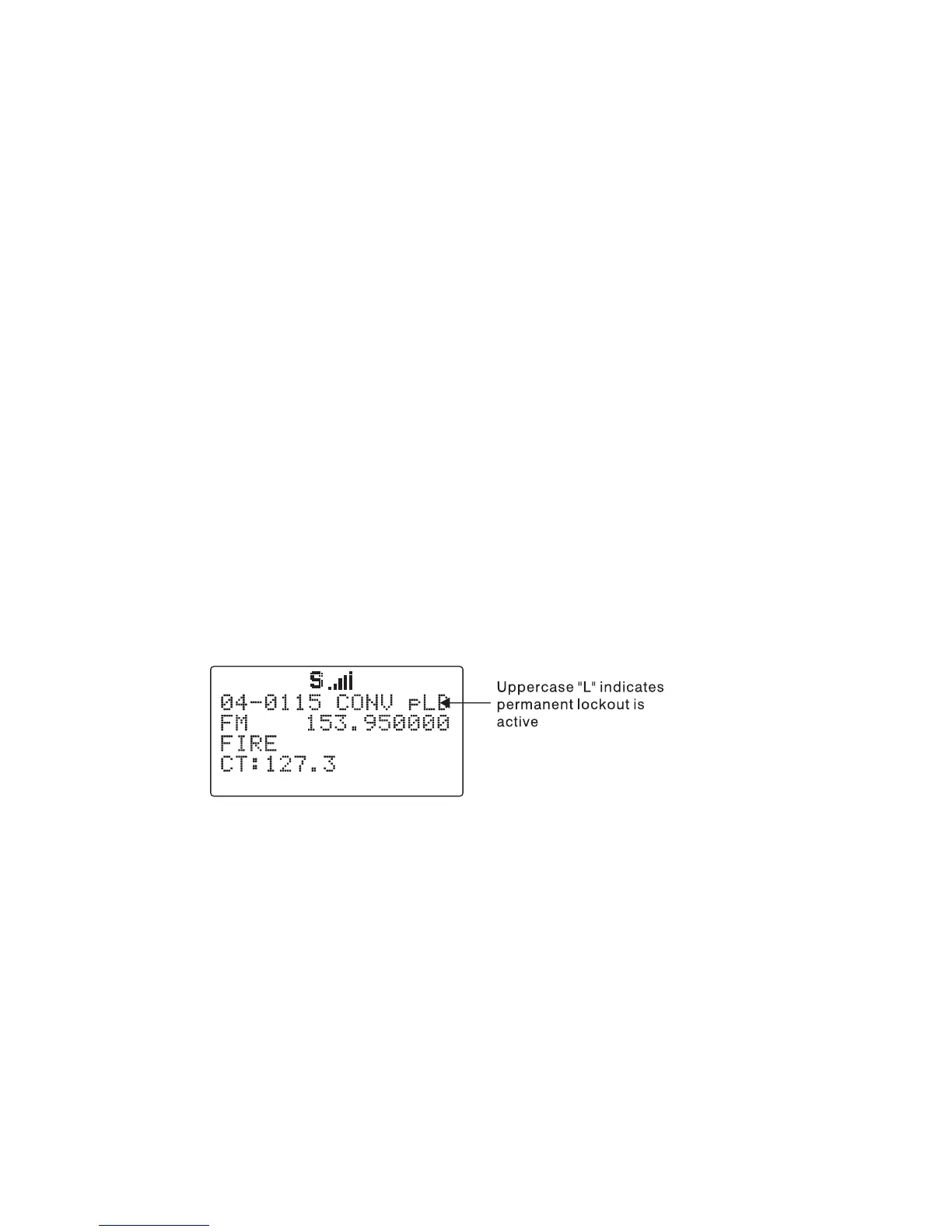
To apply permanent lockout to an object, press FUNC, then the L/OUT key
while the scanner is stopped on that object during scan operation, or navi-
gate to an object using the 5-way pushbutton pad while in Manual Mode or
PGM mode and press FUNC, then the L/OUT key. The lowercase “
l
” in the
display changes to uppercase to indicate that permanent lockout is applied
to the object:
If you wish to remove permanent lockout from an object, navigate to the ob-
ject using the 5-way pushbutton pad while in Manual Mode or PGM mode
and press FUNC, then L/OUT again.
HINT: You can also toggle lockout anytime you are viewing an object menu
in Program mode by pressing L/OUT.
Search Lockout
Search lockout works with certain search objects, including LMIT searches,
some SRVC searches, and SWPR objects. Frequency lockout is used to
lock out undesired frequencies that are found during searches.
To apply search lockout during a search, press the
FrL/O
softkey while
the scanner is stopped on the undesired frequency:



 To Next Page