51
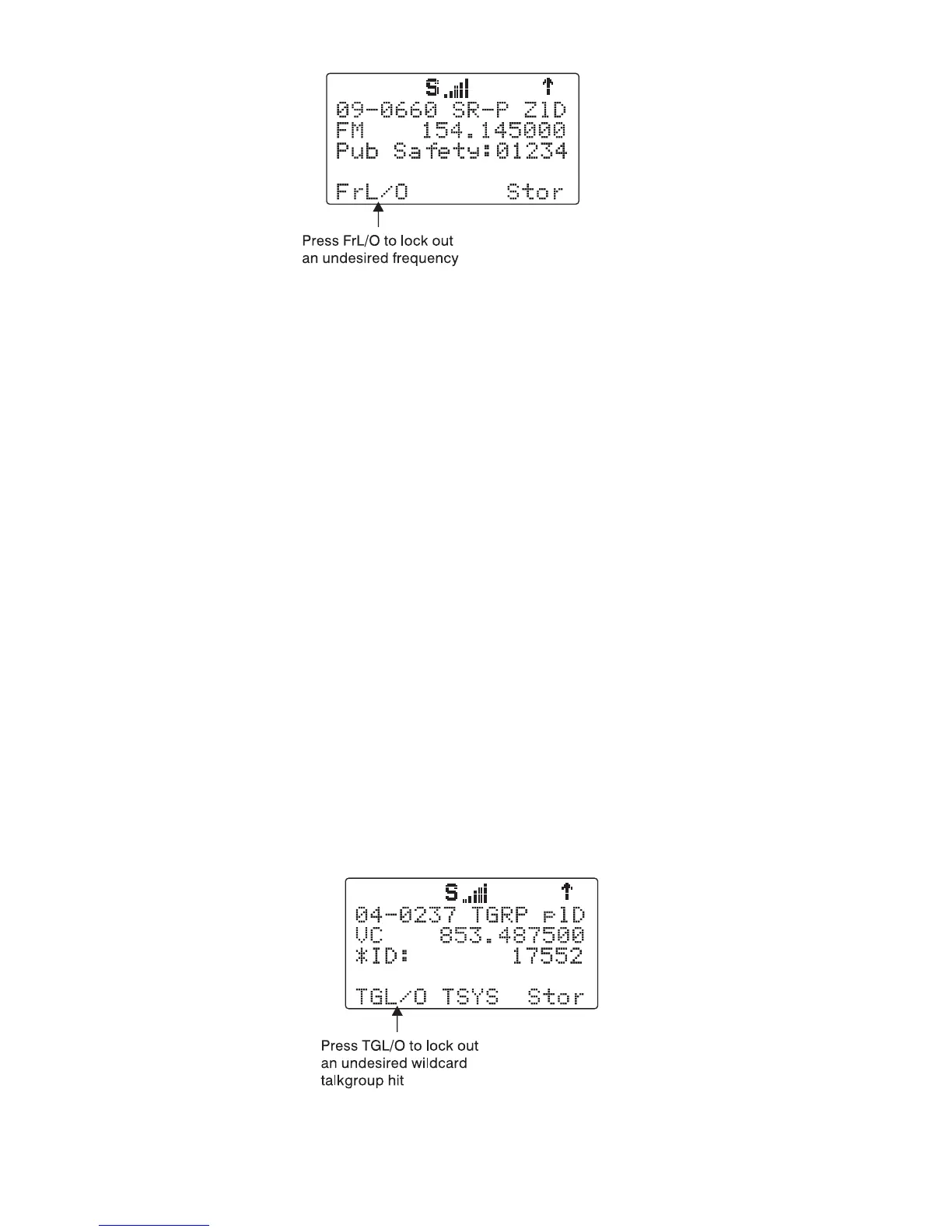
Applying search lockout to an undesired frequency adds that frequency to
the Search Lockout List, a list of frequencies that the scanner ignores when
performing searches or during Spectrum Sweeper operations. You can edit
or clear the Search Lockout List by following these steps:
Press PGM
Press the
GLOB
softkey
Scroll down to the
SRCH L/Outs:
item and press SEL
Scroll to the frequencies you wish to remove from the lockout list and press
the
Del
softkey to remove them from the list.
Scroll to an empty spot and enter any frequency you wish to manually add
to the list.
Press FUNC, then the
Del
softkey to clear the entire list.
Talkgroup Lockout
Talkgroup lockout is similar to search lockout, as it allows you to lockout un-
desired talkgroups while searching for new talkgroup activity with wildcard
TGRP objects.
To apply lockout on an undesired wildcard hit, press the
TGL/O
softkey
while the scanner is stopped on the undesired talkgroup:



 To Next Page