62
To enter LMIT mode, press the
SRCH
key on the keypad repeatedly until
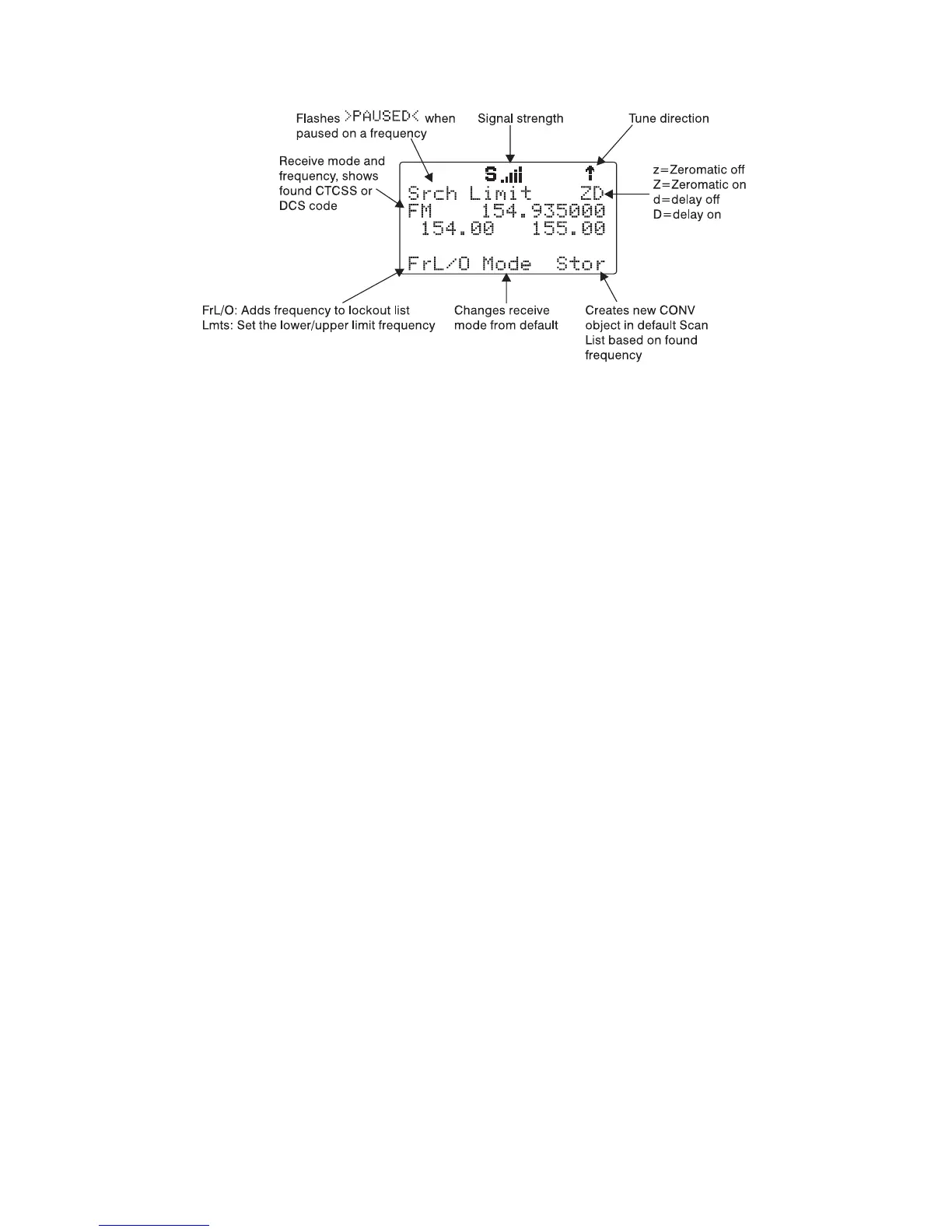
the display indicates LMIT search as follows:
Use the
Lmts
softkey to set the lower and upper frequency limits for your
limit search.
NOTE: When a signal is being received, the
Lmts
softkey (F1) changes to
FrL/O
. You can access the
Lmts
softkey by pressing FUNC F1 when the
F1 key function is
FrL/O
.
Press the
5
or
6
keys on the 5-way pushbutton pad to change the search
direction.
Press the
MODE
softkey to change the receive mode (AM, FM, NFM) from
the default for the current frequency range (au).
Press the
FrL/O
softkey to add a found frequency to the lockout list.
Press the
STOR
softkey to create a new CONV object using the found fre-
quency.
Using dedicated SRVC mode
Your scanner's dedicated SRVC search modes provide you with the ability to
instantly access each of the scanner's service search ranges without creat-
ing a new SRVC object.
To activate dedicated SRVC search mode, press the SRCH key on the key-
pad repeatedly until the desired service search is indicated on the display.
The following service searches are available:
Railroad - searches the Association of American Railroads (AAR) VHF rail-
road frequencies used in the US and Canada
Public Safety (PubSafety) - Searches commonly used public safety fre-
quencies. Groups are as follows:



 To Next Page