68
Use the
5
or
6
keys on the 5-way pushbutton pad to scroll to the desired
SAME code entry.
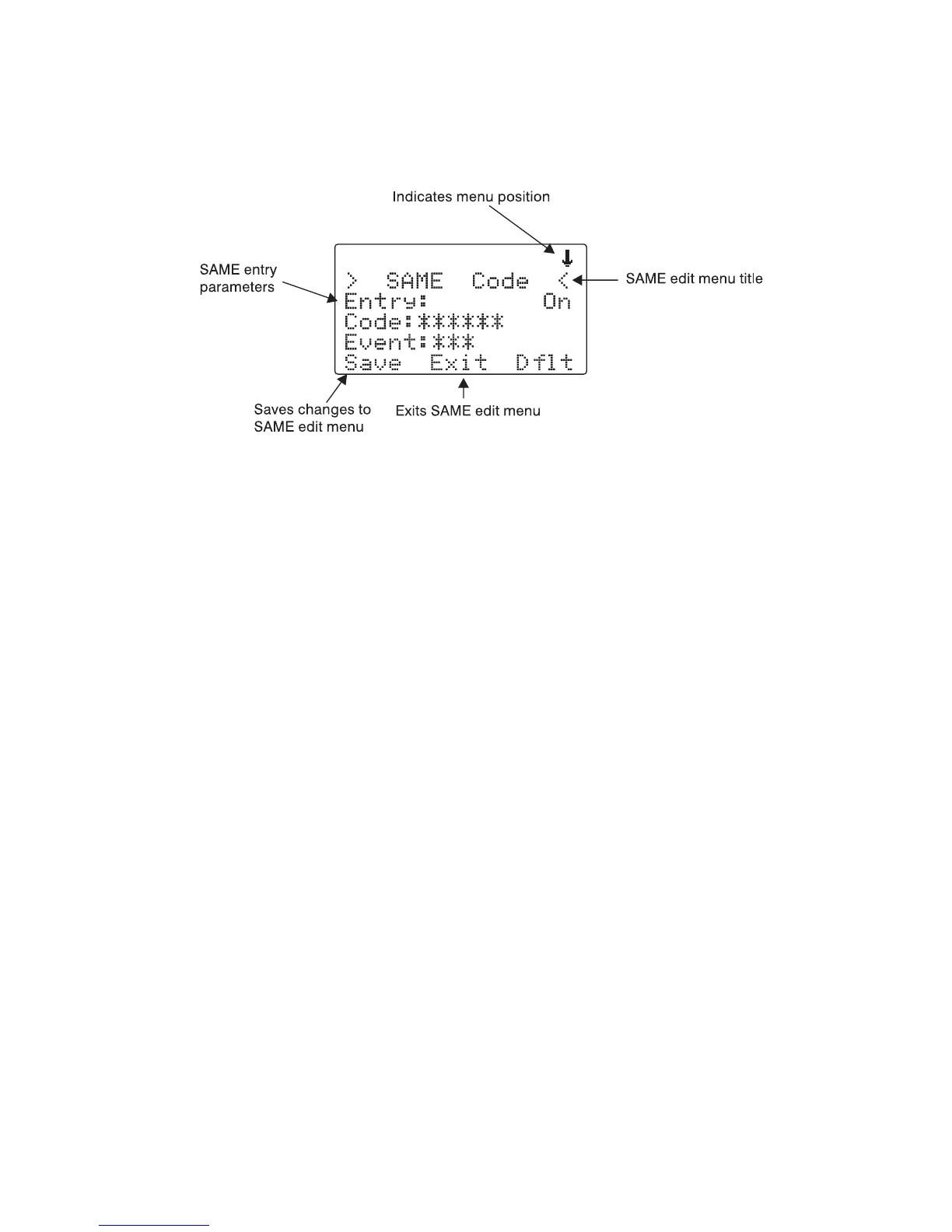
Press the SEL key on the 5-way pushbutton pad to edit the selected SAME
entry. The scanner display will appear as follows:
With the
Entry:
field selected, press
4
on the 5-way pushbutton pad to
turn the entry on.
Scroll to the
Code:
field and press
4
on the 5-way pushbutton pad to en-
ter a SAME location code. Use the keypad to enter a SAME code.
Scroll to the
Event:
field. Note the current default of ***, which will allow
all messages for the specified SAME location code. We recommend that you
leave the event code with “***” to receive all alerts.
Scroll to the
Tag:
field. We suggest that you enter a tag name here that
corresponds with the SAME location code that you have entered. Press
4
on the 5-way pushbutton pad to edit the tag name, and use the standard
text entry method to enter your tag. Using our Dallas County example, you
would enter the following:
31
D
21
A
53
L
53
L
21
A
74
S
. <space>
23
C
63
O
82
U



 To Next Page