Greenline 40
64
HYBRID DATA DISPLAY INTERFACE - DDI
There are two hybrid monitors (data display interface – DDI) on the console. Each one for individual electric
motor.
Data Display Interface (shortly DDI) displays information for monitoring the different functions and measured
values in the HCU (see the screen listing table below). DDI shows the current working mode of the HCU (diesel
or electric), battery voltage, temperature and current, state of battery charging, speed and temperature of
electric motor and errors.
Non-explained data is useful only for trained technical personnel.
The DDI switches between 2–3 different screens, depending on the current working mode. Each screen is
shown for 5 seconds. The screen switching is additionally perceivable by toggling of the LED light seen on the
bottom of the DDI display.
If the AC controller loses communication with the IG part for more than 3 sec, the following message appears:
“!!! HCU LOST !!!”. The user must re-establish normal HCU operation with a power reset (switch diesel engine
keys to OFF position for 10 sec). If the problem persists or arises very frequently, there is a possibility that the
HCU is damaged or a wire connection between the parts has become loose.
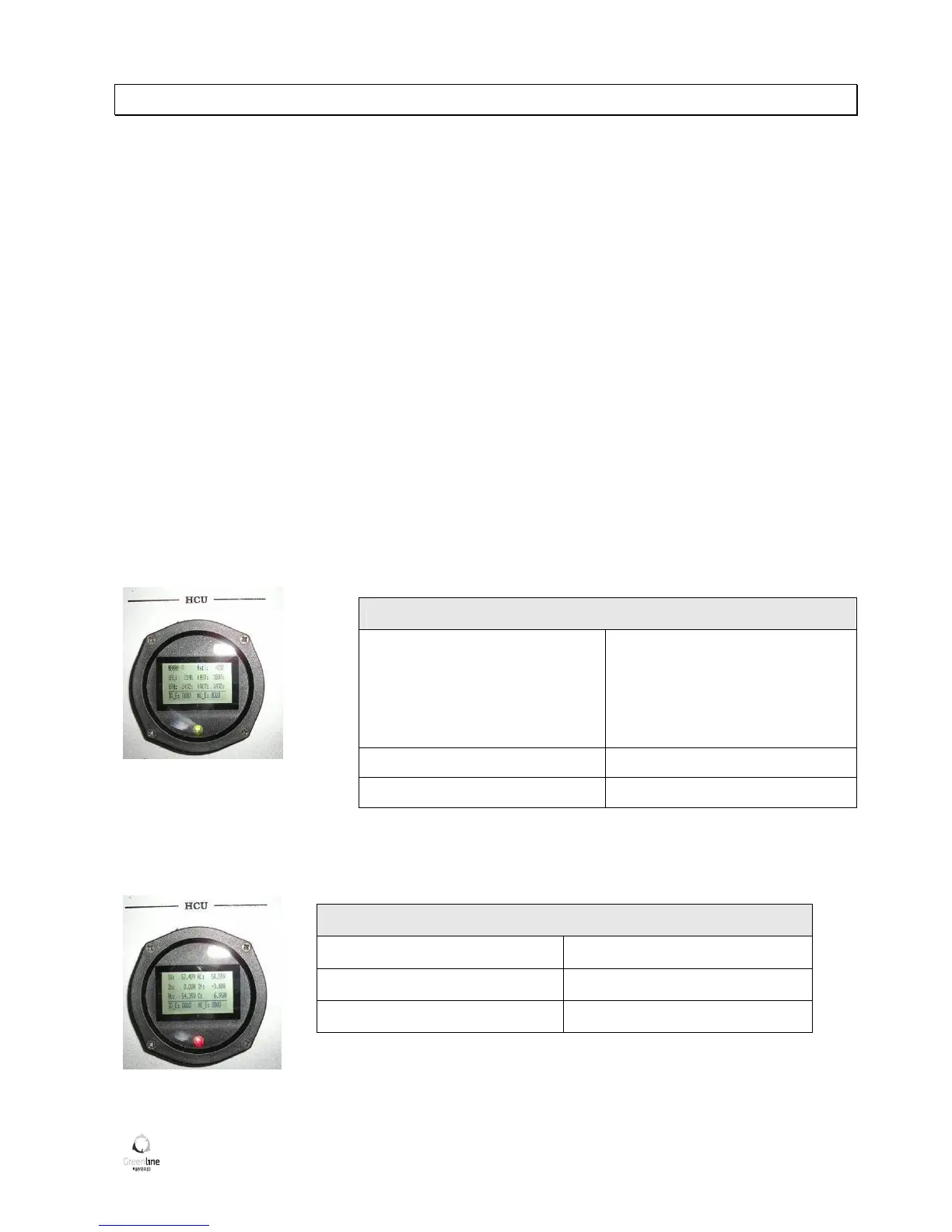
Screen 1 – green LED
Mode: N – neutral,
FWD – el. mode,
G – gen mode,
ERR –
error mode (service needed)
Motor temp (MotT)
IG module temp. (Ig_t) AC module temp. (AC_T)
Speed (RPM) Battery temp. (BatT)
Screen 2 – red LED
IG DC-link voltage (IG) AC DC-link voltage (AC)
Battery current (Ib) Motor current (If)
Battery voltage (Vb) Remaining Batt. Cap. (C)


 To Next Page