GREER Company
1918 East Glenwood Place
Santa Ana CA 92705
Page 37 of 44
MicroGuard
®
586 Operation/Setup Manual
W458200 REV C 10/29/02
Securing
screw
Pendulum
Angle Sensor
Securing
screw
Boom Angle Sensor Zero
The Boom Angle Sensor is located within the
Extension Reel. Remove the extension reel cover by
removing all twelve screws in the lid.
The Angle Sensor is factory pre-calibrated and
requires no adjustment other than the following
mechanical zero setting.
1. Fully retract the main boom and use an
inclinometer or accurate bubble level to set the
boom perfectly level. Make sure that the
inclinometer reading is made on the top flat
surface of the boom. Take several readings in
different places to verify true zero degrees.
2. The console displays the boom angle sensed by
the angle sensor inside the extension reel. If the
display reads "0.0°," the angle sensor is
correctly adjusted. If the display does not read
0.0°, angle sensor adjustment is necessary.
3. To adjust the angle sensor, loosen the two
securing screws on either side of the sensor just
enough to allow the sensor to be turned by
hand. Do not remove the screws and do not put
pressure on the terminals exiting the sensor.
Note
Rotating the sensor counterclockwise will
increase the angle displayed. Rotating clockwise
will reduce the angle displayed. Only fine
adjustments are required.
Do not touch the pendulum hanging behind
the sensor assembly during adjustment.
4. When 0.0° is showing on the display, carefully
tighten the two screws and check that the
display still reads 0.0°.
5. Before continuing, it is recommended that the
angle be checked against an accurate
inclinometer. Boom up to a high angle, and
using an inclinometer, check that the displayed
angle matches the inclinometer reading within
0.2°.
6. When finished, press to continue to the next
setup step.
OK
DISPLAY
SETUP
STOP
RATED CAPACITY
MG-586
!
SELECT
CONTRAST
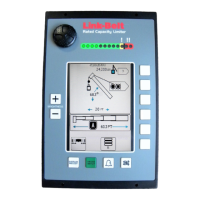
Make sure the boom is perfectly level, then adjust the
Angle Sensor inside the Extension Reel to set this
reading to "0.0".


 To Next Page
 Loading...