GREER Company
1918 East Glenwood Place
Santa Ana CA 92705
Page 38 of 44
MicroGuard
®
586 Operation/Setup Manual
W458200 REV C 10/29/02
Extension
Sensor
Extension
Sensor gear
Move the sensor arm in
this direction to
disengage the gear
Sensor Arm
Boom Extension Sensor Zero
Warning:
The EXTENSION SENSOR CLUTCH
MUST BE ENGAGED PRIOR TO EXTENSION
ZERO ADJUSTMENT (see page 36).
The Extension Sensor must be mechanically
adjusted for zero setting. The Boom Extension
Sensor is located within the Extension Reel.
1. Fully retract the main boom and check that all
boom sections are properly retracted.
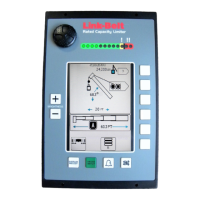
2. The console displays the boom extension
sensed by the extension sensor inside the
extension reel. If the display reads "0.0°," the
extension sensor is correctly adjusted.
If the display does not read 0.0°, extension
sensor adjustment is necessary.
3. Mechanically adjust the extension sensor clutch
until the display reads zero (0.0). To do this,
disengage the main gear wheel connected to the
extension sensor by pulling the sensor arm in
the direction shown.
4. Rotate the gear clockwise until the sensors
clutch detent starts to click. At the next click,
stop rotating the gear.
5. Rotate the gear back (counterclockwise)
about half a turn to set the display to exactly
0.0, then carefully release the sensor arm
ensuring the display stays at 0.0 as the
gears re-engage.
6. Press to continue to next setup step.
OK
DISPLAY
SETUP
STOP
RATED CAPACITY
MG-586
!
SELECT
CONTRAST
Make sure the boom is fully retracted, then adjust the
Extension Sensor inside the Extension Reel to set this
reading to "0.0".


 To Next Page
 Loading...