Saavutustenkatu 3, 33720 Tampere, Finland
©2022 Grundium. All rights reserved.
6-8G, 33720 Tampere, Finland
©2022 Grundium. All rights reserved.
7.2 CREATING USER ACCOUNT
1.
Open the browser in your computer or tablet and type the following in the browser’s address field:
https://www.grundium.net
2.
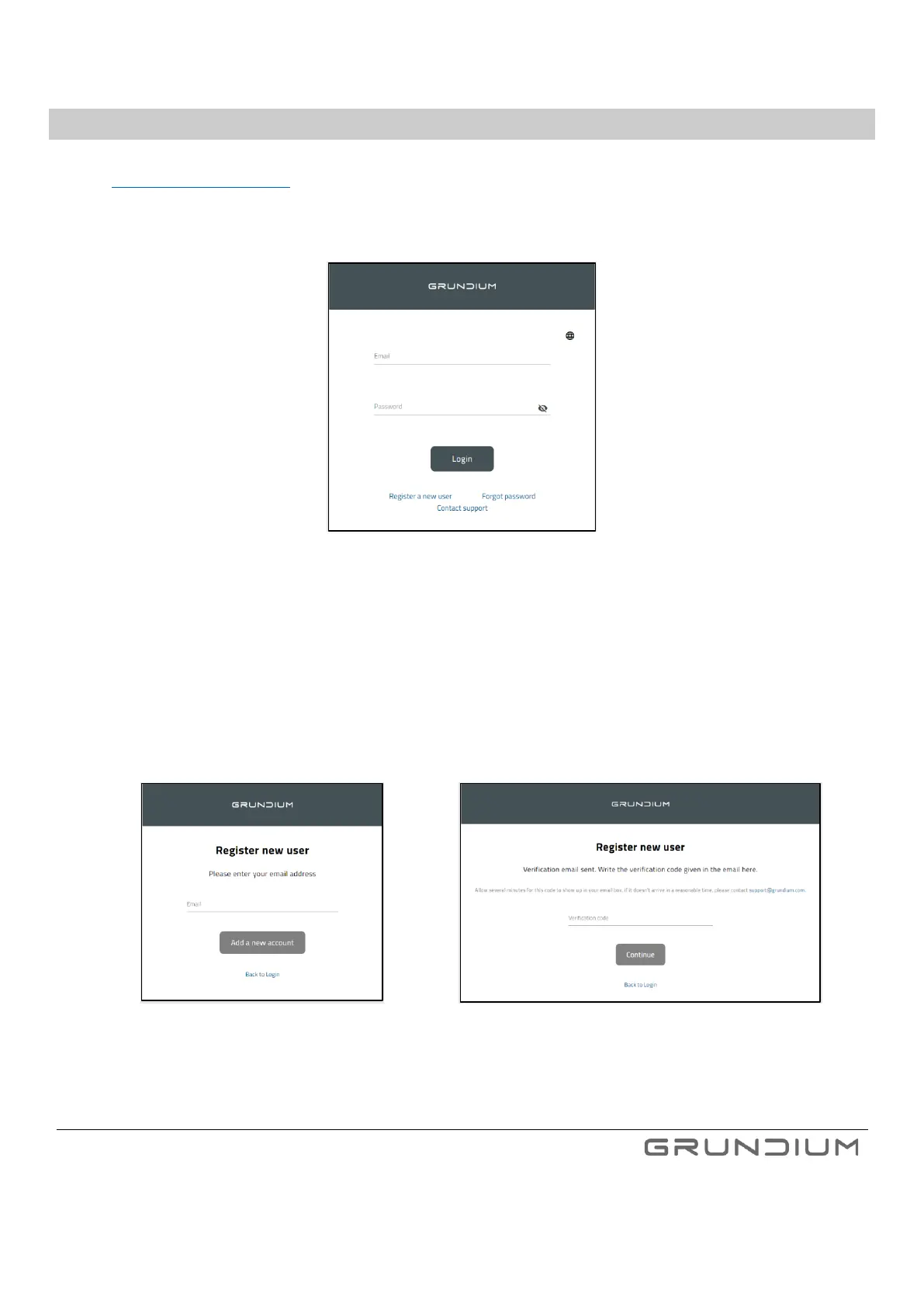
If you already have a user account to Grundium, login with your account details and move directly to chapter 7.3.
Image 5. Login to Grundium cloud.
3.
If you do not have the account yet, click Register a new user to create a new account and then login.
4.
When registering a new user, enter your email address and click Add a new account. Read and Accept Terms and
Conditions. Verification email will be sent to address you have registered. Check your email and copy the verification
code to the line and click Continue.
Note: Verification code is valid 72 hours or until it has been used successfully.



 To Next Page