20 MOVING THE SCANNER TO ANOTHER LOCATION
Note: Ocus scanner is a delicate instrument and not designed to withstand by itself stress from transportation – careful packing
is required.
When you hand-carry the scanner to another location, do the following:
1. Switch off the scanner and detach the cables.
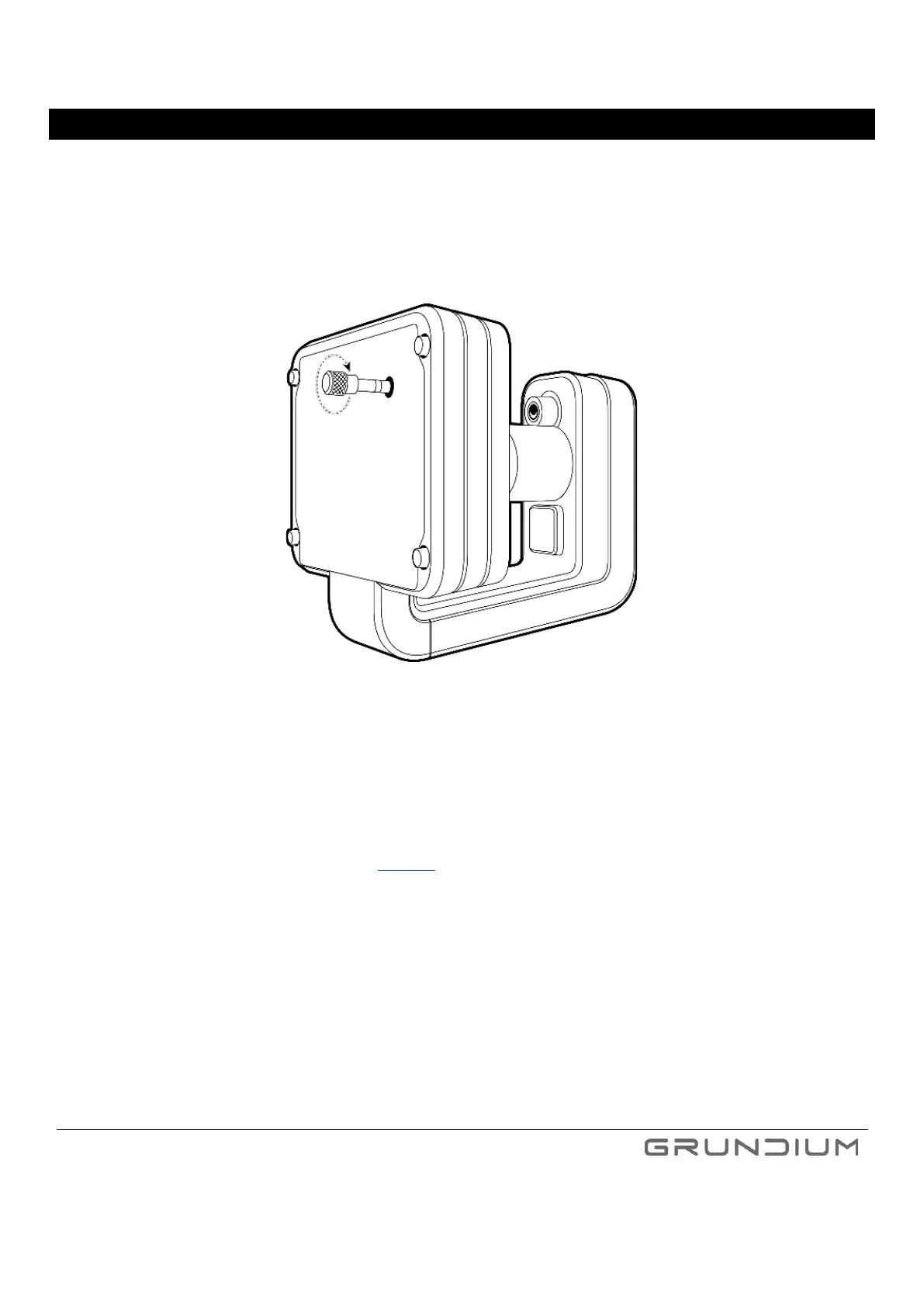
2. Insert the transportation support pin.
Image 43. Insert transportation support pin by turning it clockwise.
3. Place the scanner into carrying case, close the lid and secure it by locking latches.
If you need to send the scanner to another location, do the following:
1. Switch off the scanner and detach the cables.
2. Insert the transportation support pin (see image 43).
3. If available, place the scanner into carrying case, close the lid and secure it by locking latches. The original shipping EPP
box can be used as a substitute.
4. Pack the carrying case into cardboard box and place at least 10 cm soft filling at each side of the carrying case.
Tip: Store the original Ocus cardboard box and foam inserts – use them for packing your Ocus safely.
5. Tape the cardboard box securely, so it does not open during the transit.
Note: Always verify the operation and performance of the scanner after transportation. If issues emerge after the
transportation, please contact customer support, support@grundium.com



 To Next Page