Saavutustenkatu 3, 33720 Tampere, Finland
©2022 Grundium. All rights reserved.
6-8G, 33720 Tampere, Finland
©2022 Grundium. All rights reserved.
9.3 ANNOTATIONS
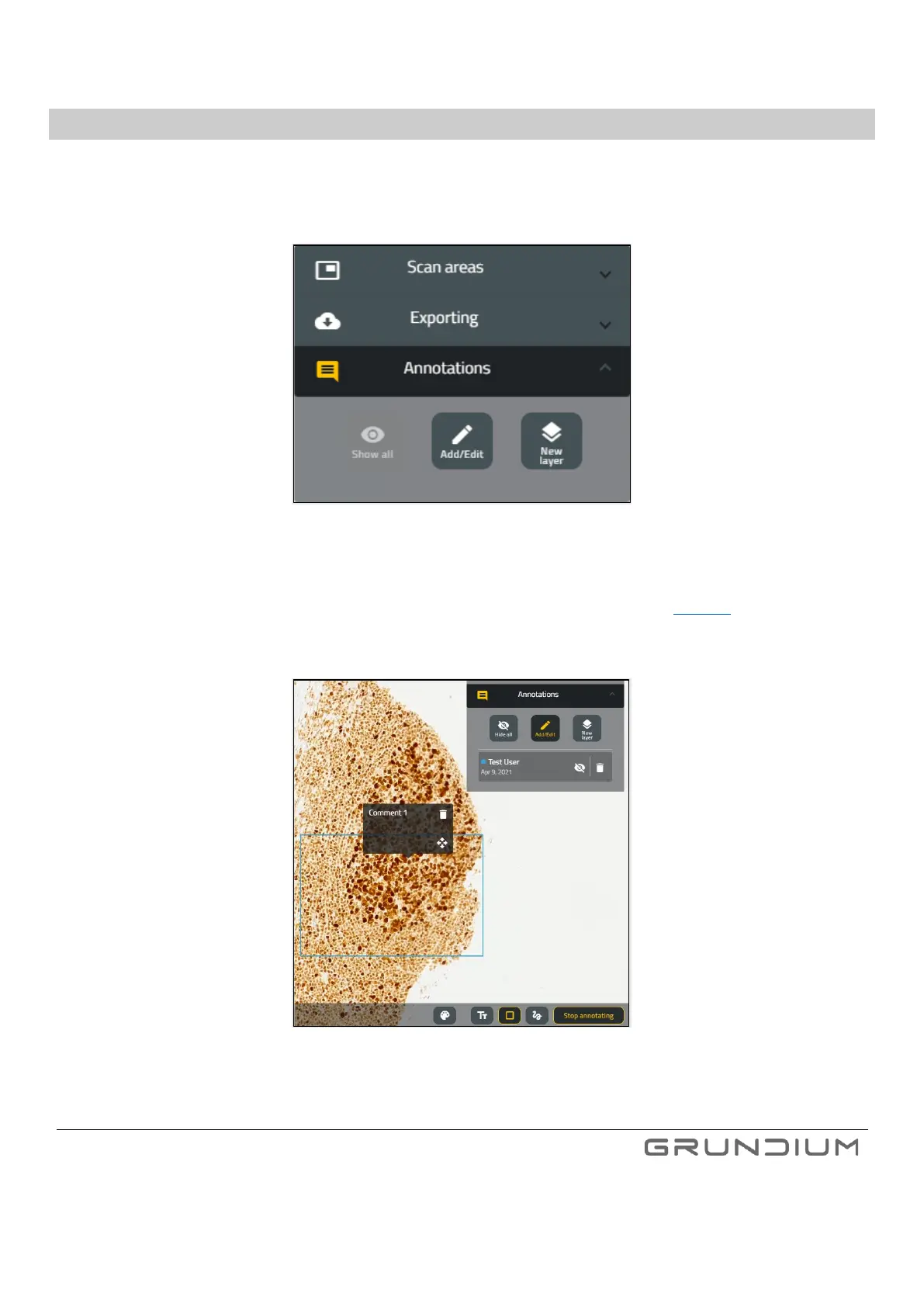
You can start making annotations to your scanned slides in Ocus scanner by clicking Add/Edit from “Annotations” in navigator
window (Image 24). This can be done both in “Microscope view” and in “Scan Archive view”.
Image 24. Annotations in navigator window.
Annotation type (rectangle/free hand/textbox) and color can be selected from bottom pane. (See image 25).
Several annotation layers can be created, and this allows multiple users to annotate same slides.
Image 25. Annotation controls.
Note: Annotations are visible only when viewing the slides in Ocus scanner – when scanned slides are exported out from Ocus,
the annotations are not included in exported files.



 To Next Page