Saavutustenkatu 3, 33720 Tampere, Finland
©2022 Grundium. All rights reserved.
6-8G, 33720 Tampere, Finland
©2022 Grundium. All rights reserved.
5 BEFORE YOU START
Check the delivery package for damage. If you notice any damage on the case or the scanner, contact primarily your distributor
or support@grundium.com.
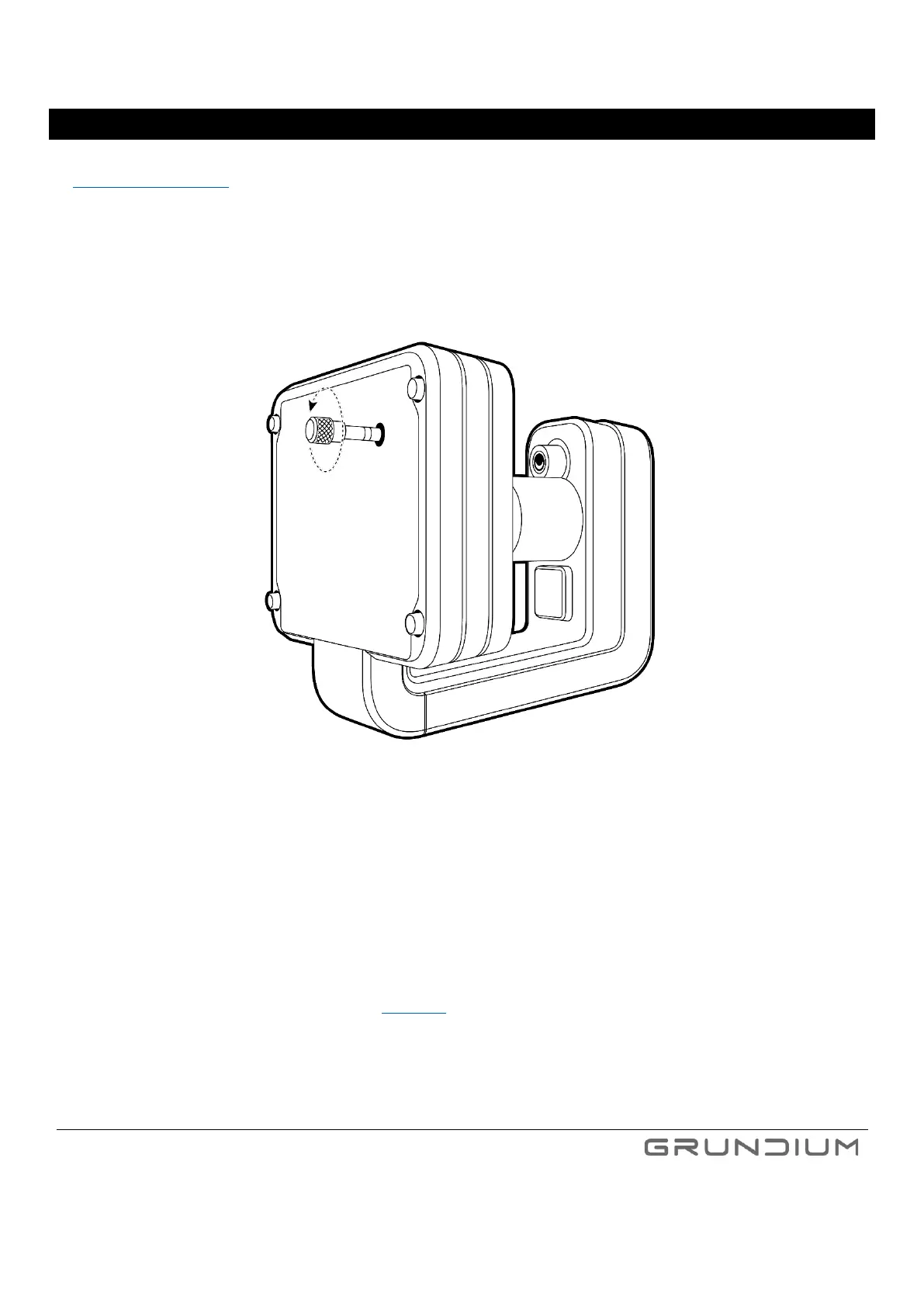
Remove the transportation support pin from the bottom of the scanner by turning the pin counterclockwise. Remember to
handle the scanner carefully to avoid dropping or damaging it and avoid leaving fingerprints on the glass surfaces or lenses while
removing the pin.
Image 1. Remove the transportation support pin by turning it counterclockwise.
Place the scanner on a flat surface and make sure there is at least 10 centimeters (4 inches) of free space around it.
Tip: Store the transportation support pin for possible later use. To ensure safe transportation, screw the transportation support
pin back in before moving the scanner to another location. Do not overtighten the pin, turning it until it stops is enough.
Note: Ocus scanner is a delicate instrument and not designed to withstand by itself stress from shipping/transportation – careful
packing is required. (See full packing instructions in section 20).



 To Next Page