Saavutustenkatu 3, 33720 Tampere, Finland
©2022 Grundium. All rights reserved.
6-8G, 33720 Tampere, Finland
©2022 Grundium. All rights reserved.
9 SCANNING
Important notice: Both in local and remote use, remember to keep at least 10 centimeters (4 inches) of free space around the
scanner. Do not touch the scanner when the stage is moving.
1.
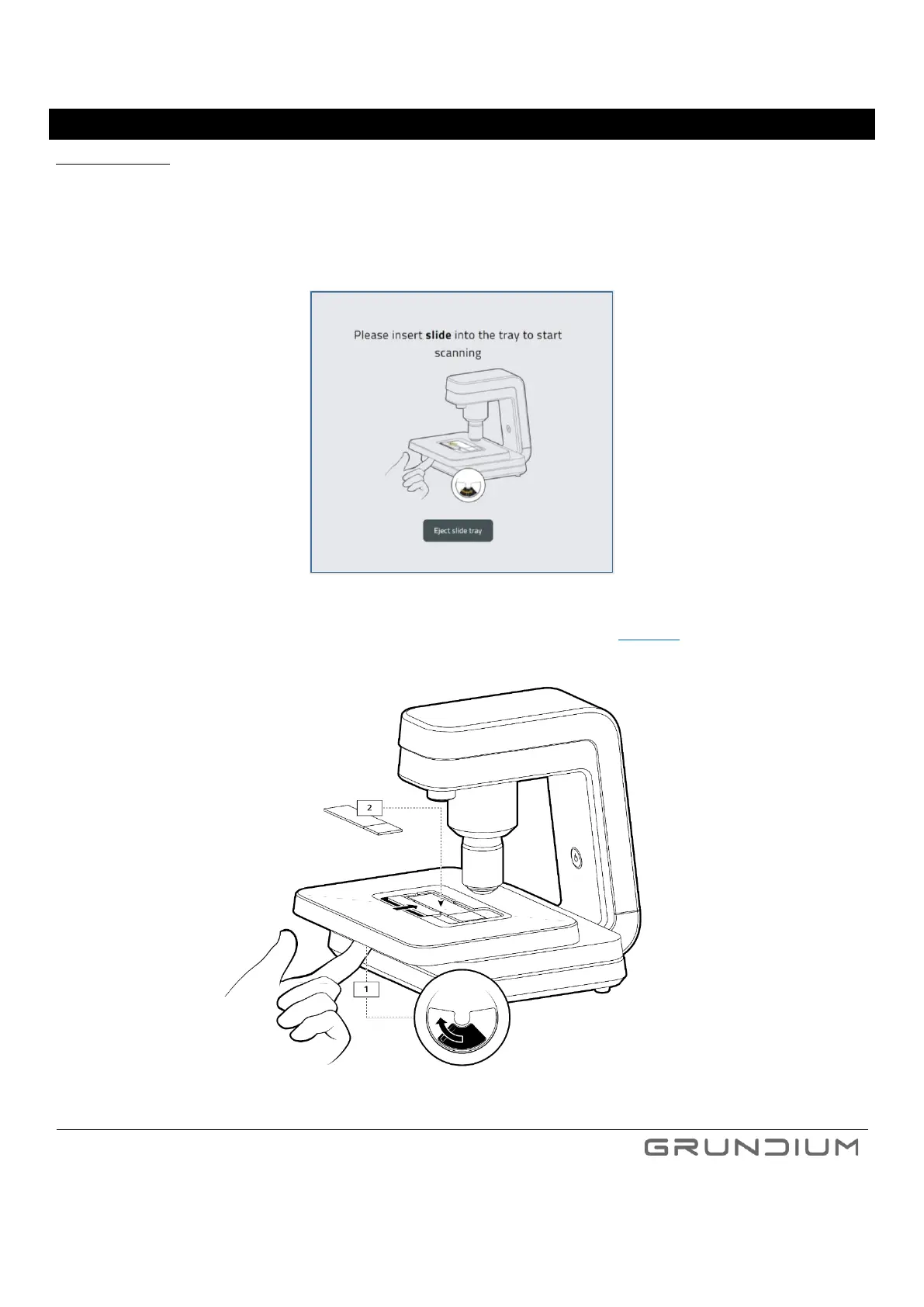
On your computer or tablet, navigate to Grundium.net, select Microscope view, click Eject slide tray, or Change
Slide.
Image 14. For inserting a slide into scanner click Eject slide tray.
2.
Push the lever underneath the cover plate left to open the slide retainer (See image 15).
Image 15. Open the slide retainer and place the slide in the scanner.



 To Next Page