AWT35‐500349|June2009 Page6
2.0 Keypad and Display
2.1 Keypads
2.1.1 Model 350 Keypad
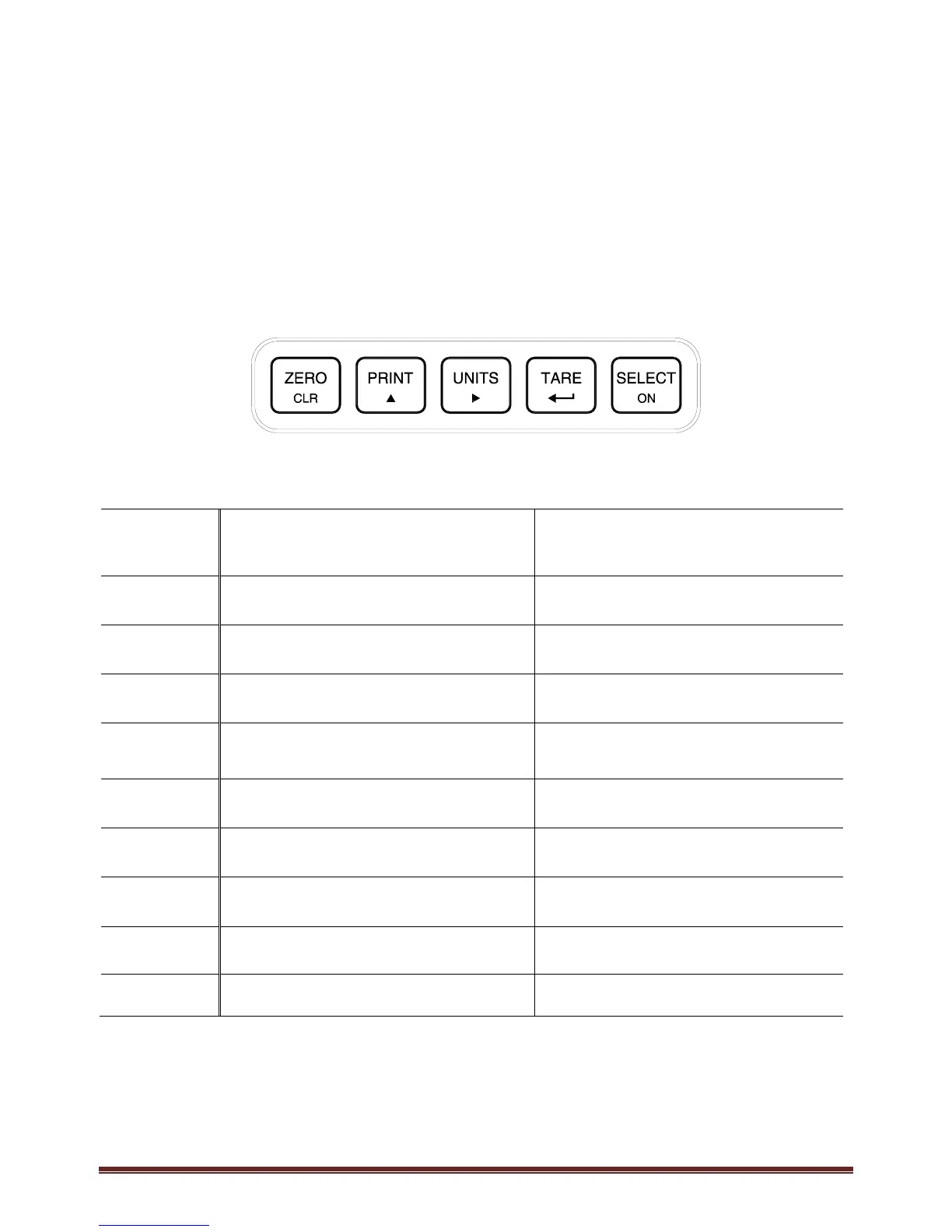
The Model 350 offers a sealed 5-button elastomer keypad which is used for operator input. Each key is
assigned two distinct functions. Various key combinations are also used. Each key has secondary functions;
allowing an operator to enter target values, perform piece samples, access setup parameters, etc.
Figure 4: Model 350 Keypad
Key Press Weigh Mode Count Mode
Performs a gross zero function and/or clears an entry
in progress. Hold this key on power-up to turn on
the display if in sleep mode.
Performs a quantity zero function and/or clears an
entry in progress.
Performs a print function and/or ‘scrolls’ through
digits during setpoint entry.
Performs a print function and/or ‘scrolls’ through
digits during setpoint entry.
2
Toggles between ‘lb’ and ‘kg’ and/or advances
cursor to next entry position.
Toggles through standard sample sizes and/or
begins a new sample entry.
1
Performs an auto-tare function (if enabled) and/or
accepts an entry in progress.
Performs an auto-tare function and requests a piece
sample and/or accepts an entry in progress.
Toggles between display modes and/or restores
power to the indicator (if auto-shutoff enabled).
Toggles between display modes and/or restores
power to the indicator (if auto-shutoff enabled).
+ 1
Absolute clear – clears an entry in progress and/or
clears the value of a parameter.
No function.
+
Backspace – erases the right-most digit during data
entry.
Backspace – erases the right-most digit during
sample entry.
+
Extended gross. Extended gross.
2 + 1
Turn off indicator by holding key for approximately
1 second. Battery mode only.
Turn off indicator by holding key for
approximately 1 second. Battery mode only.
+ 2
Reverse character scroll during data entry. Reverse character scroll during sample entry.



 To Next Page