mega macs PC
Working with the mega macs PC
Symbols
11.1.2 Symbols in the Header
SSyymmbboollss
DDeessiiggnnaattiioonn
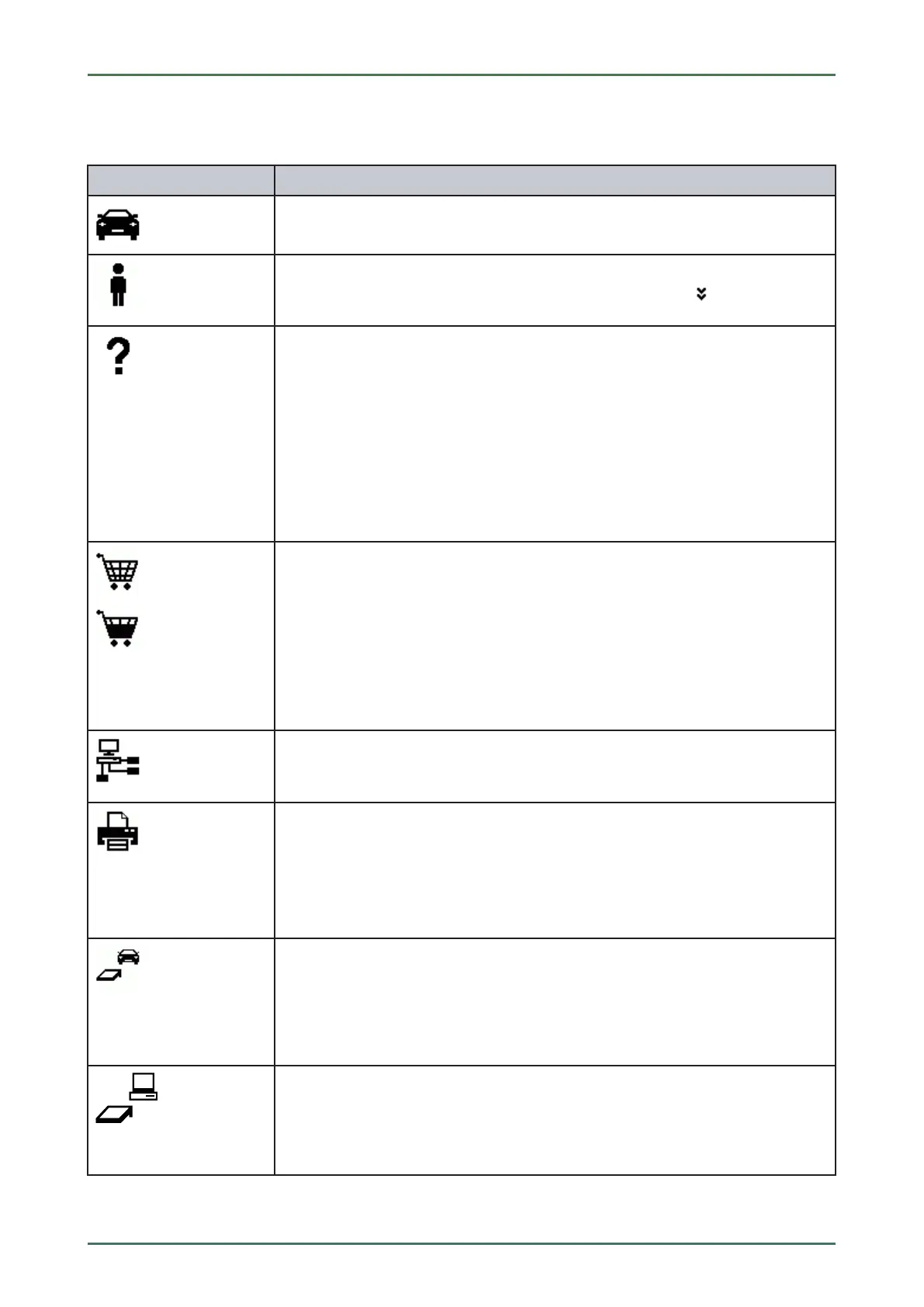
Vehicle data
This menu contains the data of the currently selected vehicle.
User
Here you can click the symbol to change the user or double-click
to enter a new
user name.
Help
Select the menus >Assistance in selection< and >User Manual<.
• >Assistance in selection<
Indication of the active assistance for the different icons and the drop-down menu
Black symbol: Help function is inactive
Green symbol: Help function is active
• >User Manual<
Calling up the complete manual
Shopping cart
The spare parts booked for order are indicated with the following information:
• Quantity
• Component name
• Manufacturer
• Item number
The shopping cart symbol is dark if there are spare parts in the cart.
Order network
This network is used for data exchange between the mega macs PC and order
network.
Printer
Printer is ready for operation
• Black symbol: Printer is ready
• Symbol flashes green-black: Print job is in progress
• Red symbol: Connecting error between printer and PC
Vehicle connection status
Here you can view the active and inactive connections between the PC and the PC VCI.
The symbol shows the active connection.
• Black symbol: Connection to PC VCI is inactive.
• Green symbol: Connection to PC VCI is active.
PC connection status
Here you can view the active and inactive connections PC and HGS data server.
• Black symbol: Connection to HGS data server is inactive.
• Green symbol: Connection to HGS data server is active.
45



 To Next Page