Working with the mega macs PC
mega macs PC
Symbols
11.1.6.5 Symbols in the Wiring Diagram Menu
SSyymmbboollss
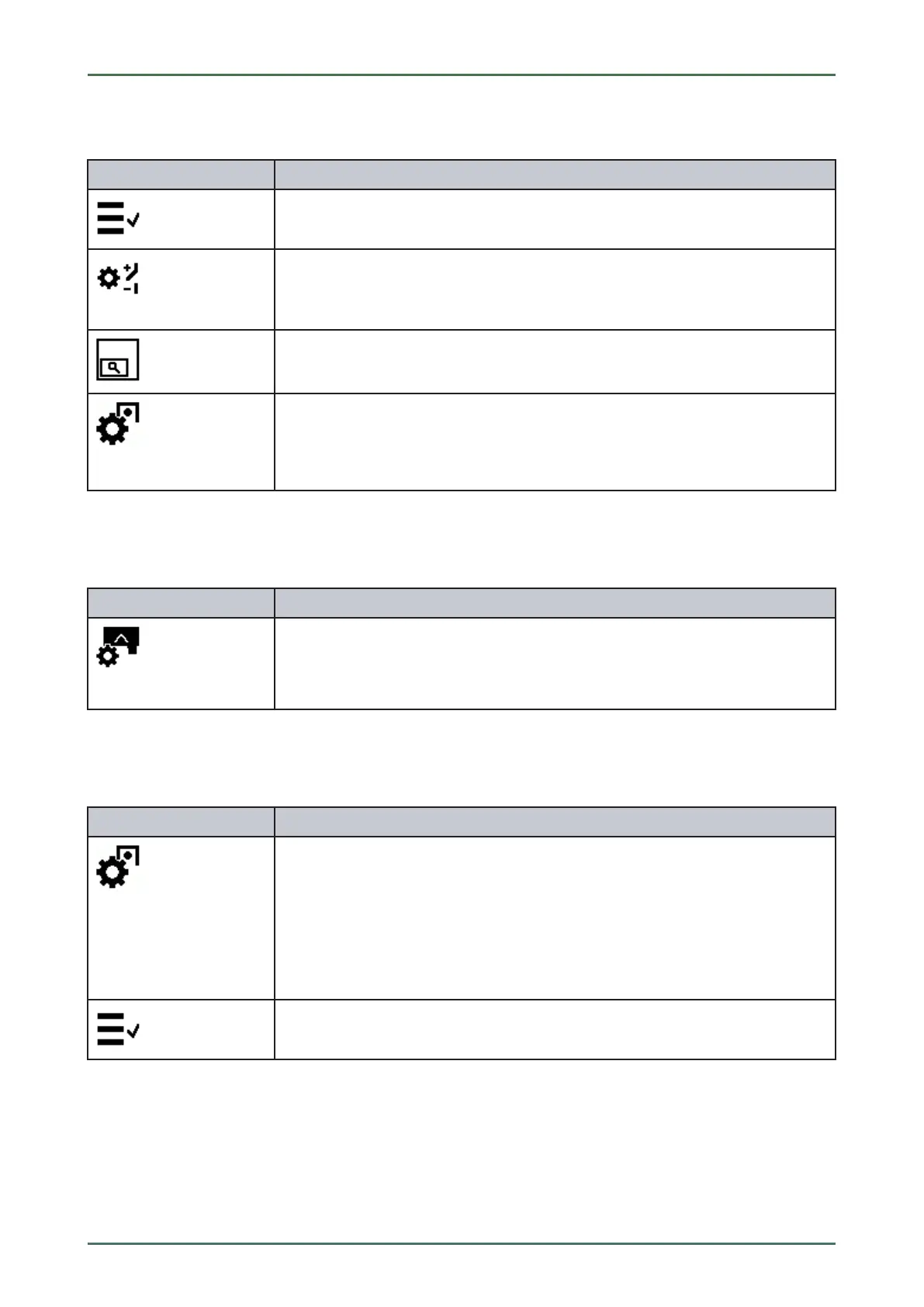
DDeessiiggnnaattiioonn
Assembly/system selection
Here you can return directly to the wiring diagram selection page.
Component selection
Here you can see an overview of all the components included in the wiring diagram.
These are sorted alphabetically and indicated with a colored border in the wiring
diagram depending on the selection.
Indicating/blanking the general view of the wiring diagram
If you zoomed the wiring diagram you can view an overview bottom left. If you move
the frame in general view you can view the section in the zoomed view.
Component help
Here you can find additional information on the selected component, e.g.:
• Wiring diagrams
• Parts information
11.1.6.6 Symbols in the Fuses/Relays Menu
SSyymmbboollss
DDeessiiggnnaattiioonn
Fuses/relays for component
Here you can view components with fuses/relays in the selected fuse box. These are
sorted alphabetically and are indicated with a colored border in the fuse box
depending on the selection.
11.1.6.7 Symbols in the Component Test Values Menu
SSyymmbboollss
DDeessiiggnnaattiioonn
Component help
Call up detailed information on the certain components, e.g.:
• Engine compartment image
• Component test values
• Repair instruction
• Component image
Component selection
This menu returns you to the component test values selection.
52



 To Next Page