Chapter 6, Quality Control 75
Haemonetics
®
TEG
®
6s User Manual P/N 115191-IE, Manual revision: AB
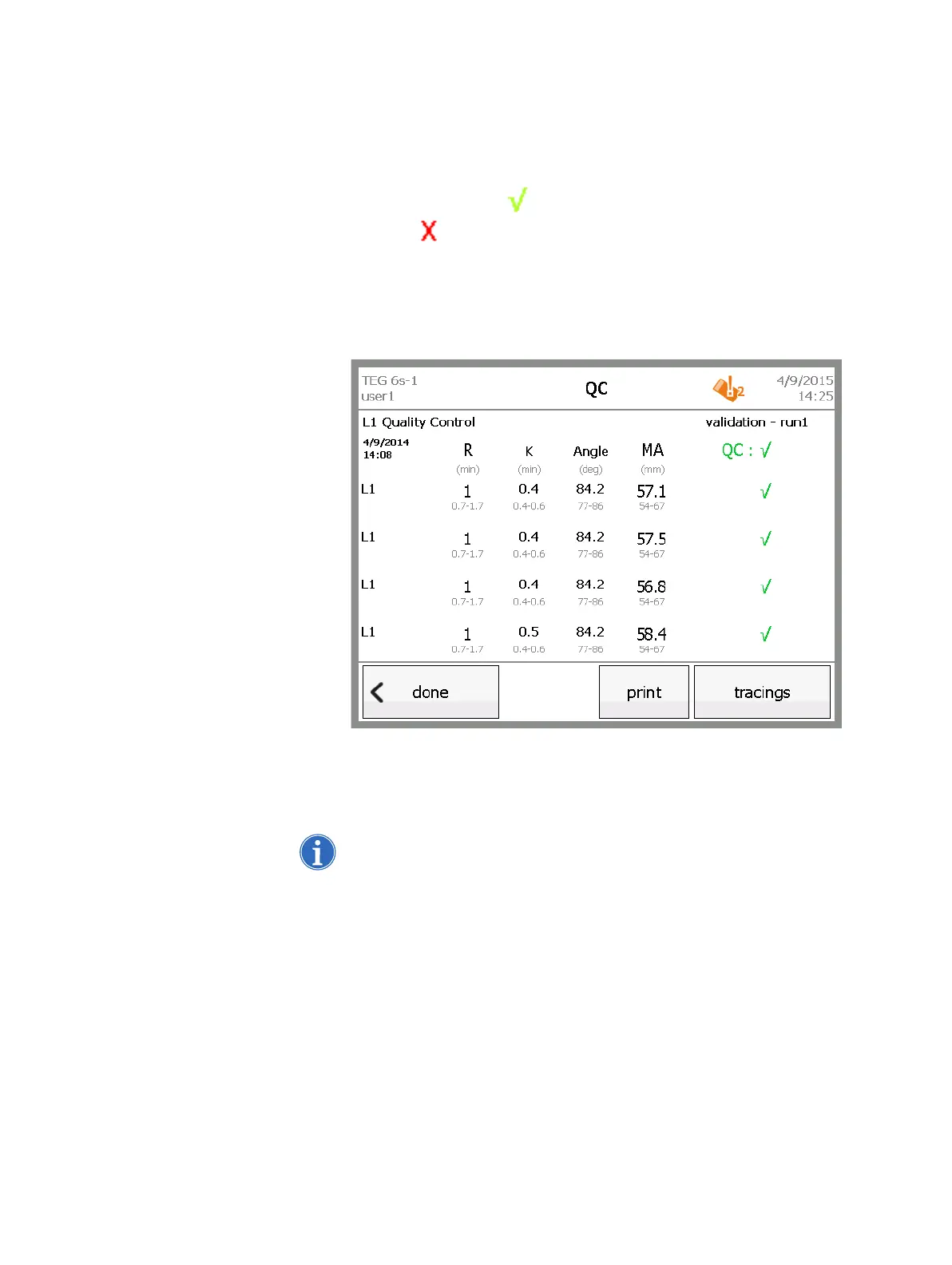
10.Touch results to return to the results screen. When the test is complete,
the following changes occur on the results screen:
The test timer is replaced by the system date and time.
The status of each channel is shown on the right side of the screen. A
green check mark indicates that QC passed for the channel, and
a red indicates that QC failed for the channel.
If all four channels passed, the” QC overdue” icon at the top of the
screen no longer shows the QC level that passed.
The stop button is replaced by a done button.
The print button is enabled.
Figure 6-8, QC test results (complete)
11.When the analyzer displays the “Remove cartridge” prompt, pull the used
cartridge out of the slot and immediately dispose of it in a marked,
biohazard waste receptacle.
Note: A flashing light at the cartridge slot also indicates that it is safe to
remove a cartridge.



 To Next Page