EB+ Soft Docking Installation guide
26
Innovative Vehicle Solutions 2020
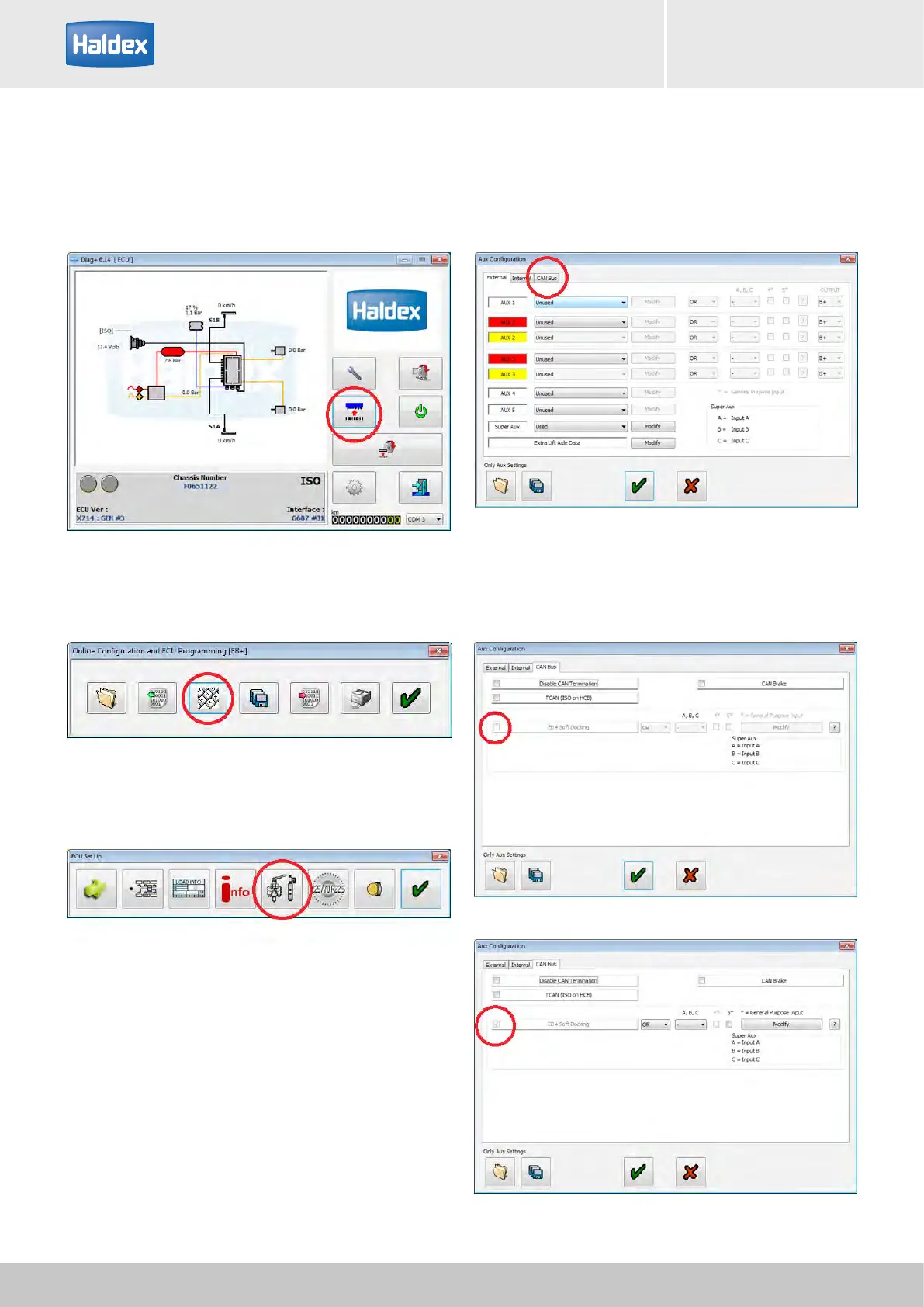
How to check if EB+ Soft Docking is installed
Step 1:
Turn 'on' the power to the EB+ Gen3.
Open DIAG+, select configuration.
Step 2:
Select ECU parameters / configuration.
Step 3:
Select setup auxiliary configuration.
Step 4:
Select CAN BUS tab.
Step 5:
Observe the EB+ Soft Docking tick box.
No tick = EB+ Soft Docking not installed
Tick = EB+ Soft Docking installed



 To Next Page