EB+ Soft DockingInstallation guide
27
2020 Innovative Vehicle Solutions
How to remove EB+ Soft Docking from EB+ Gen3
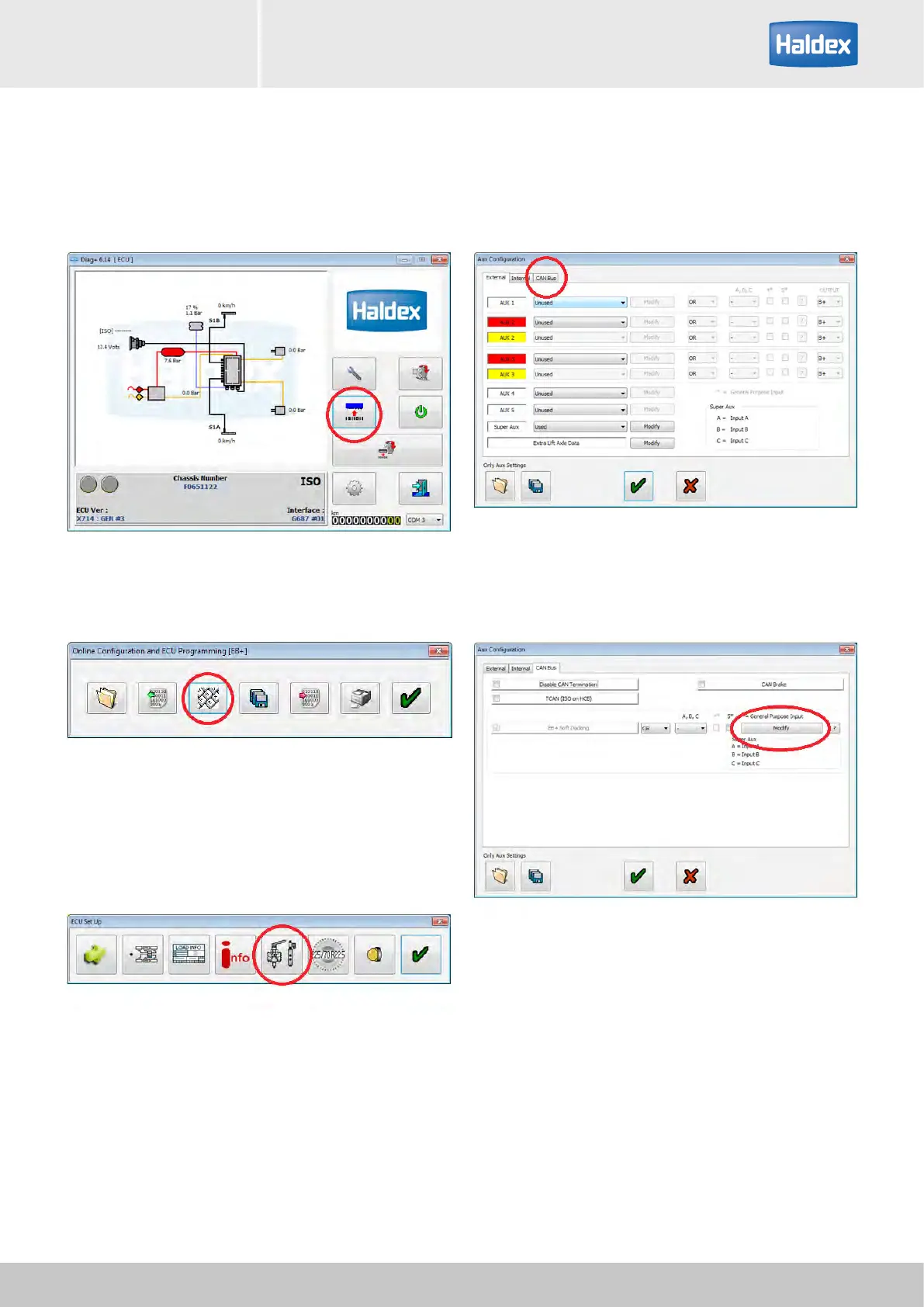
Step 1:
Turn 'on' the power to the EB+ Gen3.
Open DIAG+, select configuration.
Step 2:
Select ECU parameters / configuration.
Step 3:
Select setup auxiliary configuration.
Step 4:
Select CAN BUS tab.
Step 5:
Select "Modify" button.



 To Next Page