EB+ Soft Docking Installation guide
28
Innovative Vehicle Solutions 2020
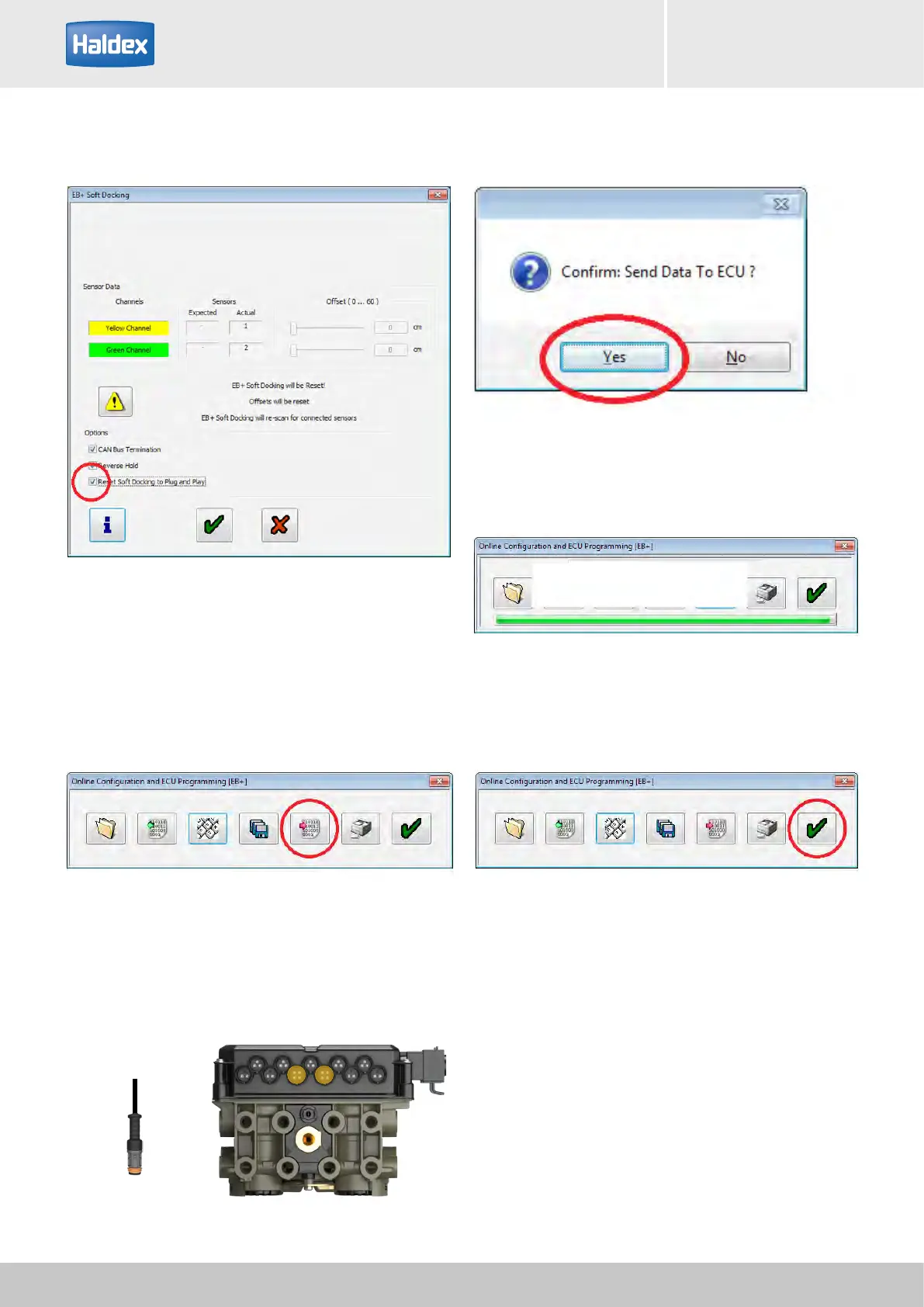
Step 6:
Select 'Reset Soft Docking to Plug and Play' box.
Step 8:
Select 'Send data to ECU'.
Step 7:
Click on 'green' ticks until you reach 'Online
Configuration and ECU Programming' window.
Step 9:
Remove EB+ Soft Docking CAN BUS cable from EB+
Gen3 ECU.
Step 10:
Select 'Yes' to send data to ECU.
Step 11:
Sending data screen.
Step 12:
Select 'green' tick to complete the operation.
Step 13:
Check using DIAG+ that the EB+ Soft Docking has now
been removed.
EB+ CAN BUS cable



 To Next Page