EB+ Soft DockingInstallation guide
29
2020 Innovative Vehicle Solutions
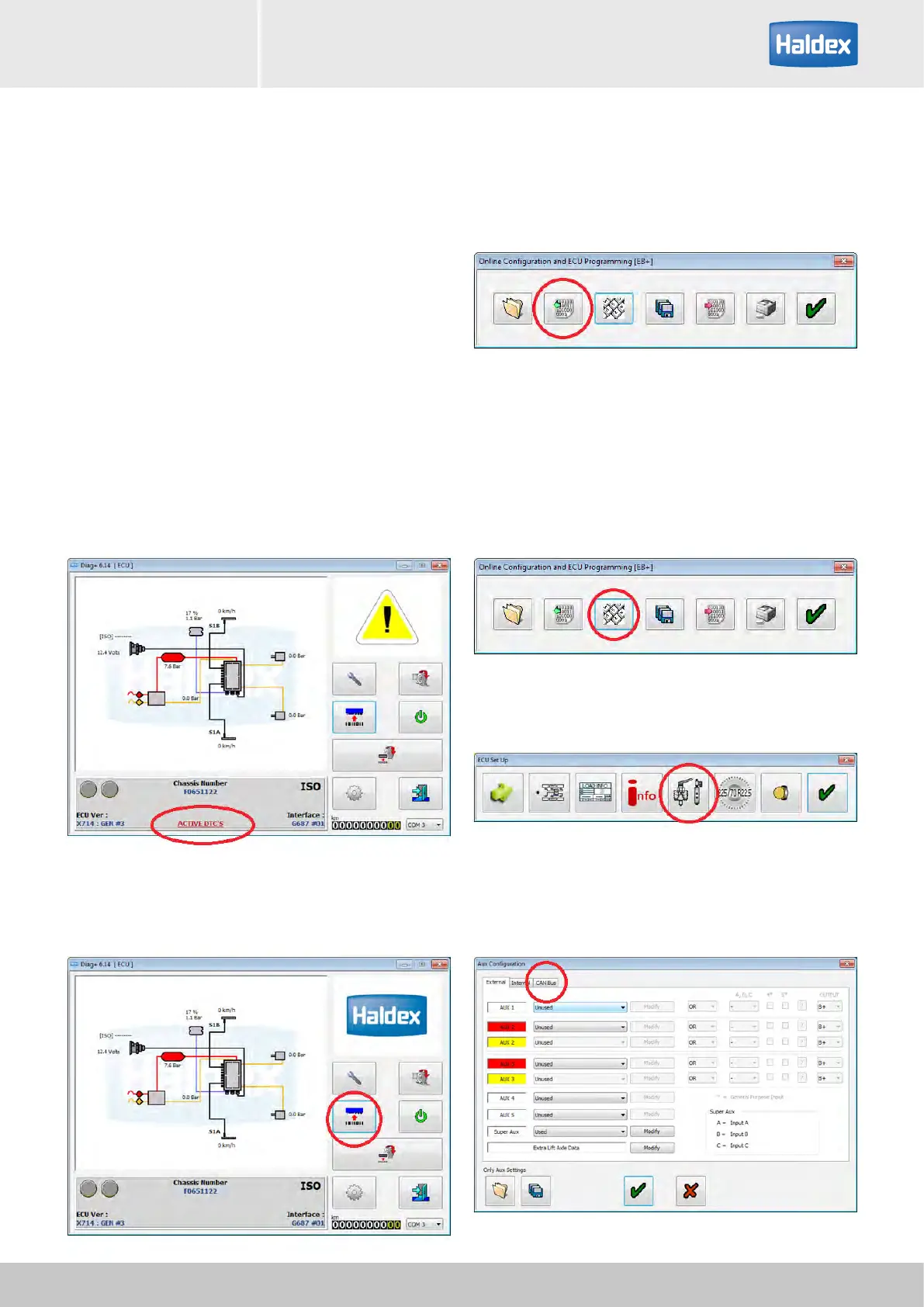
Step 7:
Read data from ECU.
Step 5:
Open DIAG+, check that no DTC's are shown.
Step 1:
Turn 'off' the power to EB+ Gen3.
Step 2:
Connect EB+ Soft Docking to the EB+ CAN BUS
connector.
Step 3:
Turn 'on' the power to EB+ Gen3.
Step 4:
Check installation using DIAG+
How to install a 3 sensor (1 x yellow & 2 x green) EB+ Soft Docking system
using DIAG+
Step 6:
If no DTC's are present select configuration.
Step 8:
Select ECU parameters / configuration.
Step 9:
Select set up auxiliary configuration.
Step 10:
Select CAN BUS tab.



 To Next Page