EB+ Soft Docking Installation guide
30
Innovative Vehicle Solutions 2020
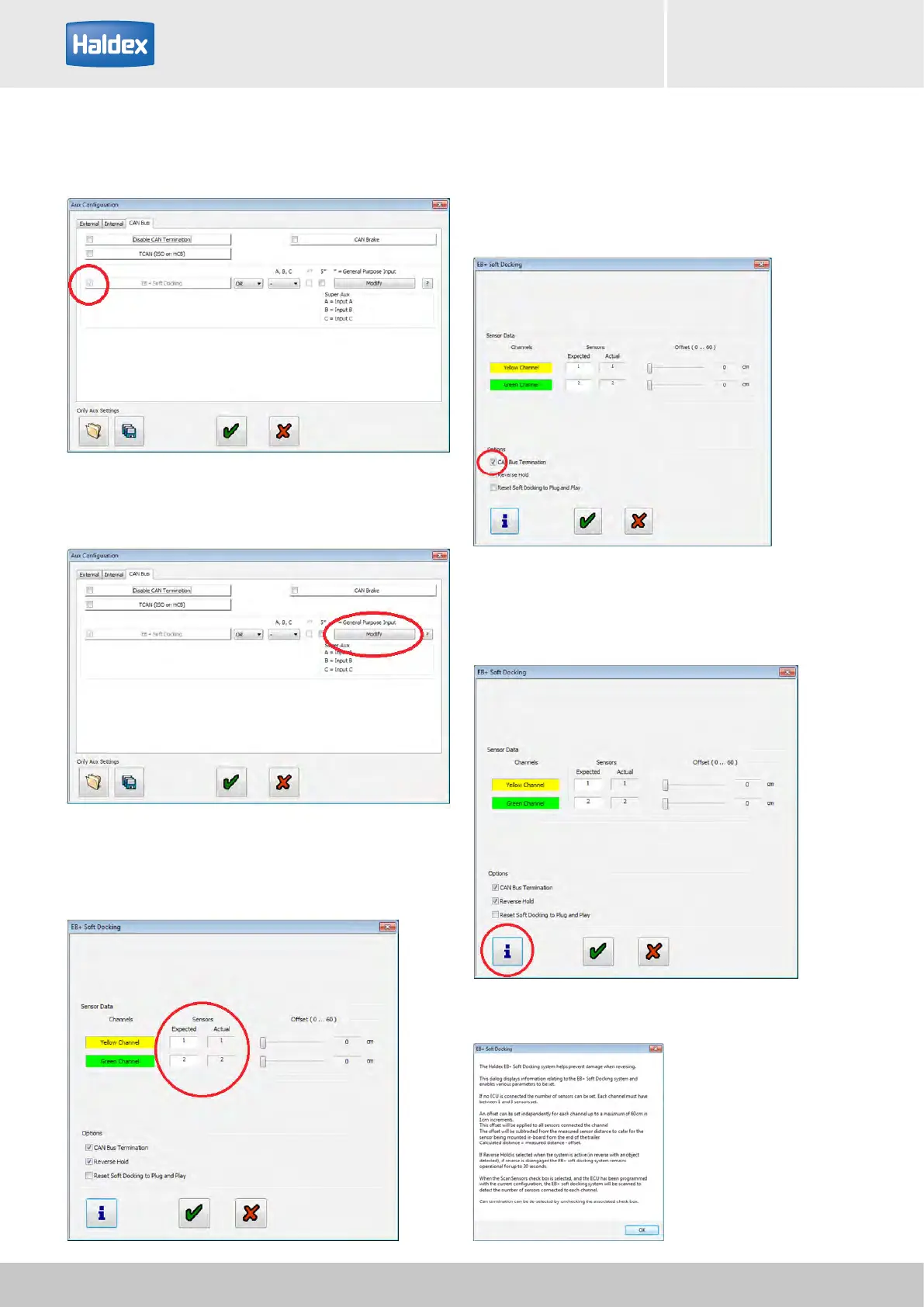
Step 11:
Observe the EB+ Soft Docking tick box.
Step 14:
Ensure that the 'CAN Bus Termination' box is selected.
Note: the 'CAN Bus termination' shall always be
selected unless otherwise advised by Haldex.
Step 12:
Select 'Modify' button.
Step 15:
Select 'i' button for additional information.
Step 13:
Check that the number of sensors is correct.



 To Next Page