EB+ Soft Docking Installation guide
36
Innovative Vehicle Solutions 2020
How to check for a faulty installation using DIAG+
Step 1:
Turn 'on' the power to EB+ Gen3.
Step 2:
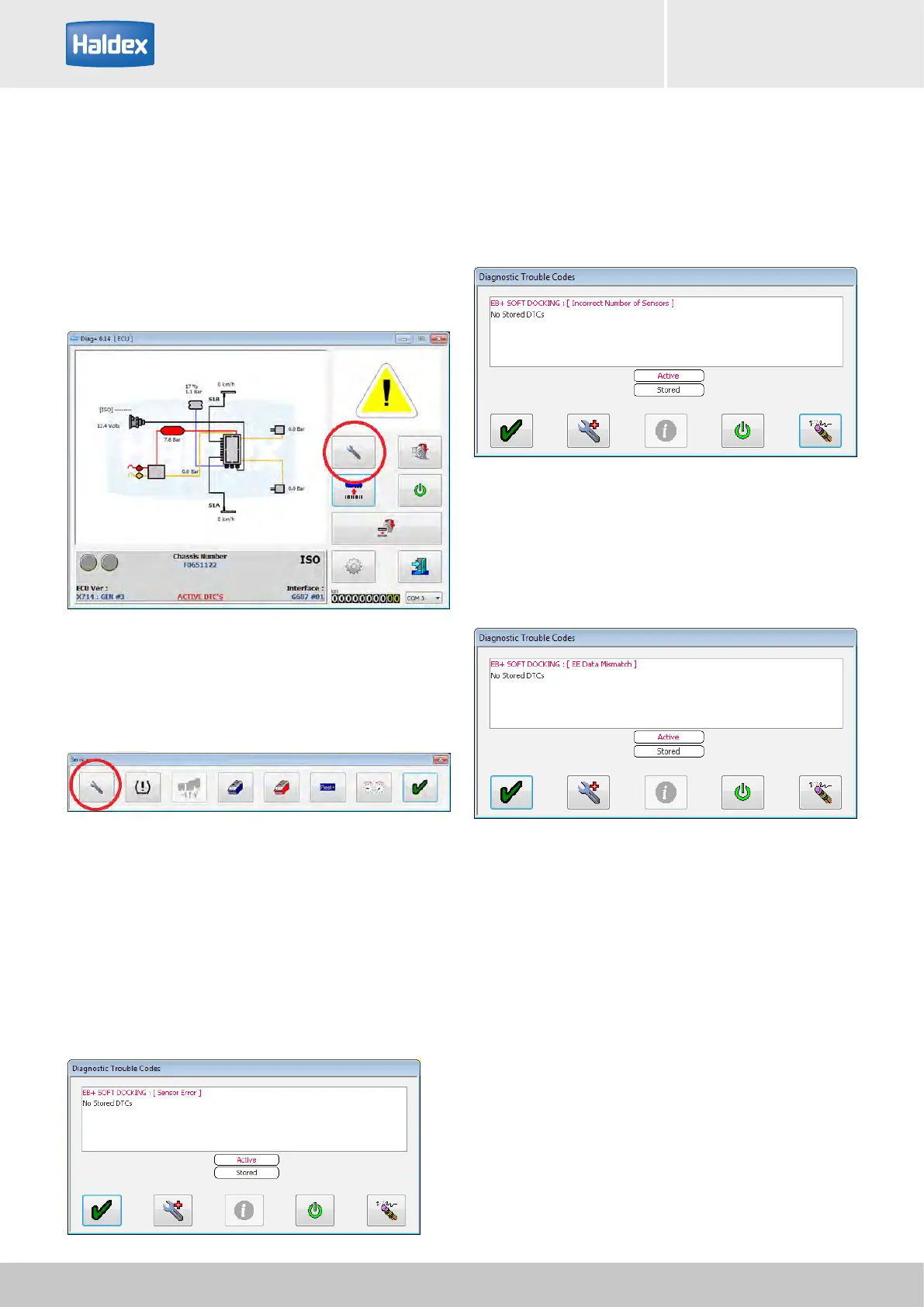
Open DIAG+, select service.
DTC error:
Incorrect number of sensors - either the yellow or green
channel has no working sensors connected.
DTC error:
EE data mismatch - sensor mismatch between EB+
Gen3 stored data and EB+ Soft Docking stored data.
Reset EB+ Gen3 to remove this error.
Step 4:
Check 'Diagnostic Trouble Code' window for any active
DTC's.
DTC error:
Sensor error - damaged or faulty sensor detected.
Step 3:
Select DTC's.



 To Next Page