EB+ Soft DockingInstallation guide
37
2020 Innovative Vehicle Solutions
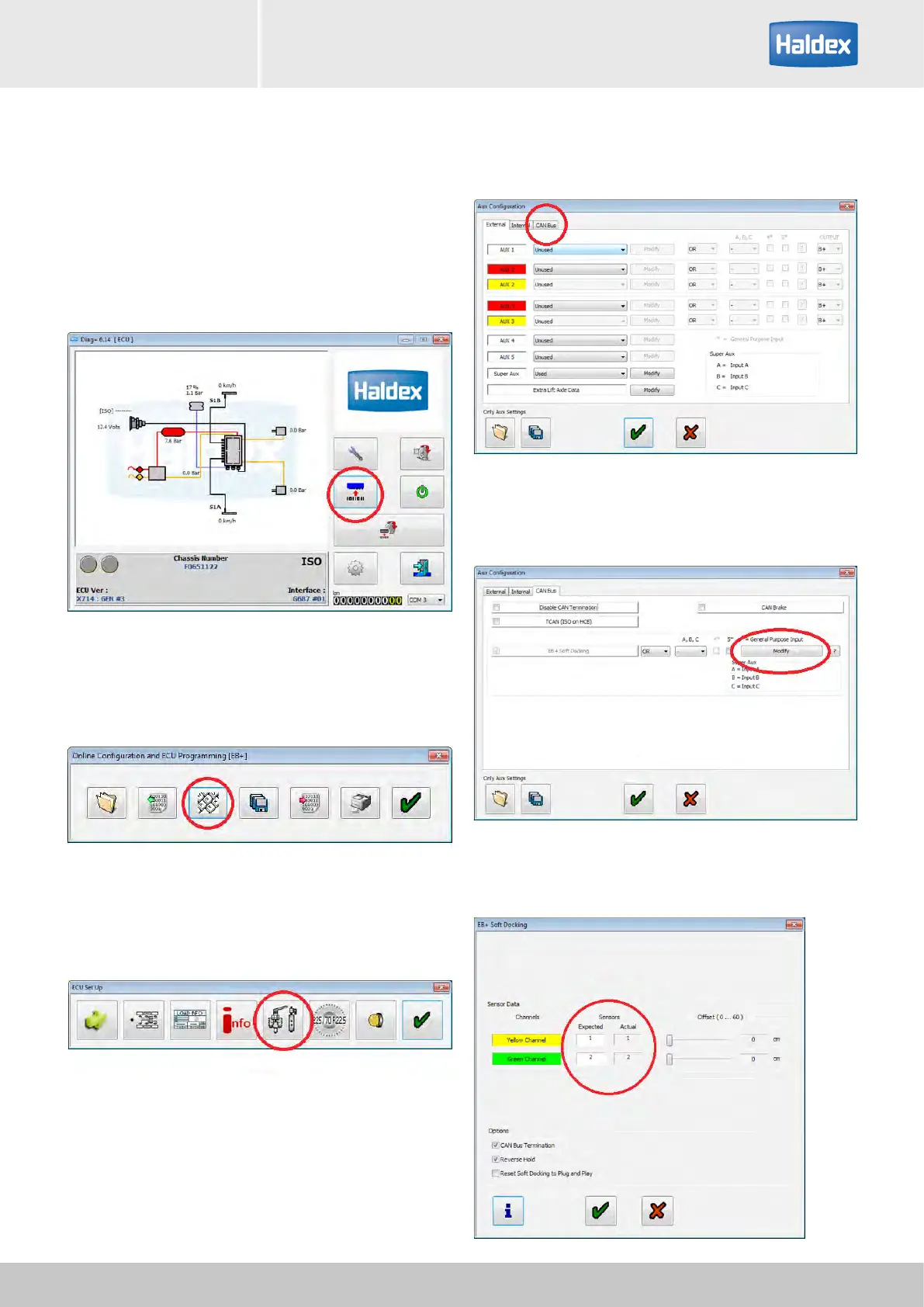
Step 5:
Click on 'green' ticks until you reach the DIAG+ home
window.
Step 6:
Select configuration.
Step 7:
Select ECU parameters / configuration.
Step 8:
Select setup auxiliary configuration.
Step 9:
Select CAN BUS tab.
Step 10:
Select "Modify" button.
Step 11:
Check displayed sensors for errors.



 To Next Page