EB+ Soft Docking Installation guide
42
Innovative Vehicle Solutions 2020
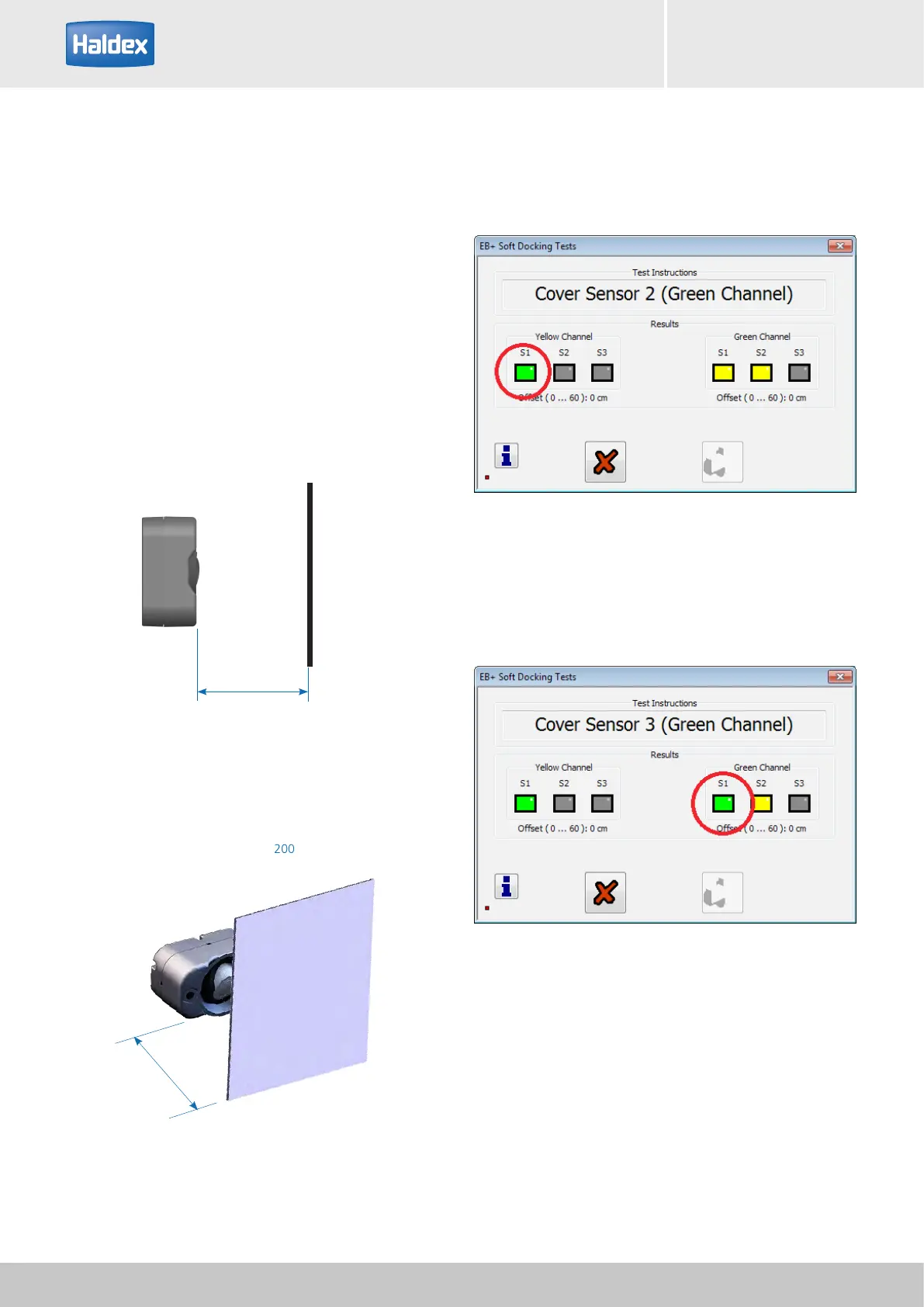
Step 16:
Sensor on green channel has been detected (S1 box
green).
Activate the next sensor on the green channel.
Step 15:
Sensor on the yellow channel has been detected (S1
box green).
Activate any sensor on the green channel.
Test sequence:
› Marker lights flashing.
› Place a solid object 150 mm away from the sensor
face.
› Marker lights stop flashing (remain 'on') and bleeper
sounds, when the sensor has been detected.
› DIAG+ screen shows that the sensor has been
detected using a green box (S1, S2 or S3)
Sensor
Sensor
Solid object
200 mm x 100 mm cardboard
Solid object
200 mm x 100 mm cardboard
150 mm
150 mm



 To Next Page