*#1 :-Owner’s Manual
22
Combination Presets
C C# D D# EFF# G G# A A# B
C
C#
D
D#
E
F
F#
G
G#
A
A#
B
Bank
Key
Adjust B
You can record various settings to the Preset Keys
mounted on the left-hand side of the XK-3. This is
called “Combination Preset”.
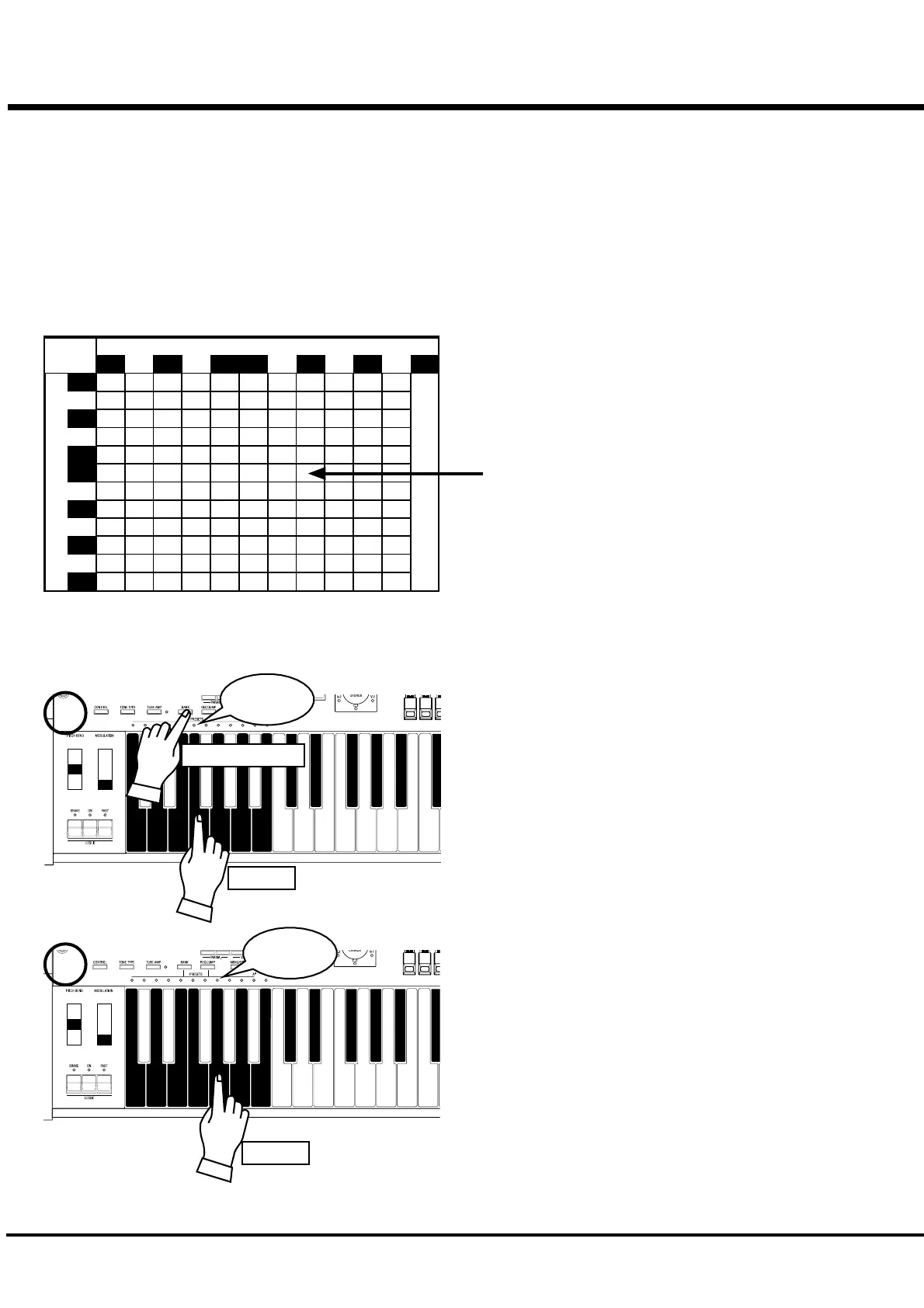
The Combination Preset consists of the “BANK” and the
“KEY” (2-dimensional), and Such as “C - D” appears for
each setting on the Display.
The Preset data is recorded in the Banks C to B at the
factory. Thus you can start playing immediately.
PLAY WITH THE COMBINATION PRESET
The chart on the left is for the Combination Preset. The
“BANK” is shown vertically (line) and the “KEY” horizontally
(column). Select one combination from this chart and play.
“C - B” is initially selected at the factory.
The example below recalls this.
1. Select the BANK
While holding down the [BANK] Button, press the Preset Key
[F].
NOTE: The LED for the Preset Key indicates the “BANK”,
while the [BANK] Button is pressed.
EX. Select “F - G”
HOW TO RECALL THE PRESET
2. Select the KEY.
Press the Preset Key [G].
At this time the Preset is decided and the setting changes.
NOTE: While the [BANK] Button is released, the LED
indicates the “KEY”.
“F - G” appears on the bottom left of the Display.
Recall various Combination Presets and play.
When you recall a Combination Preset, not only Drawbars but
also the Effects such as Leslie and Reverb change altogether.
However, the BANK B of the factory setting changes only the
Drawbars. This action is the same as on B-3 or C-3.
NOTE: You can set the types of the Parameter you recall.
(P. 56)
NOTE: The Preset Key “C” creates no sound (, if com-
bined) with any Bank in default. This is called
“Cancel”.
Light
1
2
Press and Hold
Light
Touch
Touch



 To Next Page